> For the complete documentation index, see [llms.txt](https://kb.logicerp.com/llms.txt). Markdown versions of documentation pages are available by appending `.md` to page URLs; this page is available as [Markdown](https://kb.logicerp.com/logic-erp-learning-hub-tutorials-and-best-practices/user-access/setup-approval.md).
# Setup Approval
**YouTube:** [How to Manage Multi - Level Approval Workflows for Documents?](https://www.youtube.com/watch?v=gfOFEL9Z7MU)
## How to Manage Multi - Level Approval Workflows for Documents?
In this tutorial, we will explore the **Approval System in Logic ERP**, including **multi-level approvals and approval tracking**. Let’s begin by configuring the approval process.
***
### Approval Setup Configuration
* Open the **Approval Setup** module.
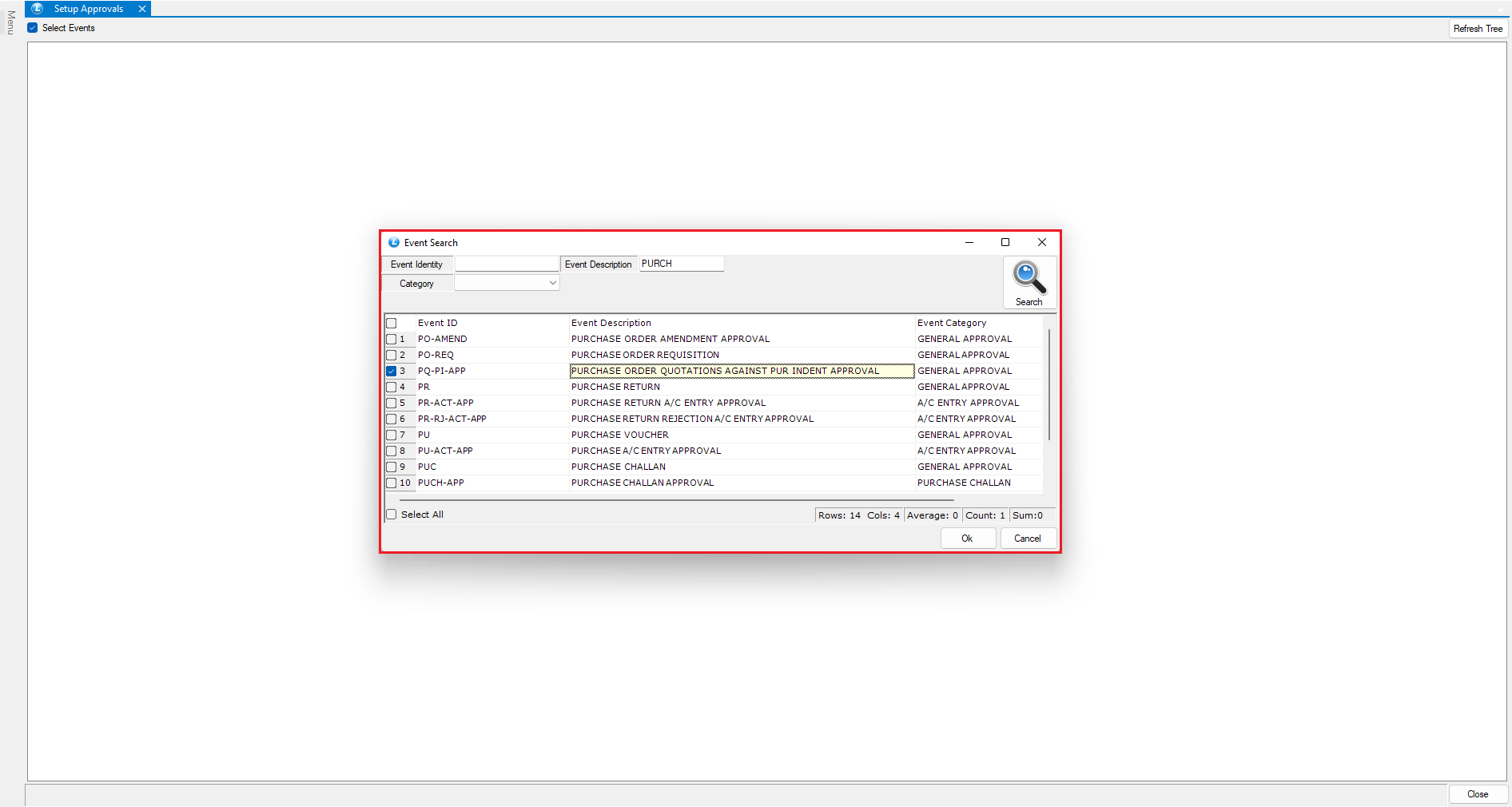
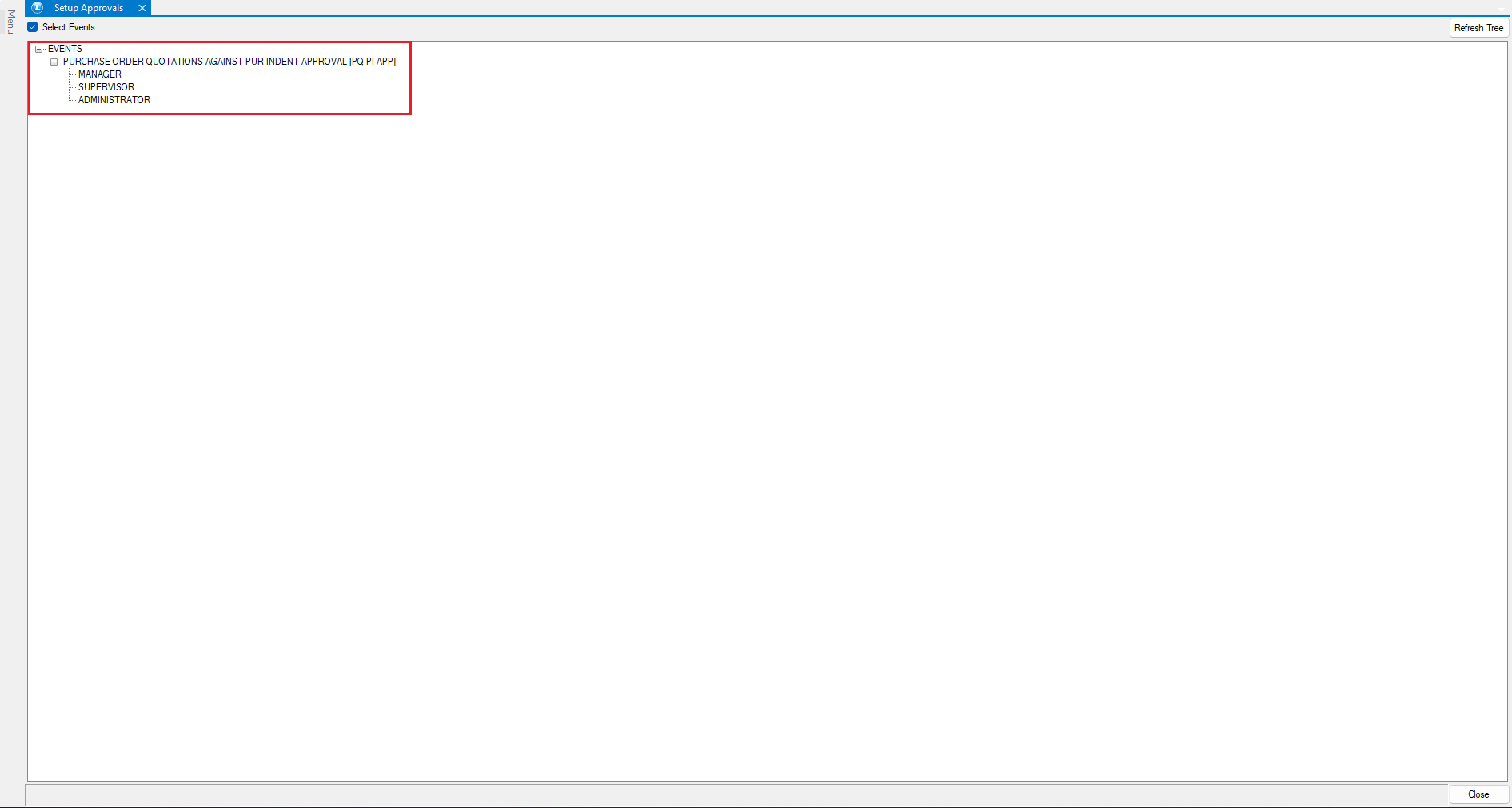
* Click on **Select Events** and choose **Purchase Order Quotation against Purchase Indent**.
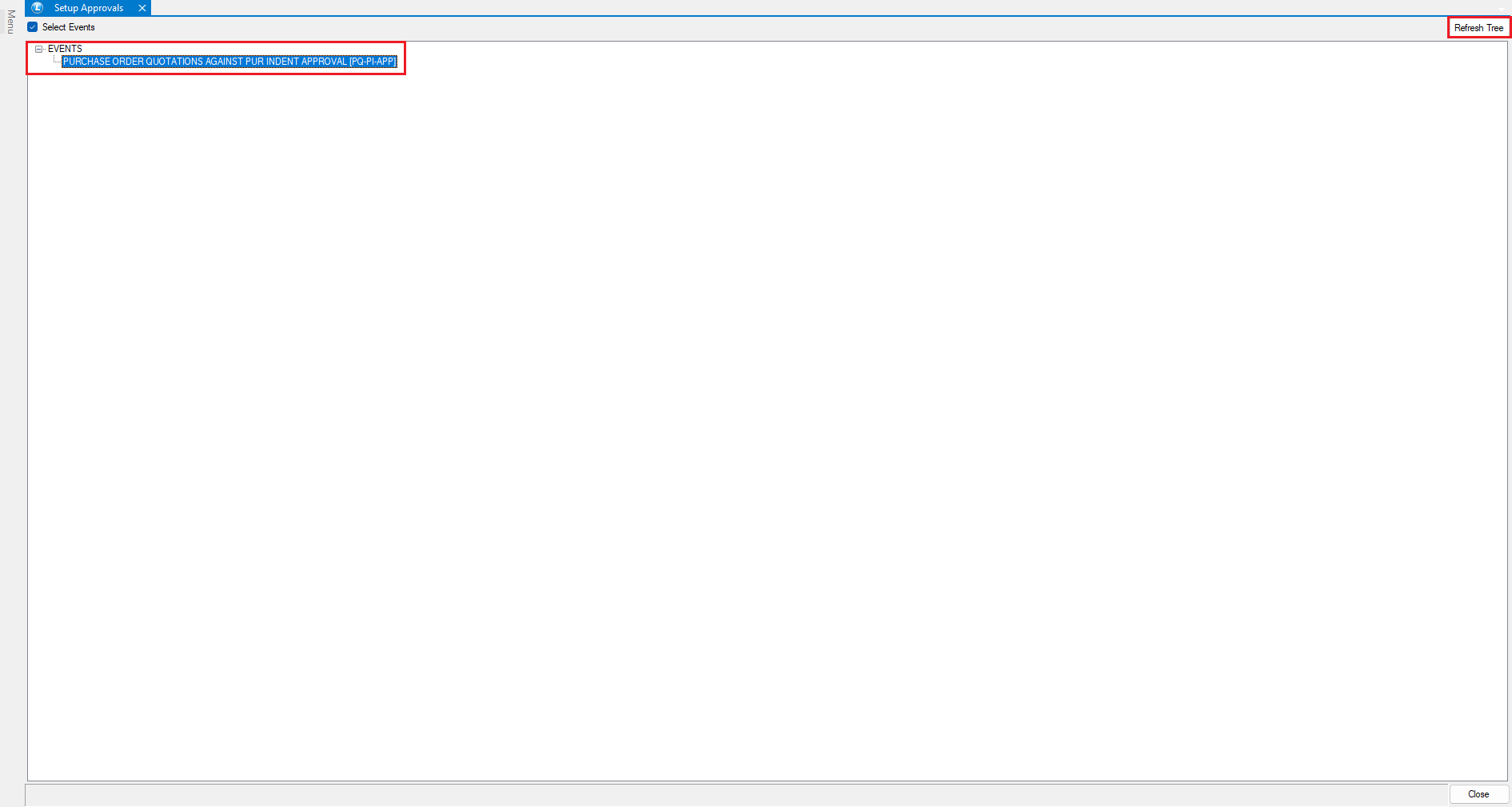
* Click **Refresh Tree**.
* The selected event will now appear in the tree structure.
**Allocate Users to the Event**
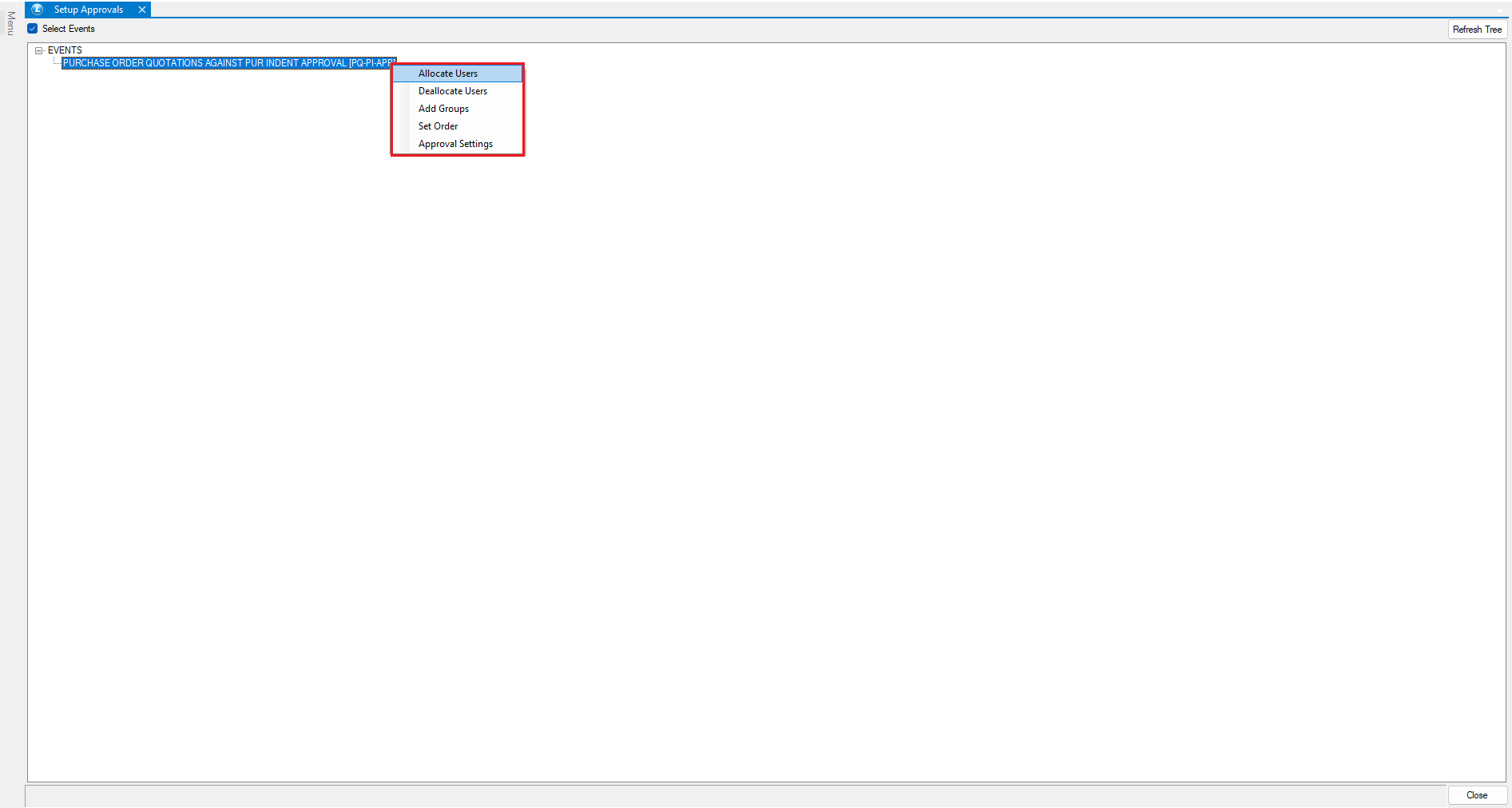
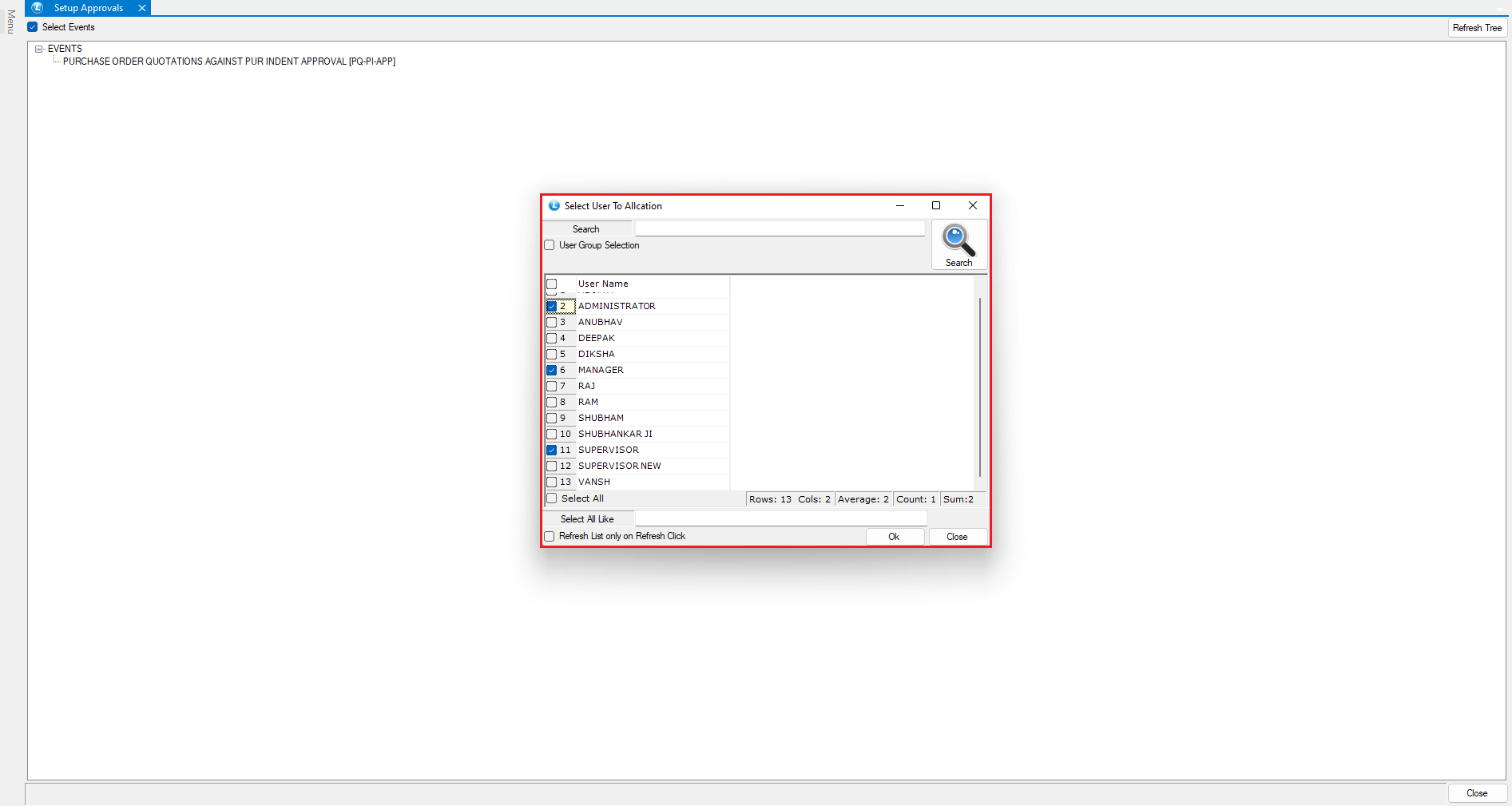
* Right-click on the event and select **Allocate Users**.
* Allocate the **Manager**, **Supervisor**, and **Administrator** roles.
* The users are now successfully assigned to the selected event.
**Define Approval Sequence**
* Right-click on the event again and select **Set Allocated User Order**.
* Define the approval hierarchy as:
* Manager
* Supervisor
* Administrator
This sequence ensures a structured, multi-level approval flow.
***
### Create a Purchase Indent
* Log in as a **User**.
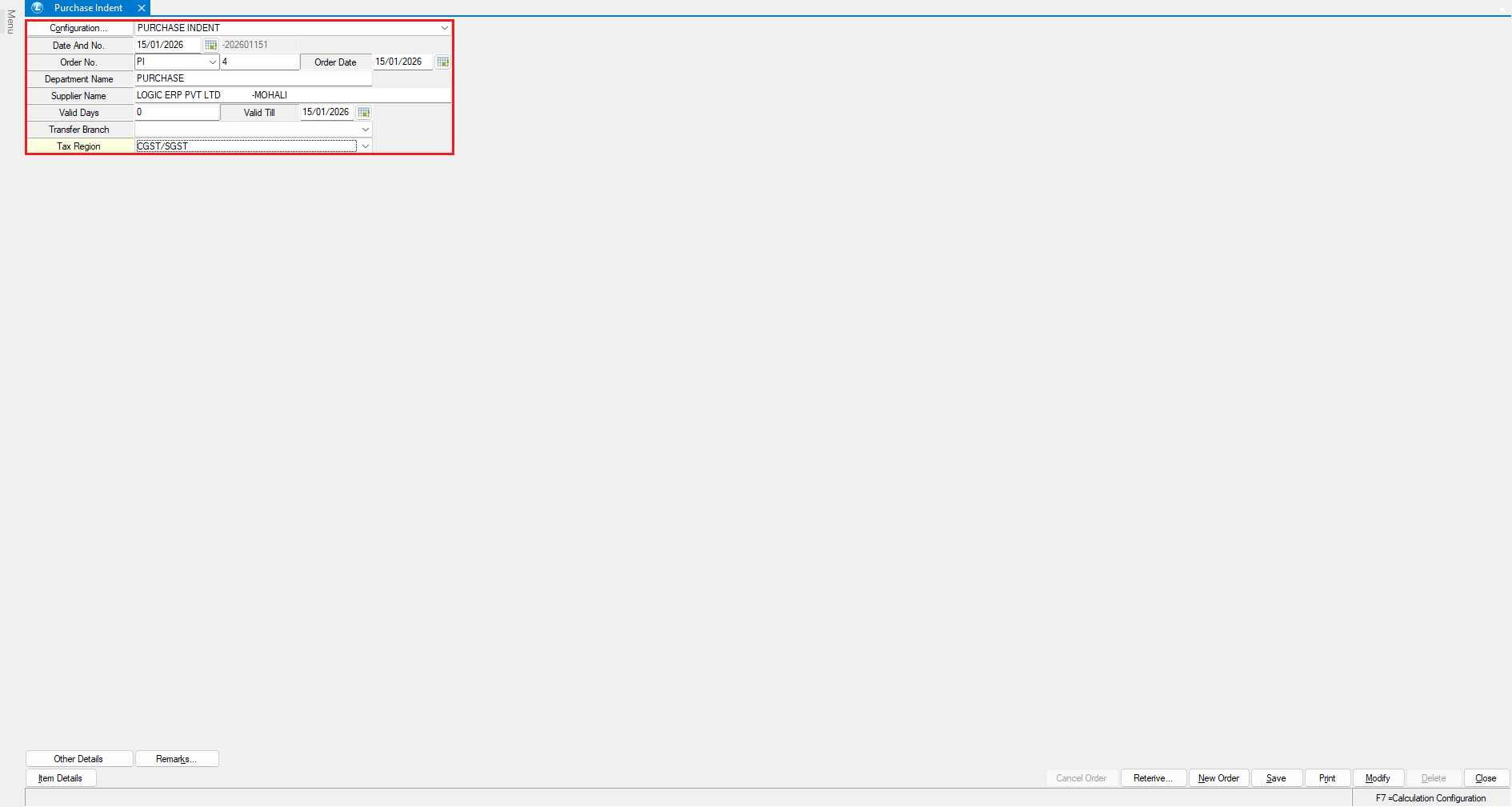
* Go to the **Purchase Indent** module.
* Enter the **Department Name** and **Supplier Name**.
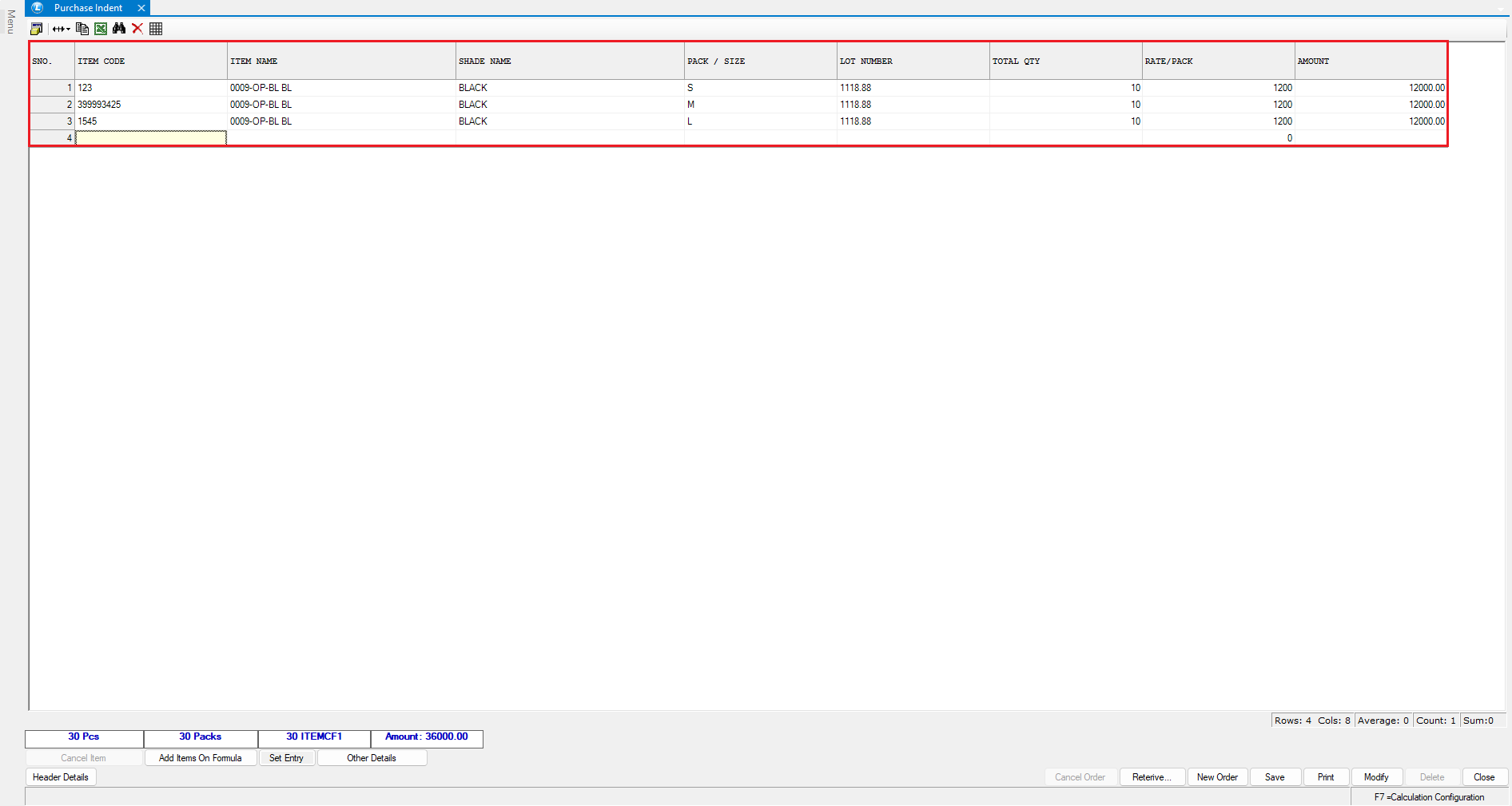
* Add the required **item details**.
* Save the document.
***
### Generate Purchase Order Quotation
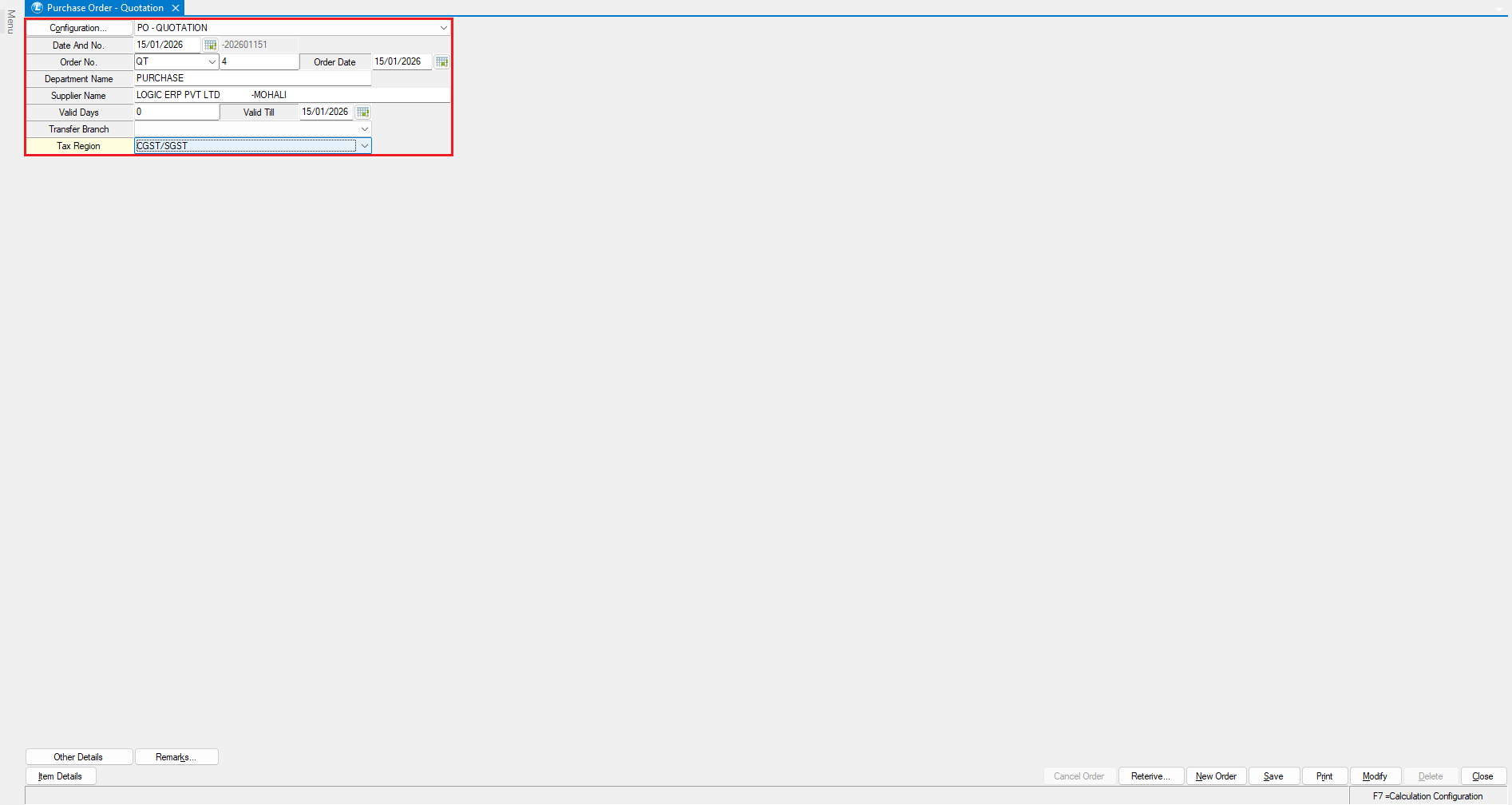
* Open the **Purchase Order Quotation** module.
* Enter the **Department Name** and **Supplier Name**.
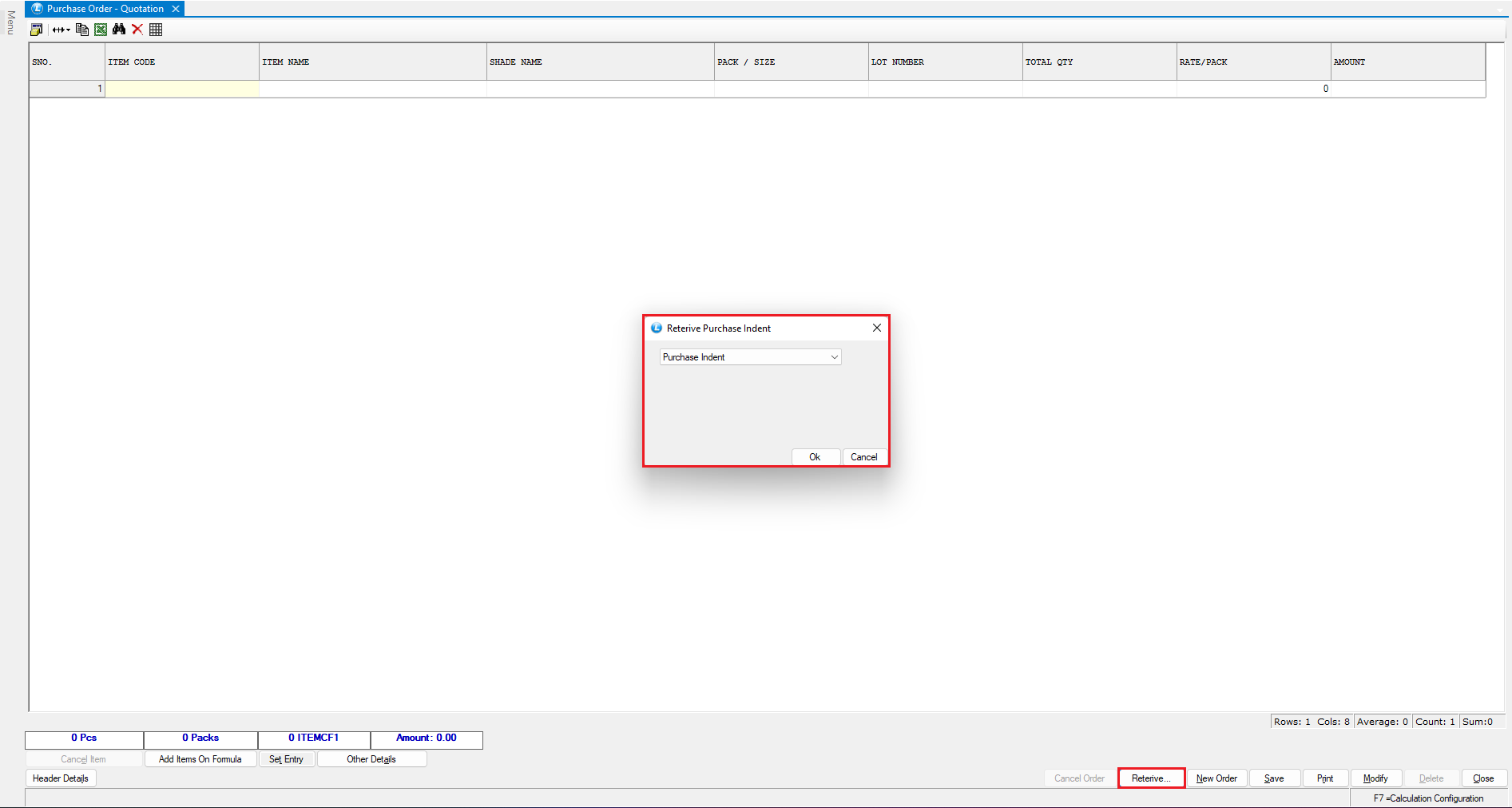
* Click on **Retrieve Purchase Indent**.
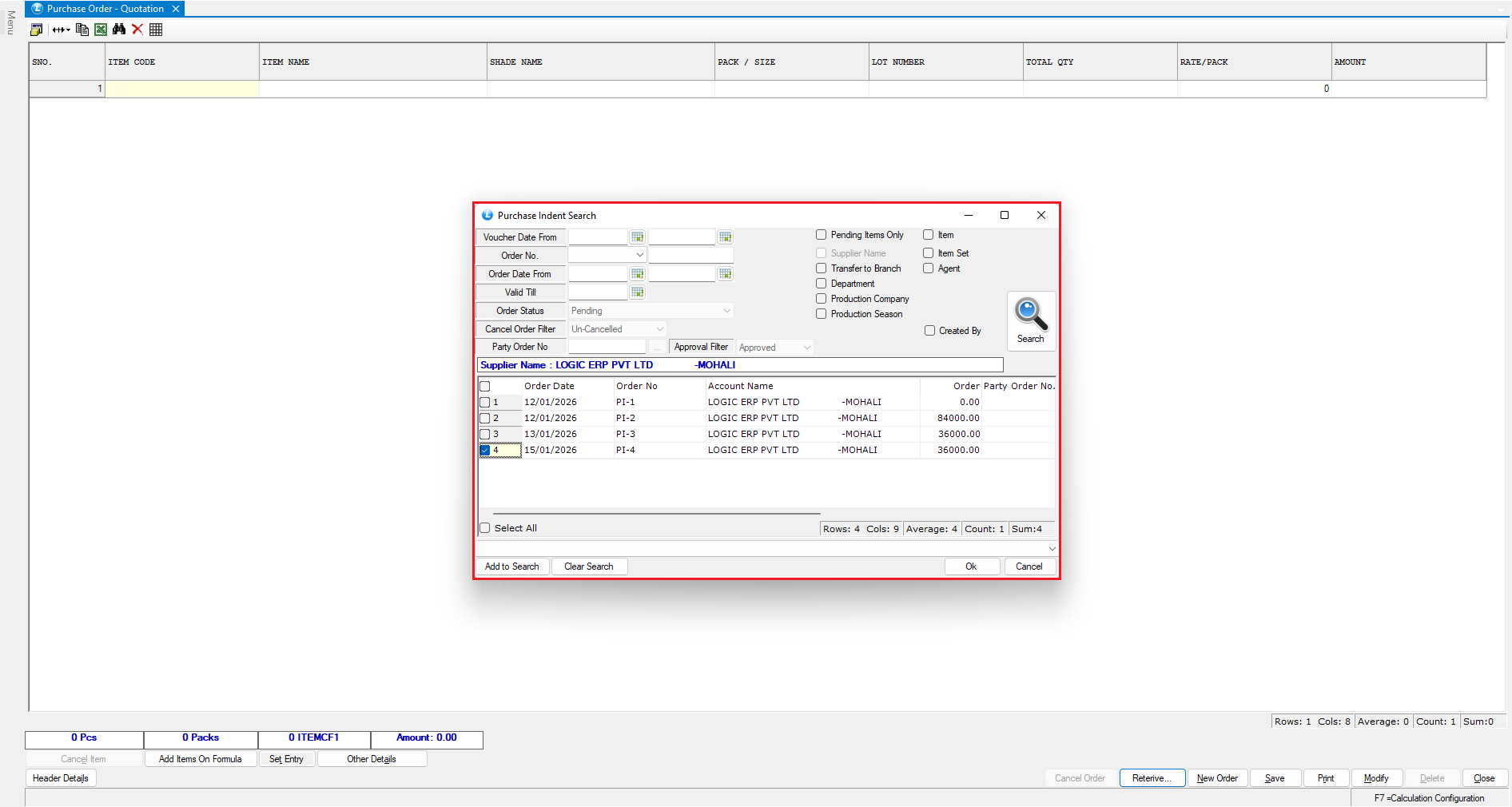
* Select the previously created purchase indent and click **OK**.
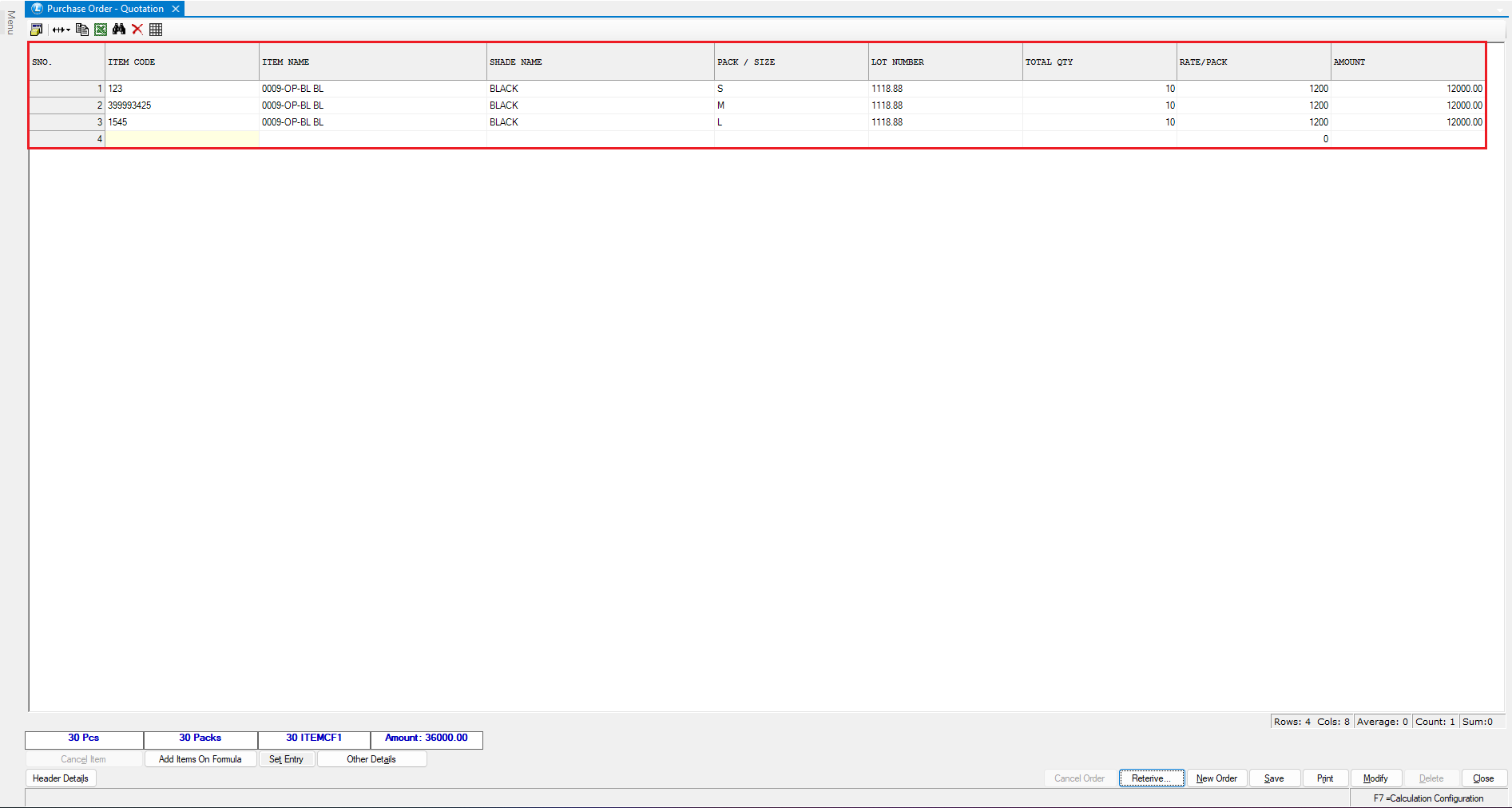
* Verify the retrieved details
* **Save** the document.
***
## Approval Flow – Role Wise
#### Administrator Login
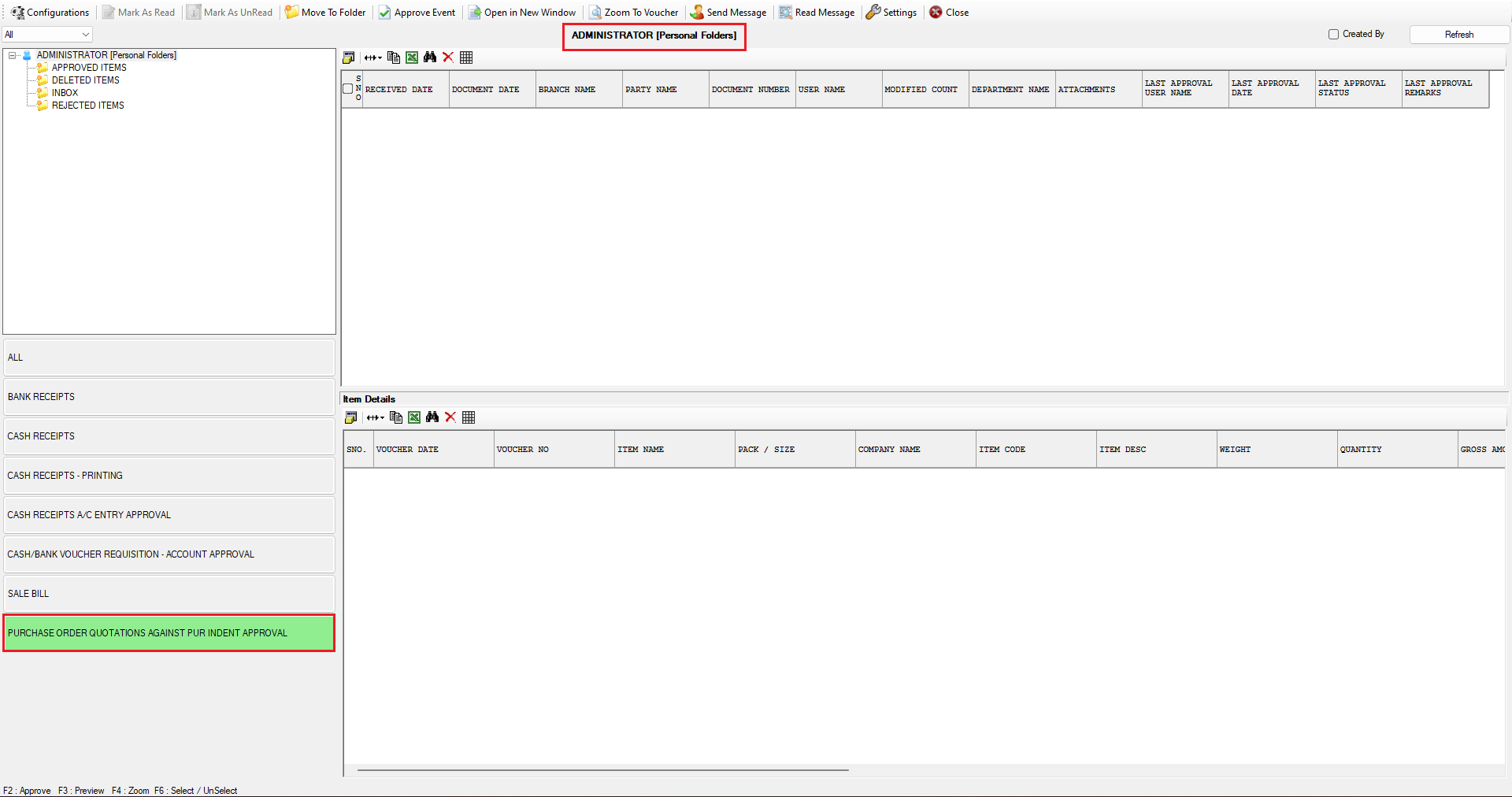
* Log in as **Administrator**.
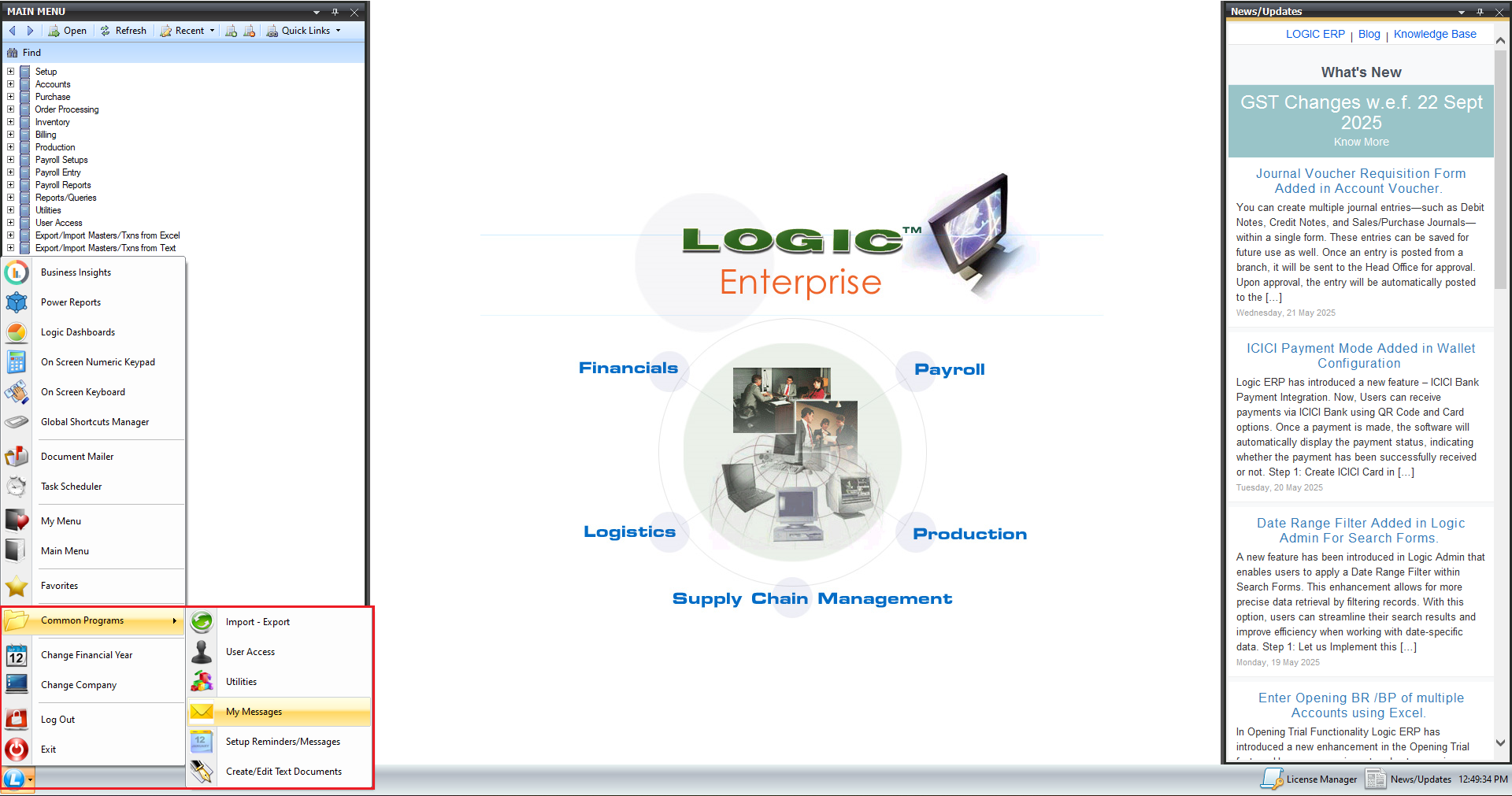
* Click on the "**Logic"** icon, then select **"Common Programs"**.
* Go to **My Messages**.
* Select **Purchase Order Quotation against Purchase Indent Approval**.
The screen appears blank because the document must first be approved by the **Manager**, followed by the **Supervisor**.
***
### Manager Approval
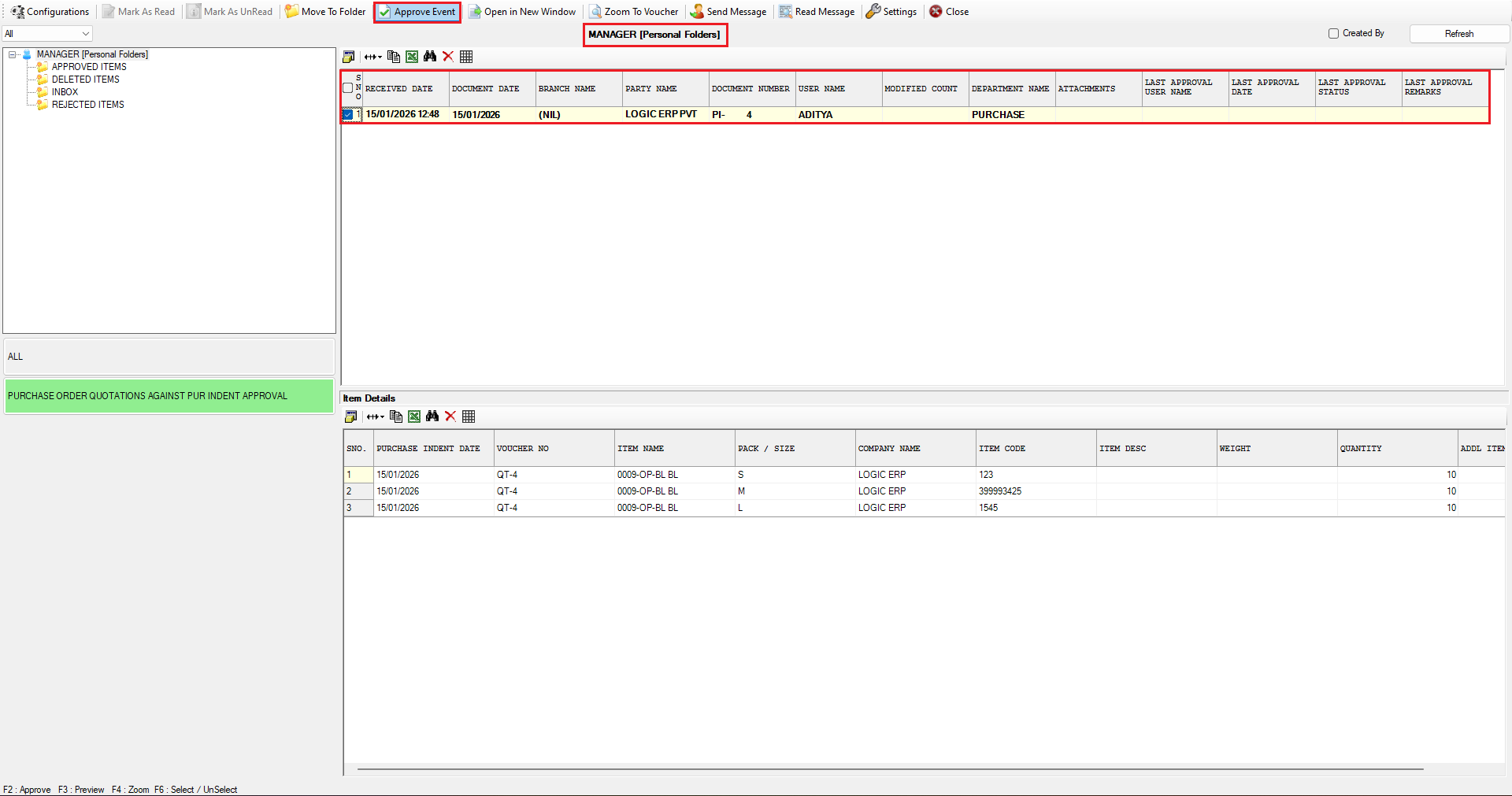
* Log in as **Manager**.
* Go to **My Messages**.
* Select **Purchase Order Quotation against Purchase Indent Approval**.
The pending document is visible here along with relevant details.
* Select the document.
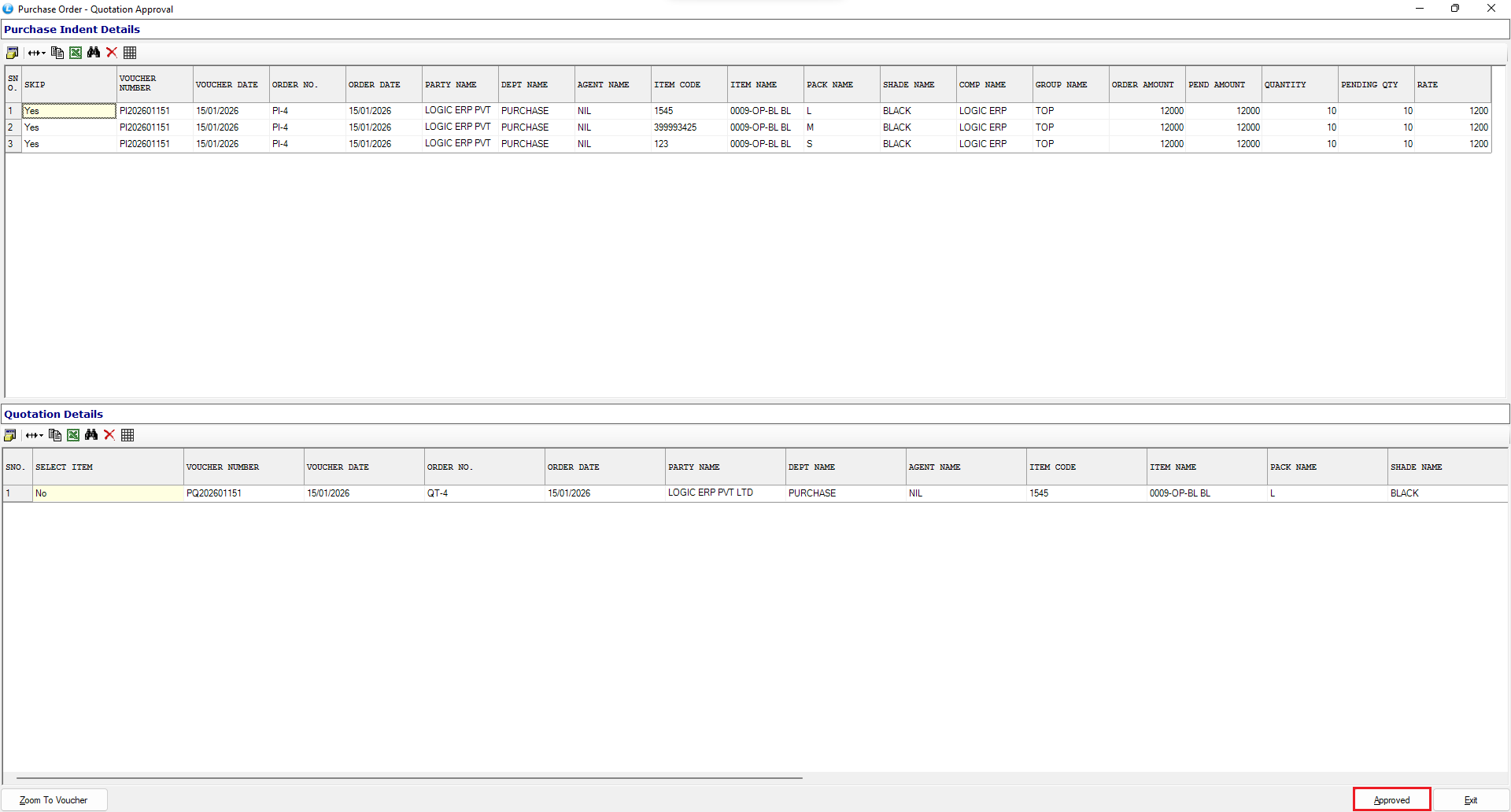
* Click **Approve Event**.
* Click **Approve**.
The document is now approved at the manager level.
***
### Supervisor Approval
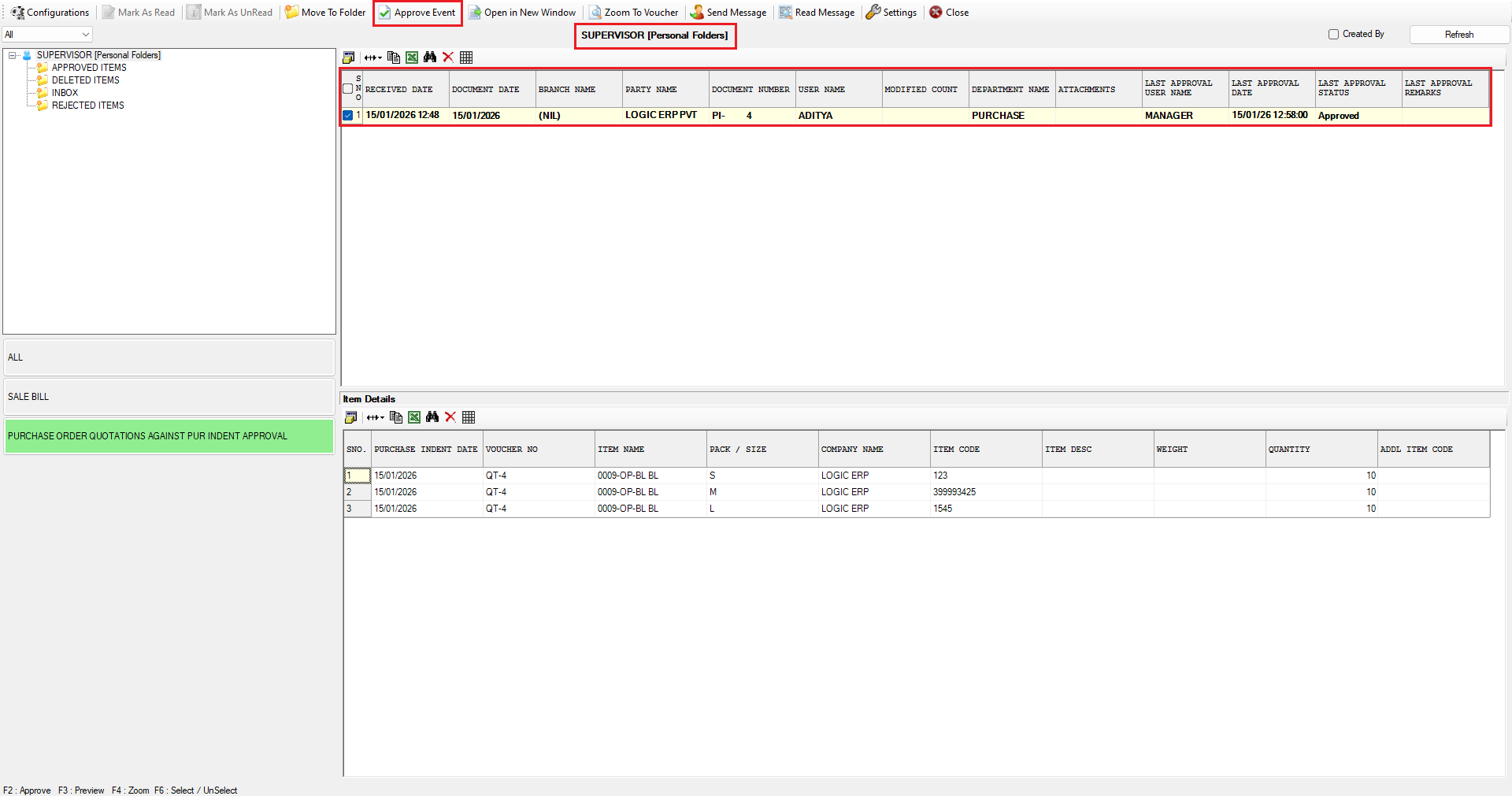
* Log in as **Supervisor**.
* Go to **My Messages**.
* Select **Purchase Order Quotation against Purchase Indent Approval**.
The document approved by the manager is now pending at the supervisor level.
You can also view:
* Last Approval Name
* Last Approval Date
* Last Approval Status
* Select the document.
* Click **Approve Event**.
* Click **Approve**.
The document is now approved by the supervisor.
***
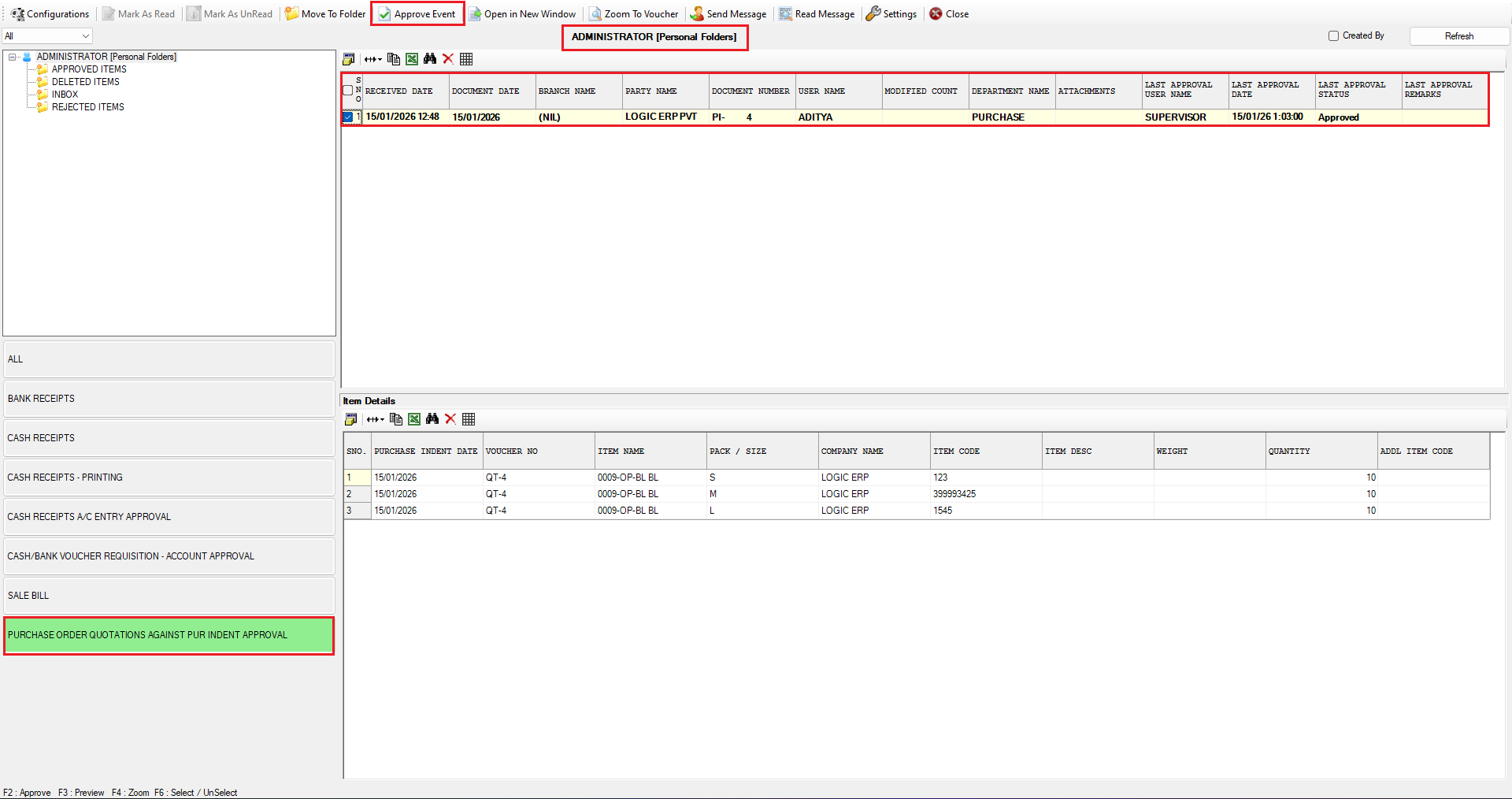
### Administrator Approval
* Log in as **Administrator**.
* Go to **My Messages**.
* Select **Purchase Order Quotation against Purchase Indent Approval**.
The document approved by the supervisor is now pending at the administrator level.
* Select the document.
* Click **Approve Event**.
* Click **Approve**.
The document has now been **fully approved** by the administrator.
***
### Conclusion
This is how the **multi-level approval workflow** functions in Logic ERP.\
It ensures:
* Proper approval hierarchy
* Clear visibility of approval status
* Complete tracking of approval history
This system enhances control, accountability, and transparency in your procurement process.
---
# Agent Instructions
This documentation is published with GitBook. GitBook is the documentation platform designed so that both humans and AI agents can read, navigate, and reason over technical content effectively. Learn more at gitbook.com.
## Querying This Documentation
If you need additional information that is not directly available in this page, you can query the documentation dynamically by asking a question.
Perform an HTTP GET request on the current page URL with the `ask` query parameter, and the optional `goal` query parameter:
```
GET https://kb.logicerp.com/logic-erp-learning-hub-tutorials-and-best-practices/user-access/setup-approval.md?ask=&goal=
```
`ask` is the immediate question: it should be specific, self-contained, and written in natural language.
`goal` is optional and describes the broader end goal you are ultimately trying to accomplish on behalf of the user. GitBook uses it to tailor the answer towards what is most useful for that goal.
The response will contain a direct answer to the question and relevant excerpts and sources from the documentation.
Use this mechanism when the answer is not explicitly present in the current page, you need clarification or additional context, or you want to retrieve related documentation sections.