> For the complete documentation index, see [llms.txt](https://kb.logicerp.com/llms.txt). Markdown versions of documentation pages are available by appending `.md` to page URLs; this page is available as [Markdown](https://kb.logicerp.com/logic-erp-learning-hub-tutorials-and-best-practices/user-access/set-branch-wise-back-date-entry-modification-locking.md).
# Set Branch Wise Back Date Entry/Modification Locking
**YouTube:** [How to Configure Branch Wise Backdate Entry and Modification Locking Schedule?](https://youtu.be/7D2CDdIOFtU)
## How to Configure Branch Wise Backdate Entry and Modification Locking Schedule?
In this tutorial, you will learn how to **apply backdate entry and modification restrictions branch-wise** in Logic ERP.\
This feature helps organizations maintain **data consistency and control across multiple branches**.
***
### Open Branch-Wise Locking Setup
**To begin:**
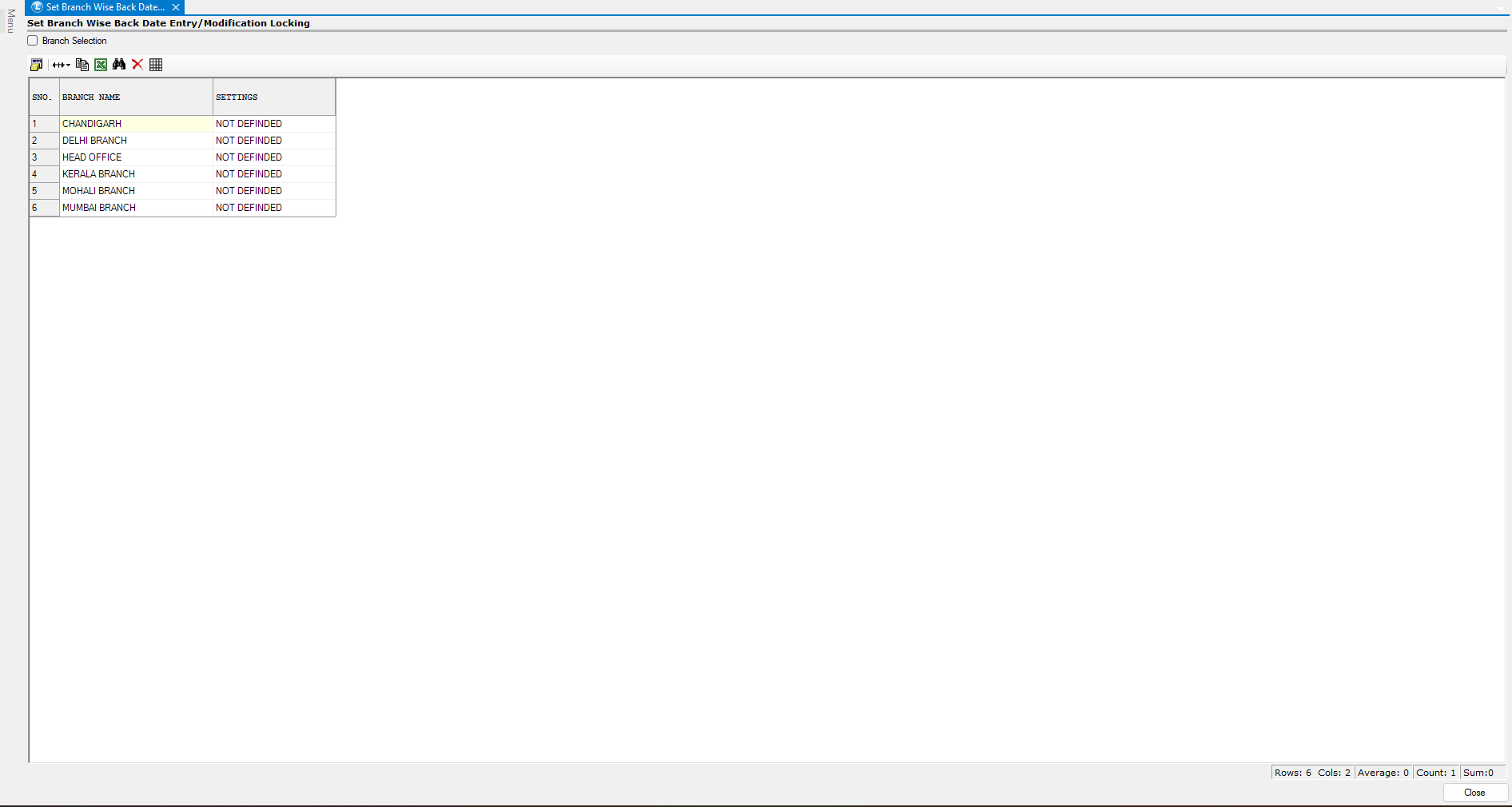
* Navigate to the **User Access Module**.
* Open **Set Branch Wise Back Date Entry / Modification Locking**.
This window displays a **list of all branches** available in the system.
***
### Select Branch for Locking
* Identify the **Branch** where you want to apply restrictions.
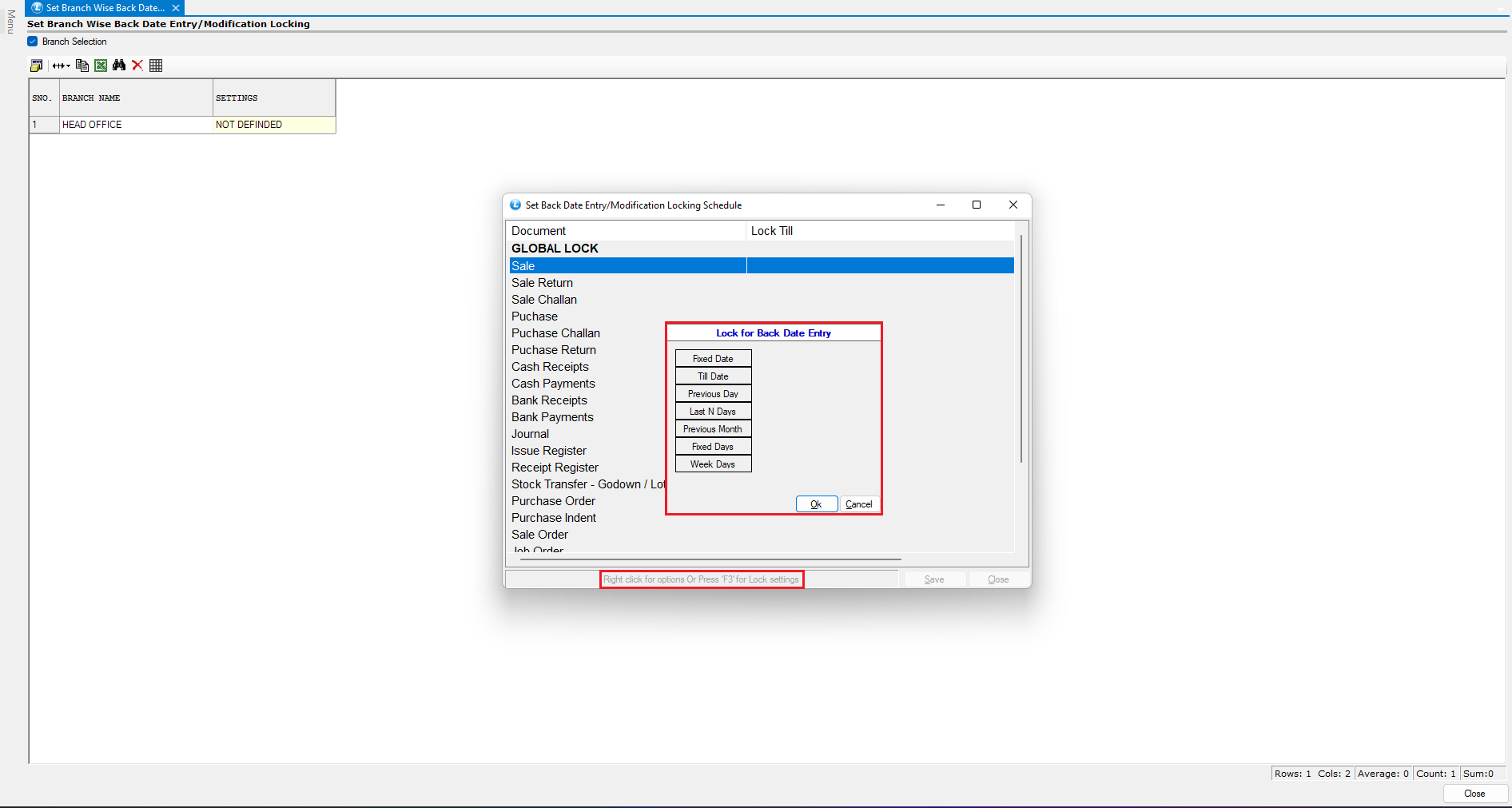
* Press the **Spacebar** in the respective column.
* A new window will open showing a **list of documents**.
***
### Choose Document for Locking
* Select the **document** (e.g., *Sale Document*).
**Open Lock Settings:**
* Right-click → Click **Settings**\
**OR**
* Press **F3** (shortcut)
***
### Configure Lock Criteria
* The **Lock for Back Date Entry Window** will open.
* Here, you can define different locking rules.
***
### Apply “Till Date” Lock
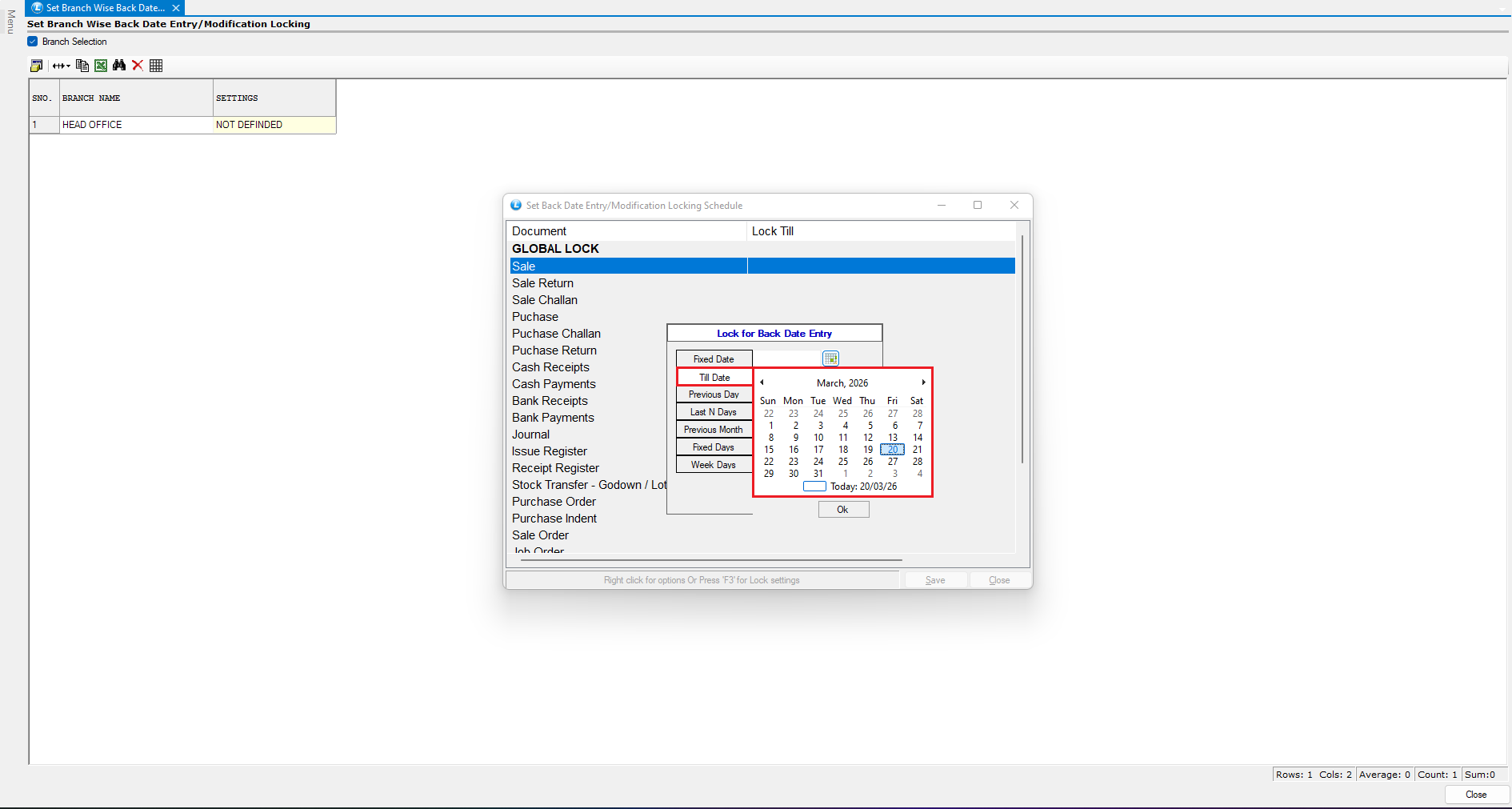
Let’s configure a **Till Date Lock**.
* Select the **“Till Date” option**.
* Enter the **specific date** up to which entries should be locked.
* Click **Save**.
**What this means:**
* All transactions **up to the selected date** will be:
* Restricted for new backdated entries
* Restricted for modifications
***
### Implement the Lock (Branch Level)
* Now verify how the restriction works.
* Ensure you are logged into the **same branch** (e.g., Head Office).
#### Implement Backdated Entry Restriction
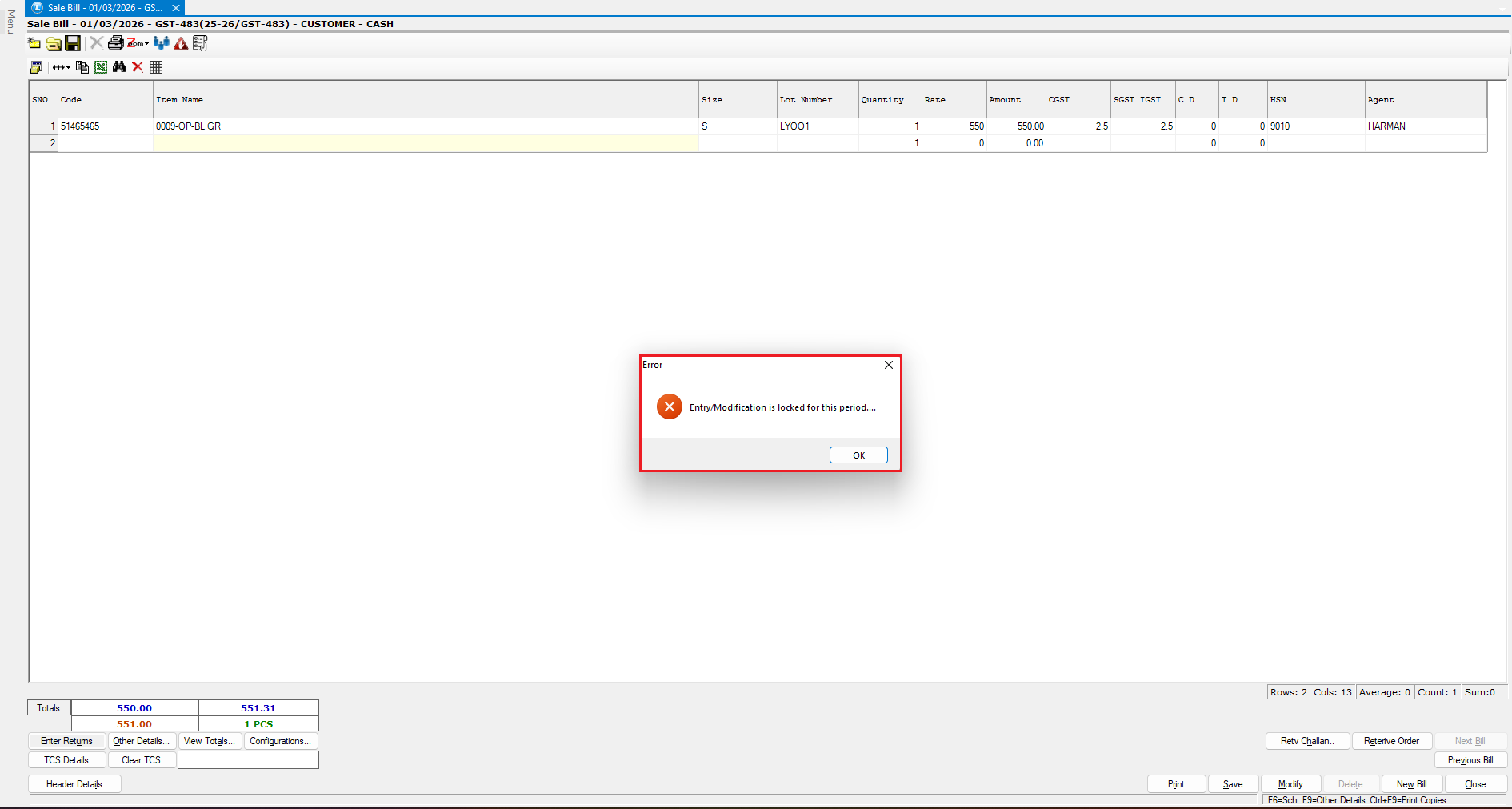
* Open the **Sale Bill Window**.
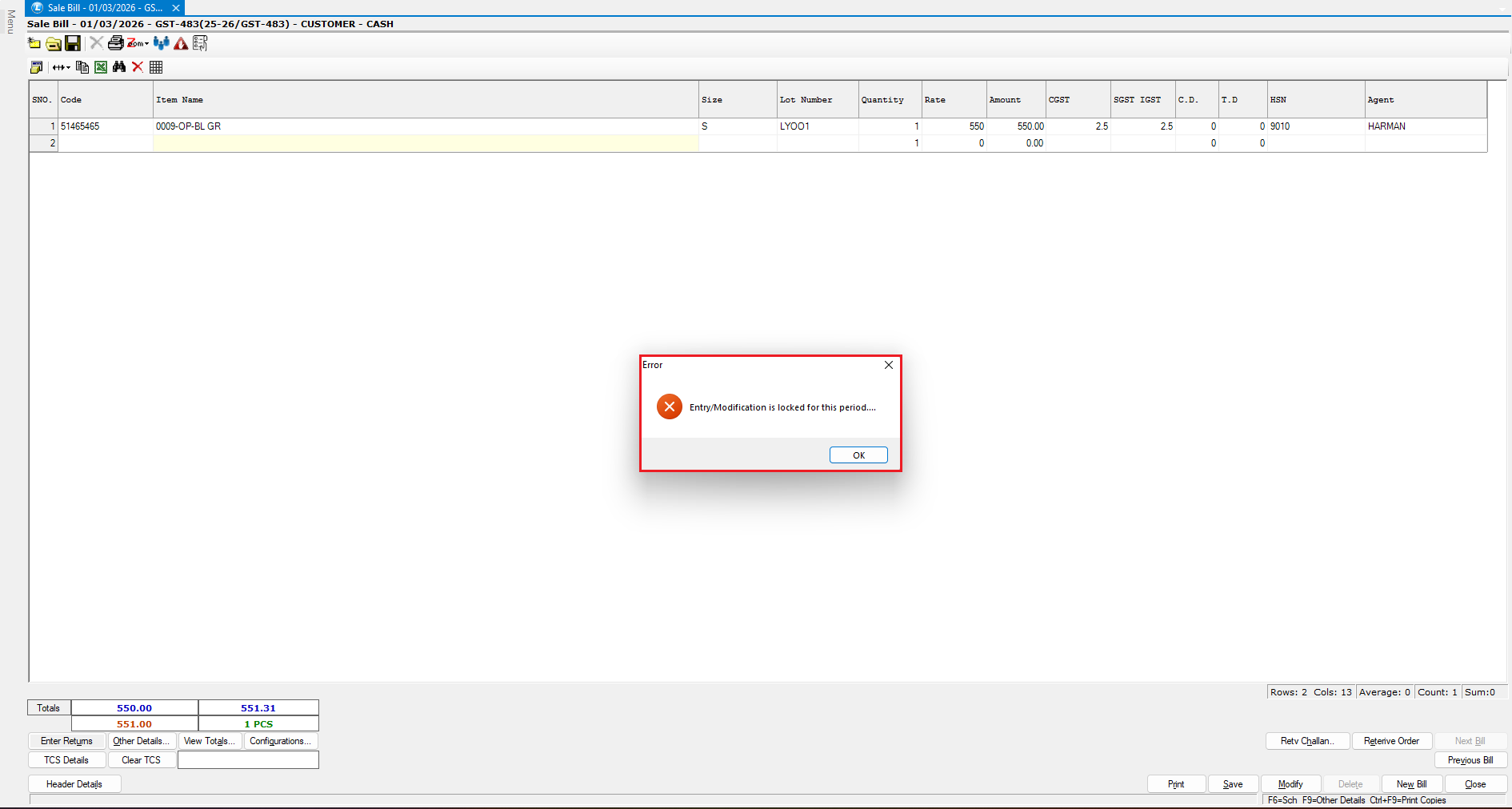
* Create a **new transaction** with a date **within the locked period**.
* Try to **save the bill**.
**Result:**
* The system will **block the entry**
* An error message will be displayed
***
### Implement Modification Restriction
* Open an **existing bill** dated before the locked date.
* Attempt to **modify and save** it.
**Result:**
* The system will **prevent modification**
* Changes cannot be saved
***
### Key Benefits of Branch-Wise Locking
* Apply control at **branch level**
* Maintain data consistency across locations
* Prevent unauthorized backdated entries
* Strengthen audit and compliance
* Enable centralized control with decentralized operations
***
### Final Outcome
You have successfully learned how to:
* Configure **Branch-Wise Locking Settings**
* Restrict **Backdated Entries & Modifications**
* Enforce **branch-level data control**
Your system is now better equipped for **multi-branch security and operational discipline**.
---
# Agent Instructions
This documentation is published with GitBook. GitBook is the documentation platform designed so that both humans and AI agents can read, navigate, and reason over technical content effectively. Learn more at gitbook.com.
## Querying This Documentation
If you need additional information that is not directly available in this page, you can query the documentation dynamically by asking a question.
Perform an HTTP GET request on the current page URL with the `ask` query parameter, and the optional `goal` query parameter:
```
GET https://kb.logicerp.com/logic-erp-learning-hub-tutorials-and-best-practices/user-access/set-branch-wise-back-date-entry-modification-locking.md?ask=&goal=
```
`ask` is the immediate question: it should be specific, self-contained, and written in natural language.
`goal` is optional and describes the broader end goal you are ultimately trying to accomplish on behalf of the user. GitBook uses it to tailor the answer towards what is most useful for that goal.
The response will contain a direct answer to the question and relevant excerpts and sources from the documentation.
Use this mechanism when the answer is not explicitly present in the current page, you need clarification or additional context, or you want to retrieve related documentation sections.