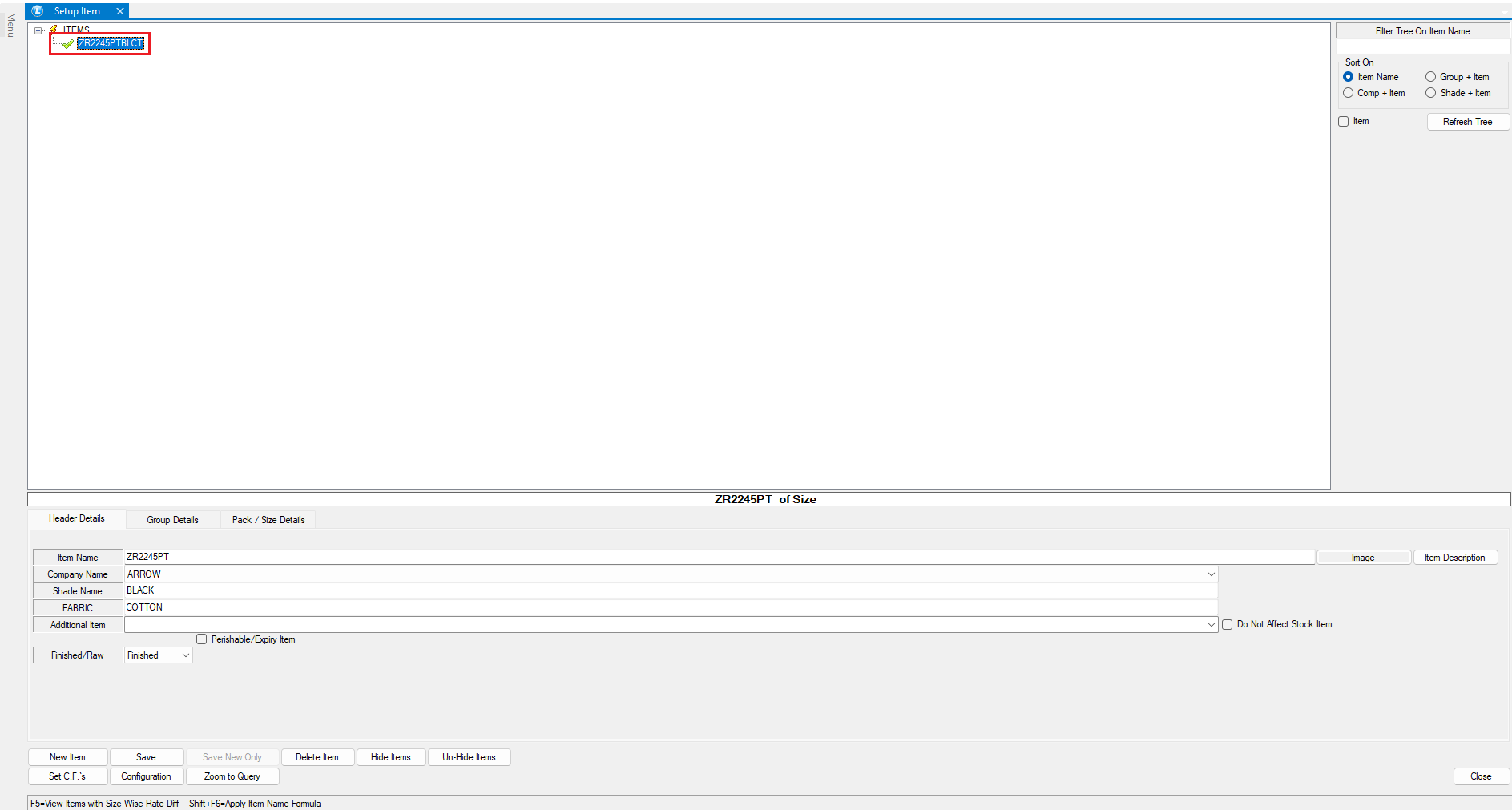
# Separator For Item Name

**YouTube:** [How to Change Separator in Item Name from Space to Hyphen in Item Creation?](https://www.youtube.com/watch?v=DeRYVSlUbd8\&t=2s)

### How to Change Separator in Item Name from Space to Hyphen in Item Creation?

In this tutorial, we'll explore an exciting feature of Logic ERP—**creating item names using separators** such as spaces, no spaces, and hyphens. Whether you want to **streamline inventory management** or ensure a **consistent naming convention**, this tutorial will guide you step by step.

### **Step-By-Step Guide**

* Navigate to the Setups/Setup Items and then click on "Setup Items Multiple Packs/Sizes".
* Click on "Configuration option - 1" under the Configuration option.&#x20;
* "Item Names As" can be structured in two ways:
  * **Item Name + Shade + Group 10**
  * **Item Name + Group 10 + Shade**
* Select the preferred format and proceed.
* Lastly, Locate the option and enable "Separator for Item Name".

<figure><img src="https://4031188996-files.gitbook.io/~/files/v0/b/gitbook-x-prod.appspot.com/o/spaces%2FXMVkjt8zqHBQX1c9QvFS%2Fuploads%2Ft2LuthDnnlSgXQRixX0q%2FSeparator%20For%20Item%20Name%20-%20Configuration.png?alt=media&#x26;token=c5429567-aa9f-4b83-baa3-896e59281182" alt=""><figcaption><p>This picture shows the different ways you can use an item separator.</p></figcaption></figure>

### **Using Different Separators**

* **Space Separator**
  * The item name will be generated **with spaces** for better readability.

<figure><img src="https://4031188996-files.gitbook.io/~/files/v0/b/gitbook-x-prod.appspot.com/o/spaces%2FXMVkjt8zqHBQX1c9QvFS%2Fuploads%2FiJp5UUqXs2jzknaSNXhg%2FSpace.png?alt=media&#x26;token=f82bdf2c-bd69-4c0a-b54b-09d1a7413692" alt=""><figcaption><p>This image illustrates that item name is separated using space from shade and group.</p></figcaption></figure>

* **No Space Separator**
  * The item name will be created **without spaces**, making it compact.

<figure><img src="https://4031188996-files.gitbook.io/~/files/v0/b/gitbook-x-prod.appspot.com/o/spaces%2FXMVkjt8zqHBQX1c9QvFS%2Fuploads%2FiIPzTWaPBYR1pZ1chCkk%2FNo%20Space.png?alt=media&#x26;token=73cc6a73-c3db-4583-b2a9-675e80300abf" alt=""><figcaption><p>This image illustrating that item name is separated using No Space from shade and group. </p></figcaption></figure>

* **Hyphen Separator**
  * The item name will include **hyphens (-)** to maintain clarity and structure.

<figure><img src="https://4031188996-files.gitbook.io/~/files/v0/b/gitbook-x-prod.appspot.com/o/spaces%2FXMVkjt8zqHBQX1c9QvFS%2Fuploads%2FmEyw2cQHaY785Za5c9A8%2FHyphen.png?alt=media&#x26;token=244f75be-172b-42dd-90d6-c9f11b1a17ad" alt=""><figcaption><p>This image illustrates that item name is separated using Hyphen from shade and group.</p></figcaption></figure>

### **Conclusion**

By utilizing separators effectively, you can create **clear, structured, and standardized** item names, enhancing **readability and improving workflow efficiency** in Logic ERP.\ <br>