> For the complete documentation index, see [llms.txt](https://kb.logicerp.com/llms.txt). Markdown versions of documentation pages are available by appending `.md` to page URLs; this page is available as [Markdown](https://kb.logicerp.com/logic-erp-learning-hub-tutorials-and-best-practices/setups/setup-items/setup-items-multiple-pack-sizes/configuration-multiple-packs-sizes/configuration-options-1/item-entry-case.md).
# Item Entry Case
**YouTube:** [How to Set Lower/Upper Case for Item Name in Item Creation?](https://www.youtube.com/watch?v=CP18XIIpl-s)
## How to Set Lower/Upper Case for Item Name in Item Creation?
In this tutorial, we'll explore how to manage item entry cases in Logic ERP. You'll learn how to:
* Automatically convert item names to uppercase.
* Set up the system to ignore case sensitivity when creating items.
### **Accessing Configuration Settings**
* Navigate to the Setups/Setup Items and then click on "Setup Items Multiple Packs/Sizes".
* Click on "Configuration option - 1" under the Configuration option.
* "Item Entry Case" can be structured in two ways:
* **Upper Case**
* **Ignore Case**
* **Using the Uppercase Setting**
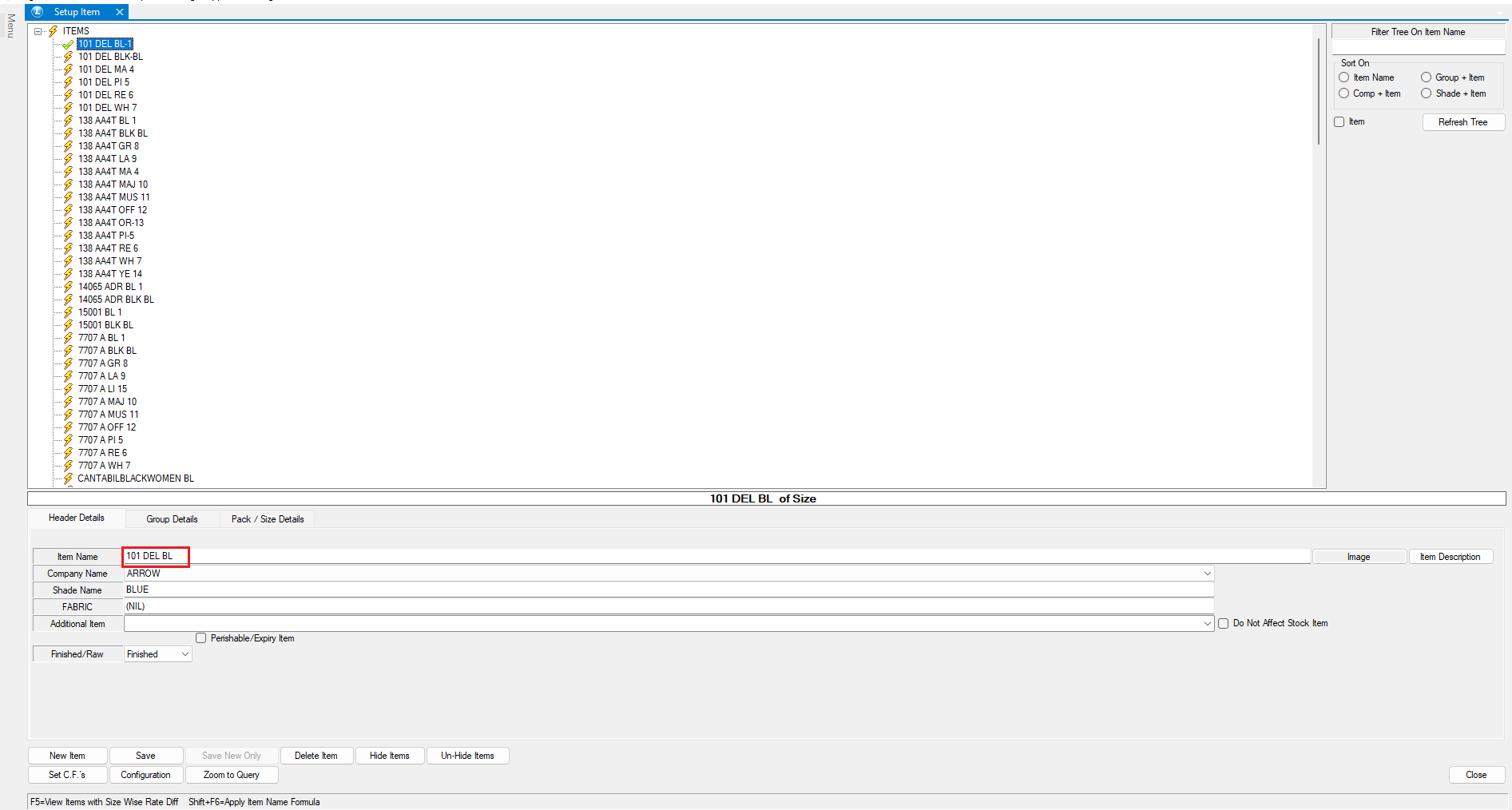
* Selecting **Uppercase** ensures all item names are automatically converted to capital letters.
* Regardless of whether the Caps Lock is on or off, all entries will be displayed in uppercase.
* This maintains uniformity in item names and improves data consistency.
* **Using the Ignore Case Setting**
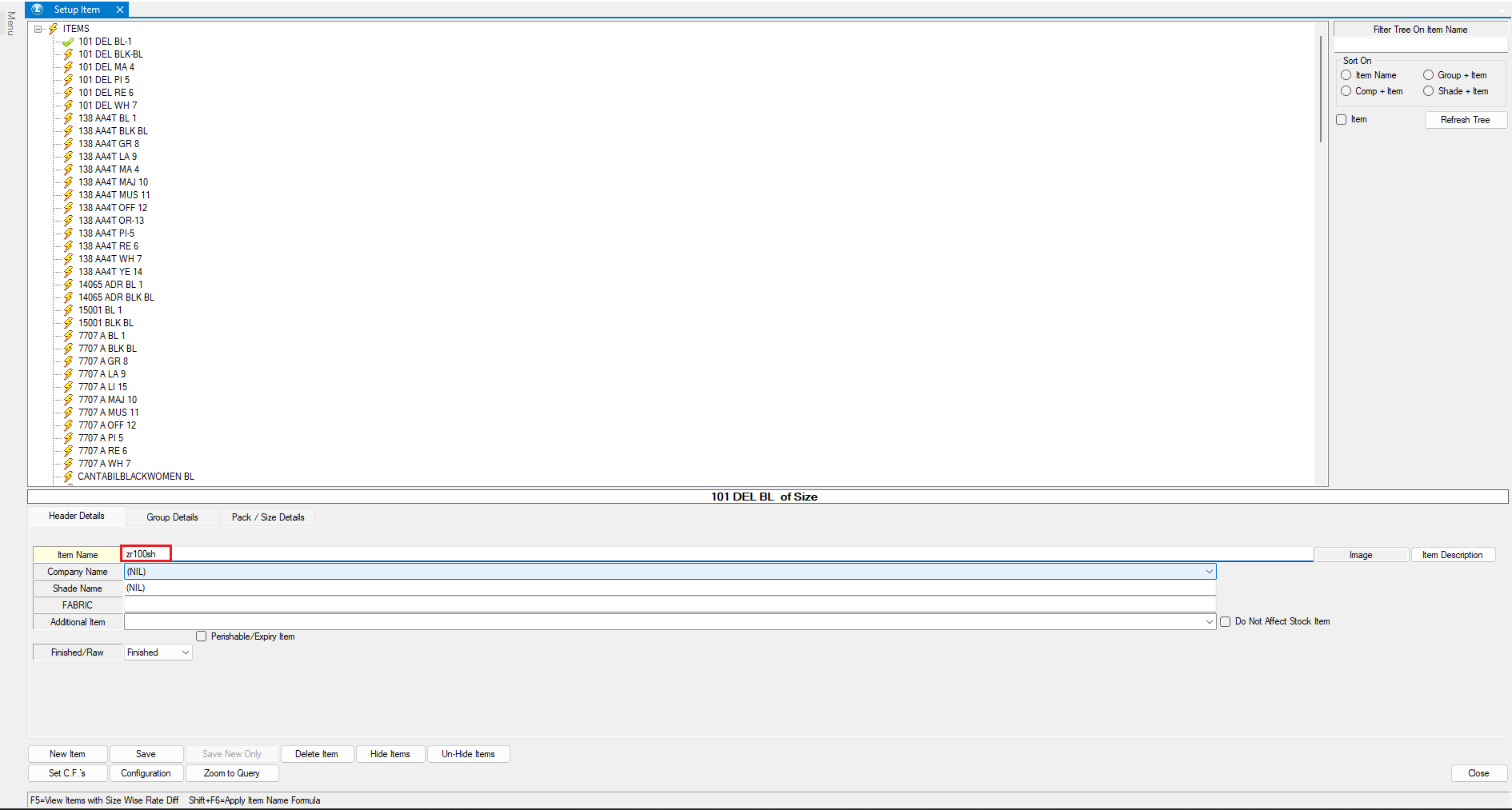
* Selecting **Ignore Case** allows item names and codes to be entered in any letter case (lowercase, uppercase, or mixed).
* The system treats all case variations as identical, reducing potential errors in searches and duplicate entries.
**Benefits of Item Entry Case Settings**
* **Improved Data Integrity** – Ensures uniform formatting of item names.
* **Enhanced Searchability** – Makes item lookup easier, avoiding confusion caused by case differences.
* **User-Friendly Experience** – Reduces the need for manual corrections while maintaining consistency in inventory management.
By configuring item entry cases properly, you can streamline data entry and improve overall efficiency in Logic ERP.
---
# Agent Instructions
This documentation is published with GitBook. GitBook is the documentation platform designed so that both humans and AI agents can read, navigate, and reason over technical content effectively. Learn more at gitbook.com.
## Querying This Documentation
If you need additional information that is not directly available in this page, you can query the documentation by asking a question.
Perform an HTTP GET request on the following URL with the `ask` and `goal` query parameters:
```
GET https://kb.logicerp.com/logic-erp-learning-hub-tutorials-and-best-practices/setups/setup-items/setup-items-multiple-pack-sizes/configuration-multiple-packs-sizes/configuration-options-1/item-entry-case.md?ask=&goal=
```
`ask` is the immediate question: it should be specific, self-contained, and written in natural language.
`goal` is what the user is ultimately trying to achieve, the reason they need the answer. Sharing it helps GitBook give you a better, more relevant answer. A goal is most helpful when it describes the outcome the user wants rather than restating the question. For example, with `ask=how do I create an API token`, a goal like `automate deployments from our CI pipeline` lets GitBook tailor the answer to that use case.
The response will contain a direct answer to the question and relevant excerpts and sources from the documentation.
Use this mechanism when the answer is not explicitly present in the current page, you need clarification or additional context, or you want to retrieve related documentation sections.