> For the complete documentation index, see [llms.txt](https://kb.logicerp.com/llms.txt). Markdown versions of documentation pages are available by appending `.md` to page URLs; this page is available as [Markdown](https://kb.logicerp.com/logic-erp-learning-hub-tutorials-and-best-practices/billing/sale-bill/credit-note-redemption-using-otp-in-sale-bill.md).
# Credit Note Redemption Using OTP in Sale Bill
**YouTube:** [How to Configure Credit Note Redemption Using OTP in Sale Bill?](https://www.youtube.com/watch?v=VAgjauo8Yd0\&t=2s)
## How to Configure Credit Note Redemption Using OTP in Sale Bill?
In this tutorial, we will learn how to **configure and use OTP verification for credit note redemption in Logic ERP**. This feature helps ensure secure and authorized adjustment of credit notes during billing.
***
### Configure the OTP Message Template
* From the **Main Menu**, go to the **Setup** module.
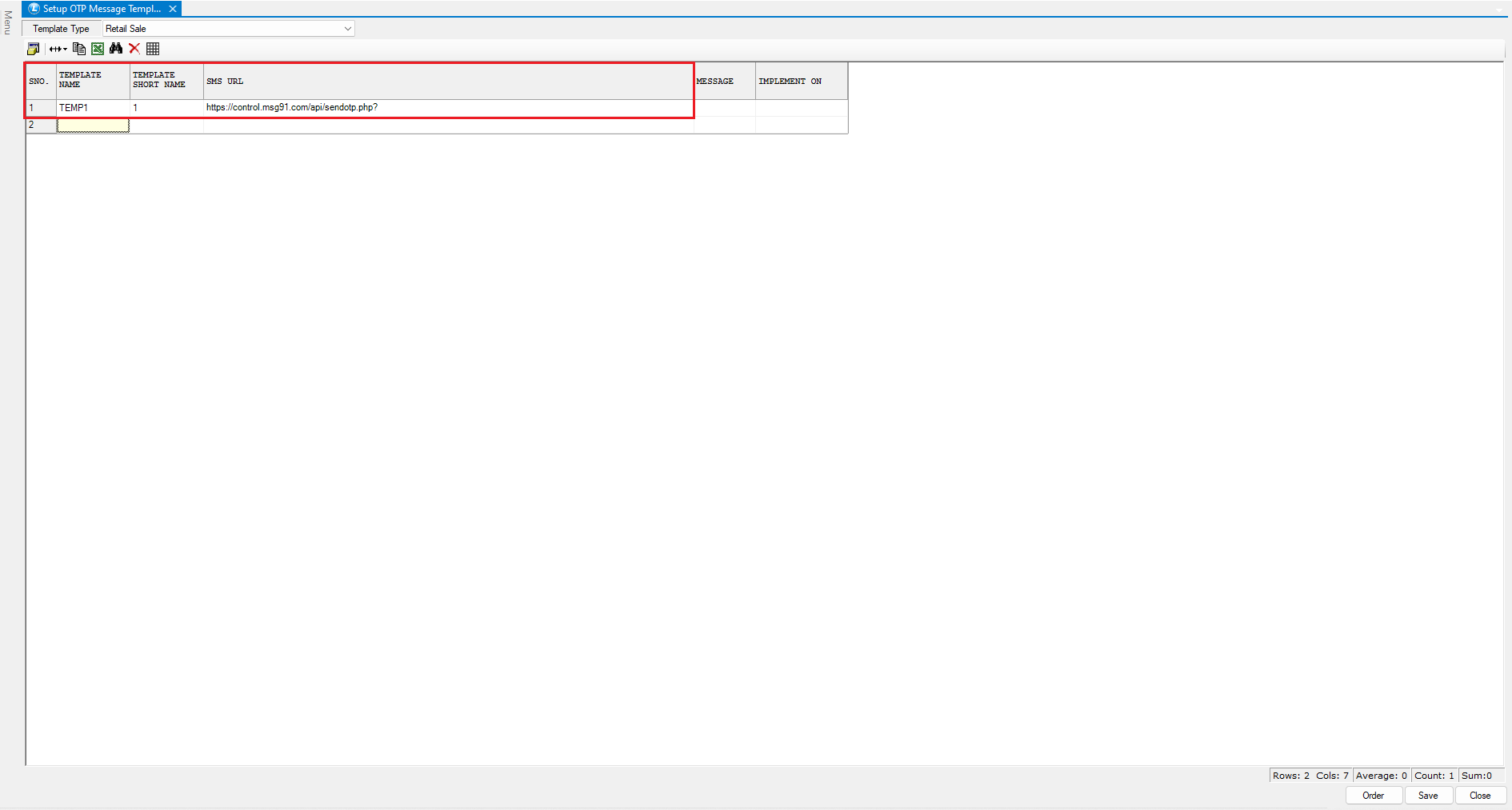
* Under **Configurations**, open **Setup OTP Message Templates**.
* Select **Template Type** as **Retail Sale**.
* Define the following:
* **Template Name**
* **Template Short Name**
* Enter the **SMS URL** as provided by your SMS service provider.
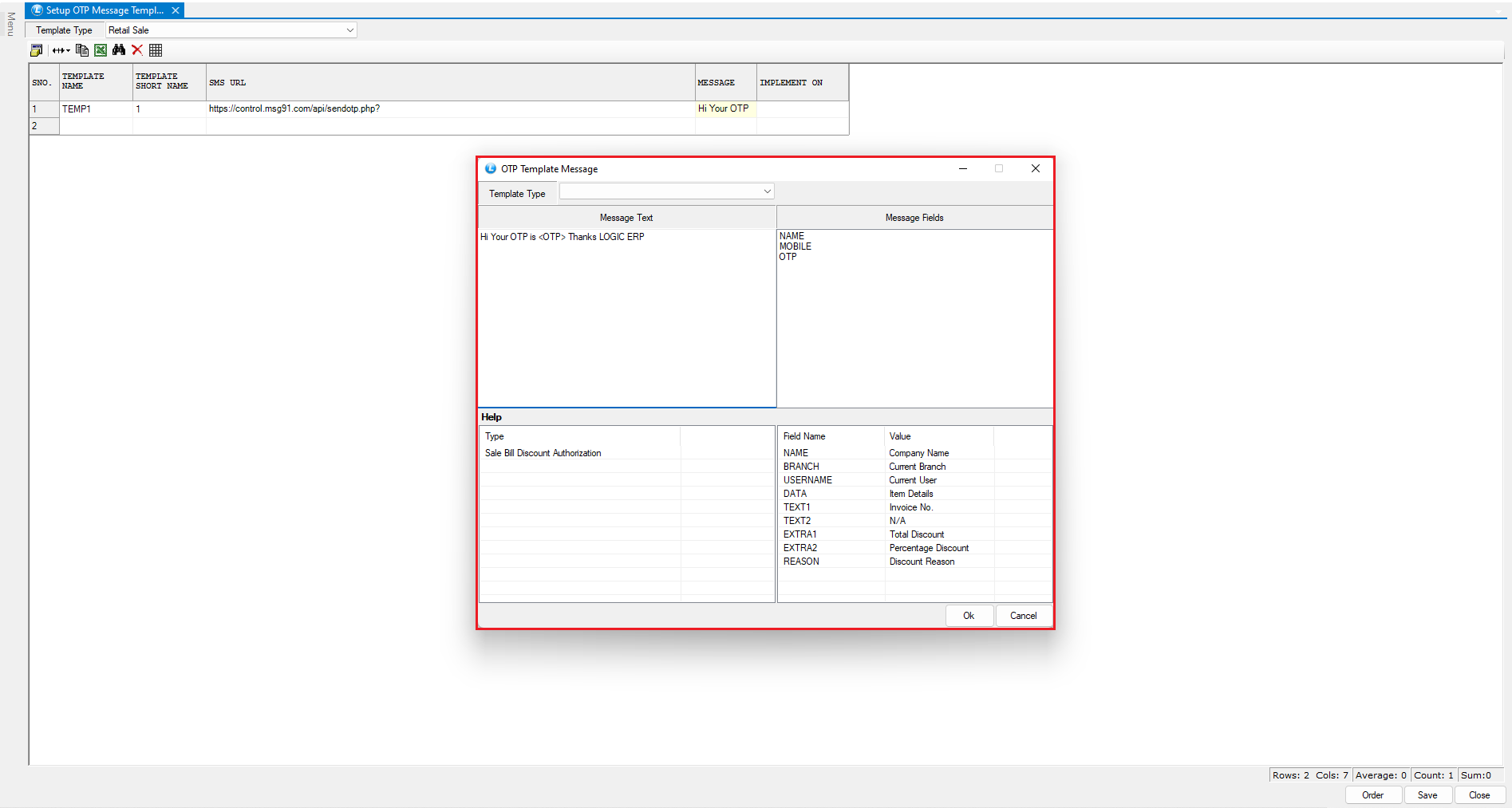
* In the **Message** column, press the **Space key** and compose the OTP message that will be sent to the customer.
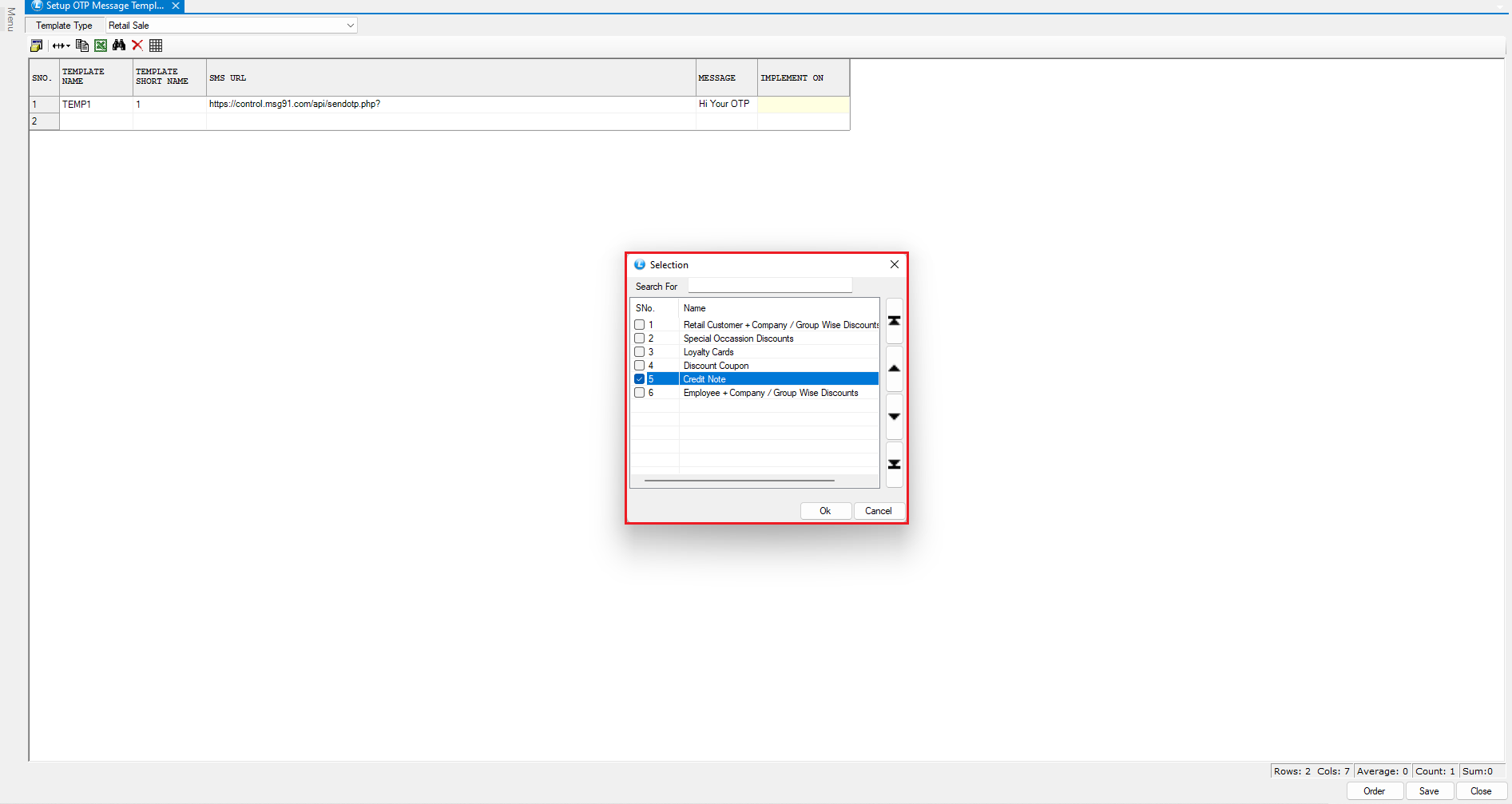
* In the **Implement On** column, press the **Space key** and select **Credit Note**.
* Save the configuration to activate the OTP template.
***
### Generate a Credit Note Through Sales Return
* Open the **Sales Bill** window and complete a normal sale transaction.
* Later, if the customer wants to exchange or return an item and the required item is not available in stock:
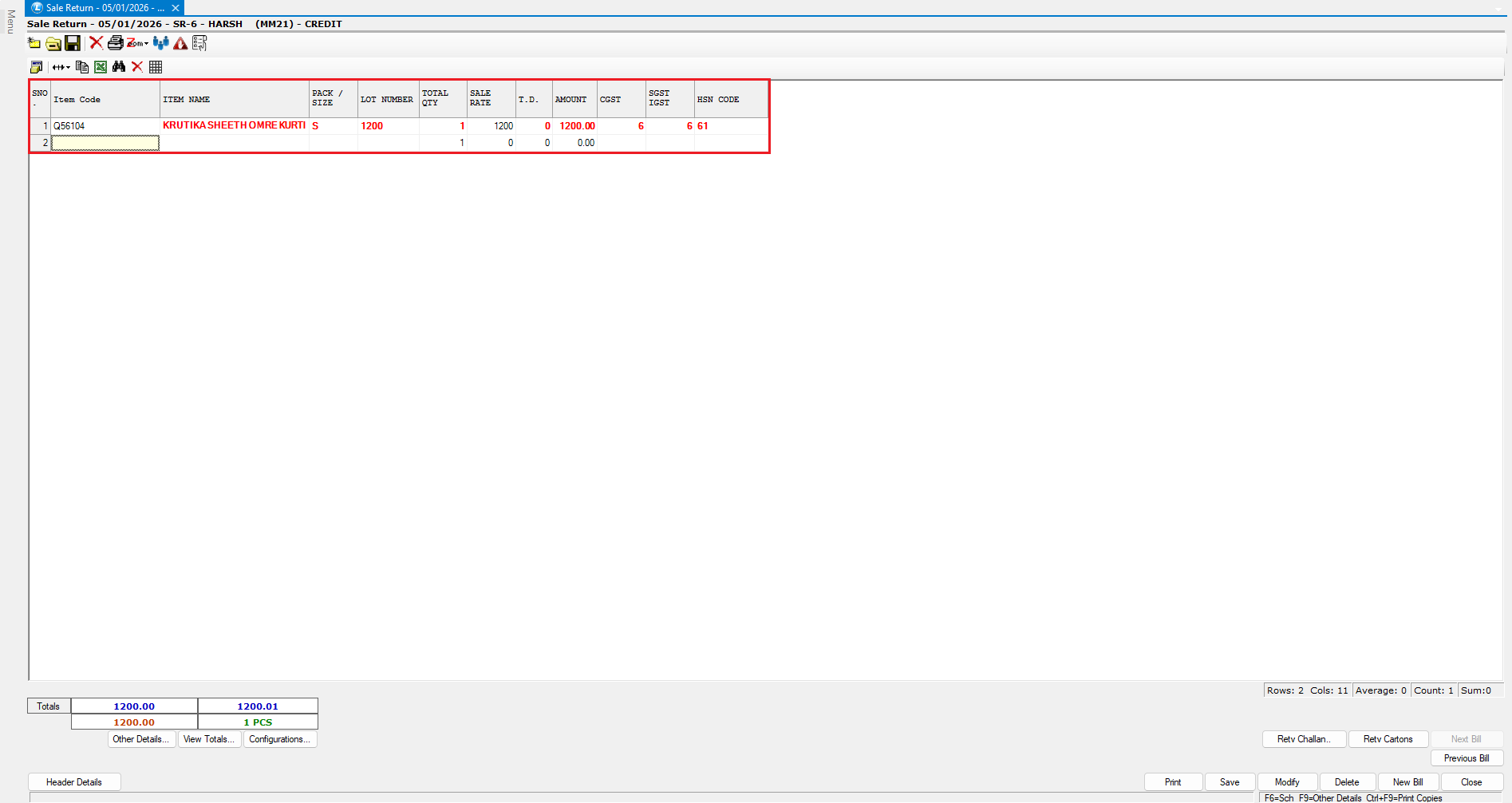
* Open the **Sales Return** window from the **Billing Menu**.
* Create a **Sales Return entry** against the original bill.
* A **Credit Note** is generated for the returned amount.
This credit note is handed over to the customer and can be redeemed during a future visit.
***
### Redeem the Credit Note with OTP Verification
* When the customer revisits the store, initiate a **new sales bill**.
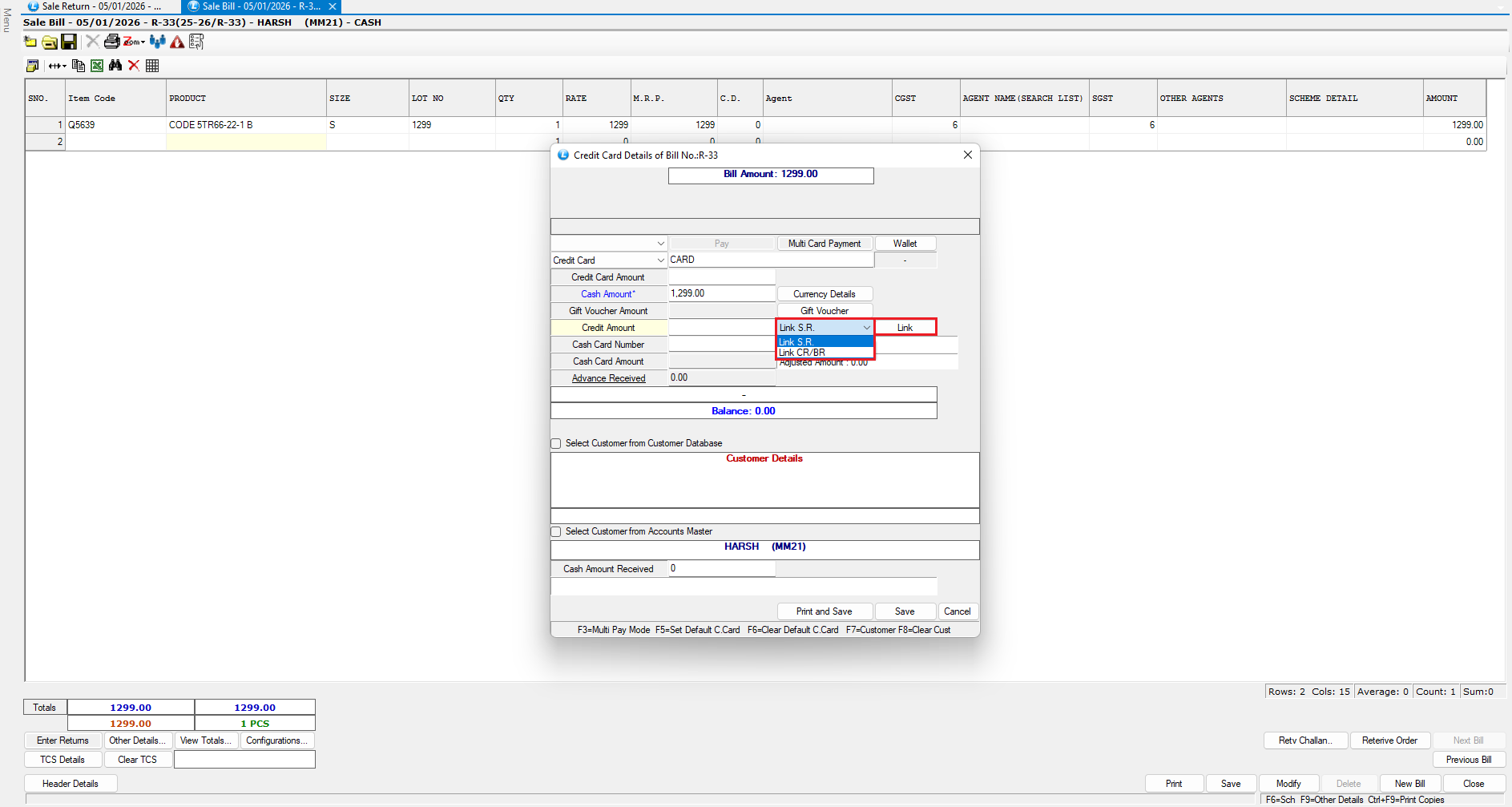
* After billing the items, press **F3**.
* Click on the **Link SR** option to link the sales return.
* Before proceeding:
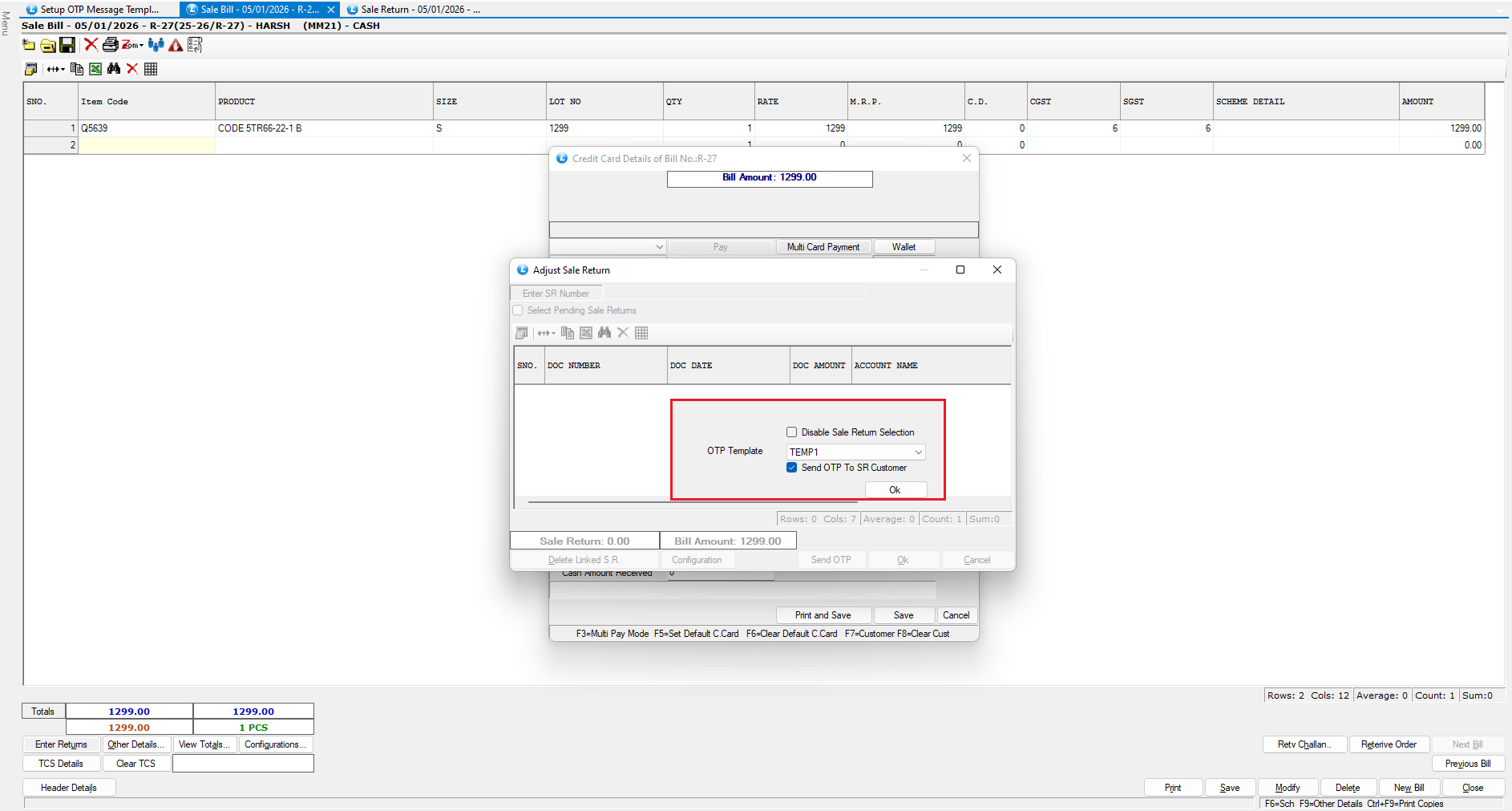
* Click on the **Configuration** button.
* Select the appropriate **OTP template** from the dropdown.
* Enable the option **Send OTP to SR Customer**.
* Enter the **Credit Note Number**.
* Select the relevant **Credit Note (CN)**.
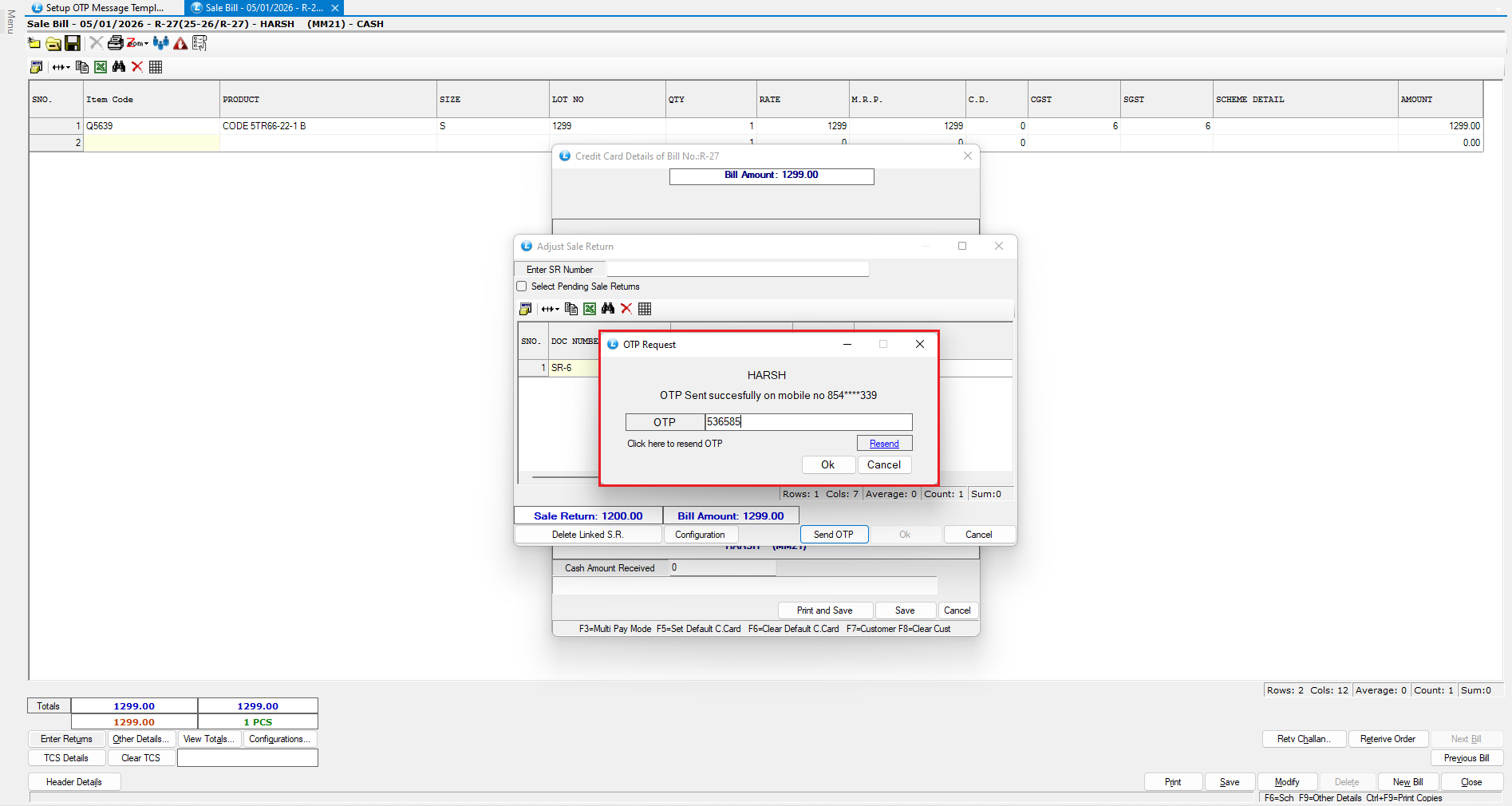
* Click on **Send OTP**.
***
### OTP Validation and Settlement
* An **OTP is sent** to the customer’s registered mobile number.
* The operator must **enter the OTP** on the screen.
* Only after **successful OTP verification**, the credit note amount is adjusted against the bill.
In this example:
* ₹1,200 is adjusted using the credit note
* The remaining balance of ₹99 is paid by the customer
***
### Summary
* OTP-based verification ensures **secure credit note redemption**
* Prevents unauthorized use of credit notes
* Seamlessly integrates with **Sales Return and Billing**
* Enhances customer trust and transaction security
---
# Agent Instructions
This documentation is published with GitBook. GitBook is the documentation platform designed so that both humans and AI agents can read, navigate, and reason over technical content effectively. Learn more at gitbook.com.
## Querying This Documentation
If you need additional information that is not directly available in this page, you can query the documentation dynamically by asking a question.
Perform an HTTP GET request on the current page URL with the `ask` query parameter, and the optional `goal` query parameter:
```
GET https://kb.logicerp.com/logic-erp-learning-hub-tutorials-and-best-practices/billing/sale-bill/credit-note-redemption-using-otp-in-sale-bill.md?ask=&goal=
```
`ask` is the immediate question: it should be specific, self-contained, and written in natural language.
`goal` is optional and describes the broader end goal you are ultimately trying to accomplish on behalf of the user. GitBook uses it to tailor the answer towards what is most useful for that goal.
The response will contain a direct answer to the question and relevant excerpts and sources from the documentation.
Use this mechanism when the answer is not explicitly present in the current page, you need clarification or additional context, or you want to retrieve related documentation sections.