> For the complete documentation index, see [llms.txt](https://kb.logicerp.com/llms.txt). Markdown versions of documentation pages are available by appending `.md` to page URLs; this page is available as [Markdown](https://kb.logicerp.com/logic-erp-learning-hub-tutorials-and-best-practices/billing/packing-list-from-sales-bill.md).
# Packing List From Sales Bill
**YouTube:** [How to Create Case / Box -Wise Packing List From Sales Bill?](https://www.youtube.com/watch?v=Rm7ZcfKRz8g)
## How to Create Case / Box - Wise Packing List From Sales Bill?
In this tutorial, we will learn how to **create and manage a packing list against a sales bill in Logic ERP**, using both **item-wise** and **case-wise** packing methods.
***
### Open Packing List from Sales Bill Module
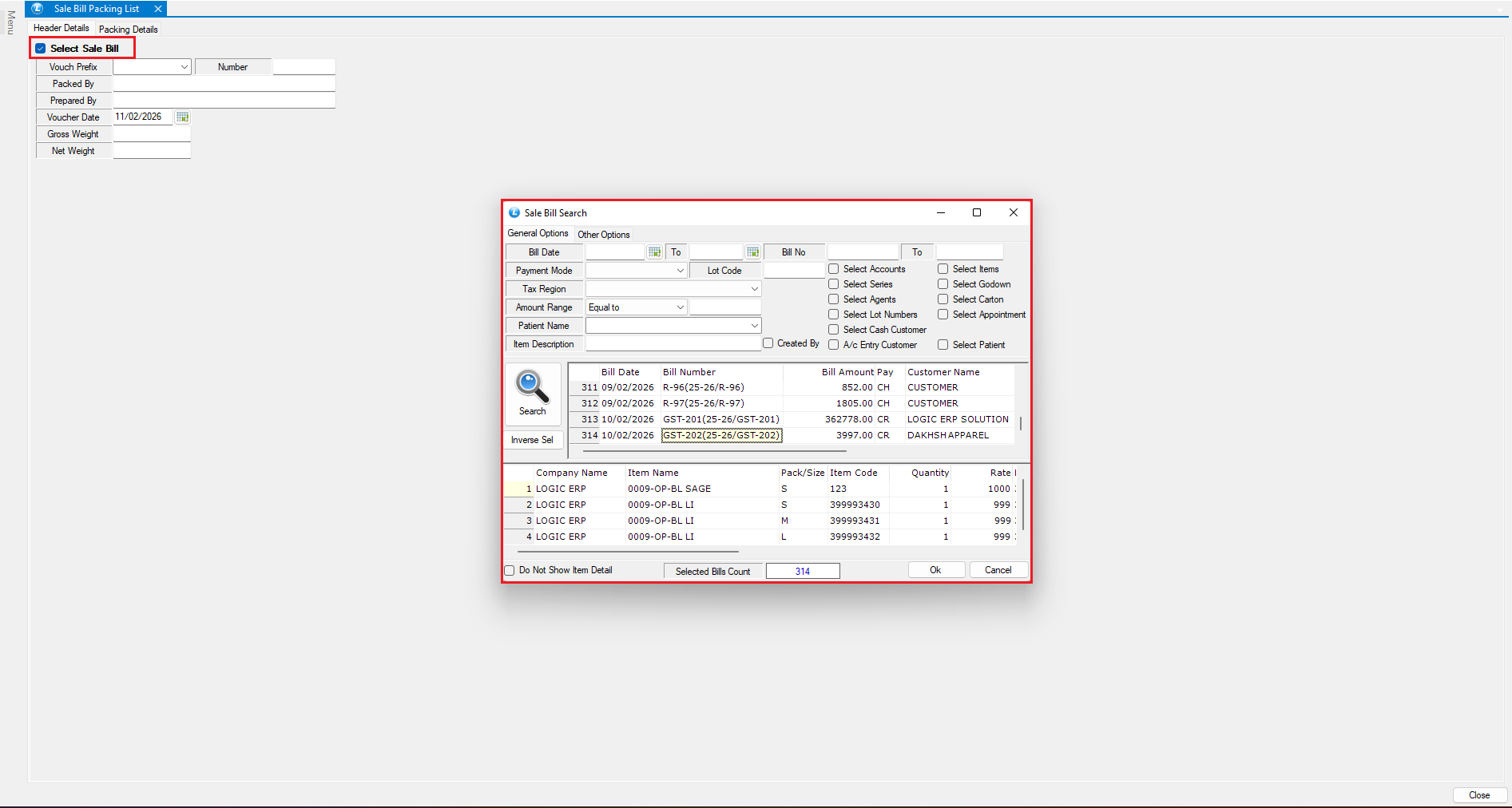
* Navigate to **Packing List from Sales Bill**
* Select the **Sales Bill** against which the packing list needs to be generated
***
### Enter Packing Header Details
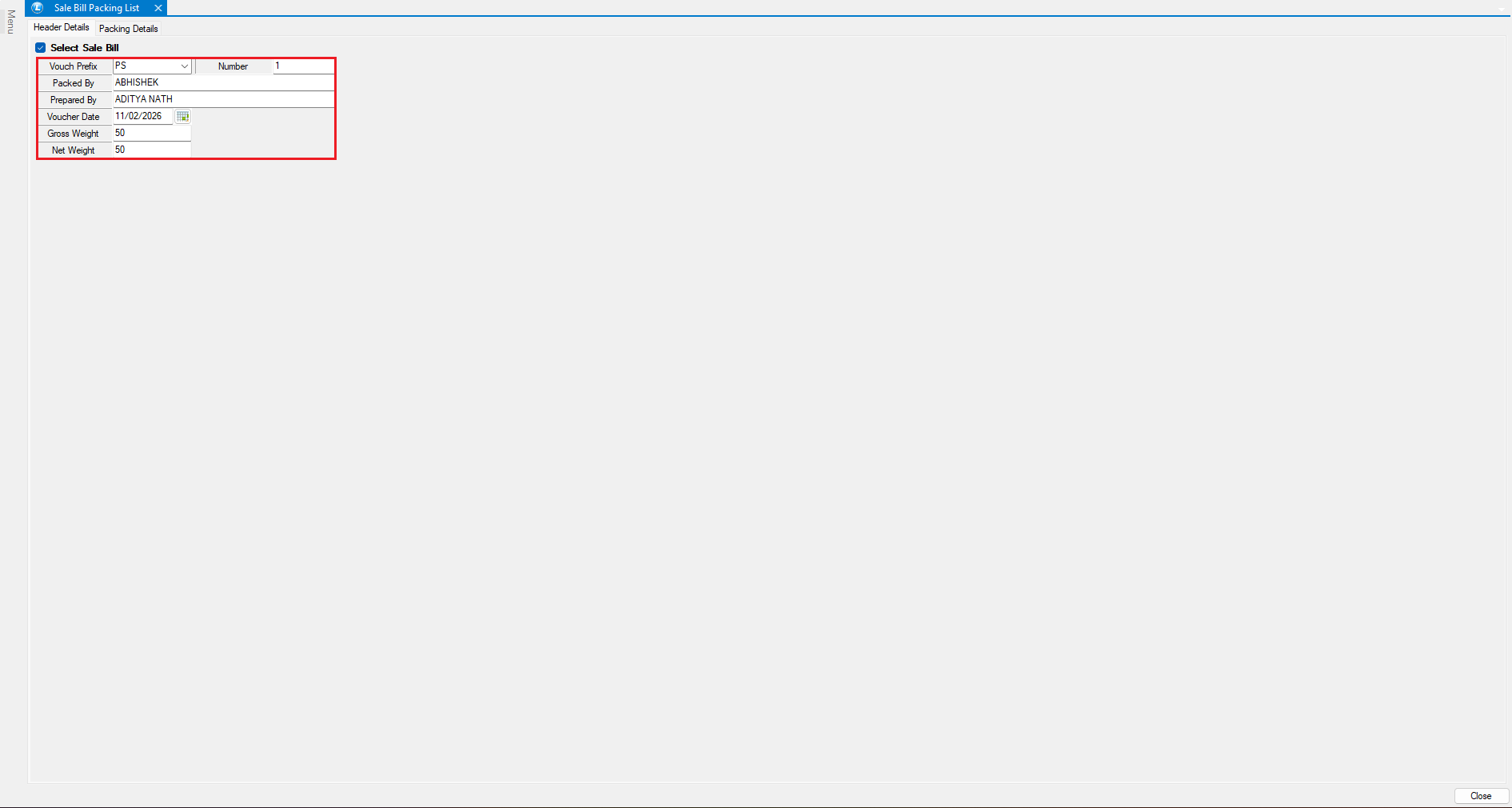
In the header section, enter the following information:
* **Packed By** – Name of the person who packed the goods
* **Prepared By** – Name of the person who prepared the packing list
* **Gross Weight** – Total weight of the consignment
* **Net Weight** – Net weight of the packed goods
* After entering the details, press **Enter**.
* The **Packing Details** window will open.
***
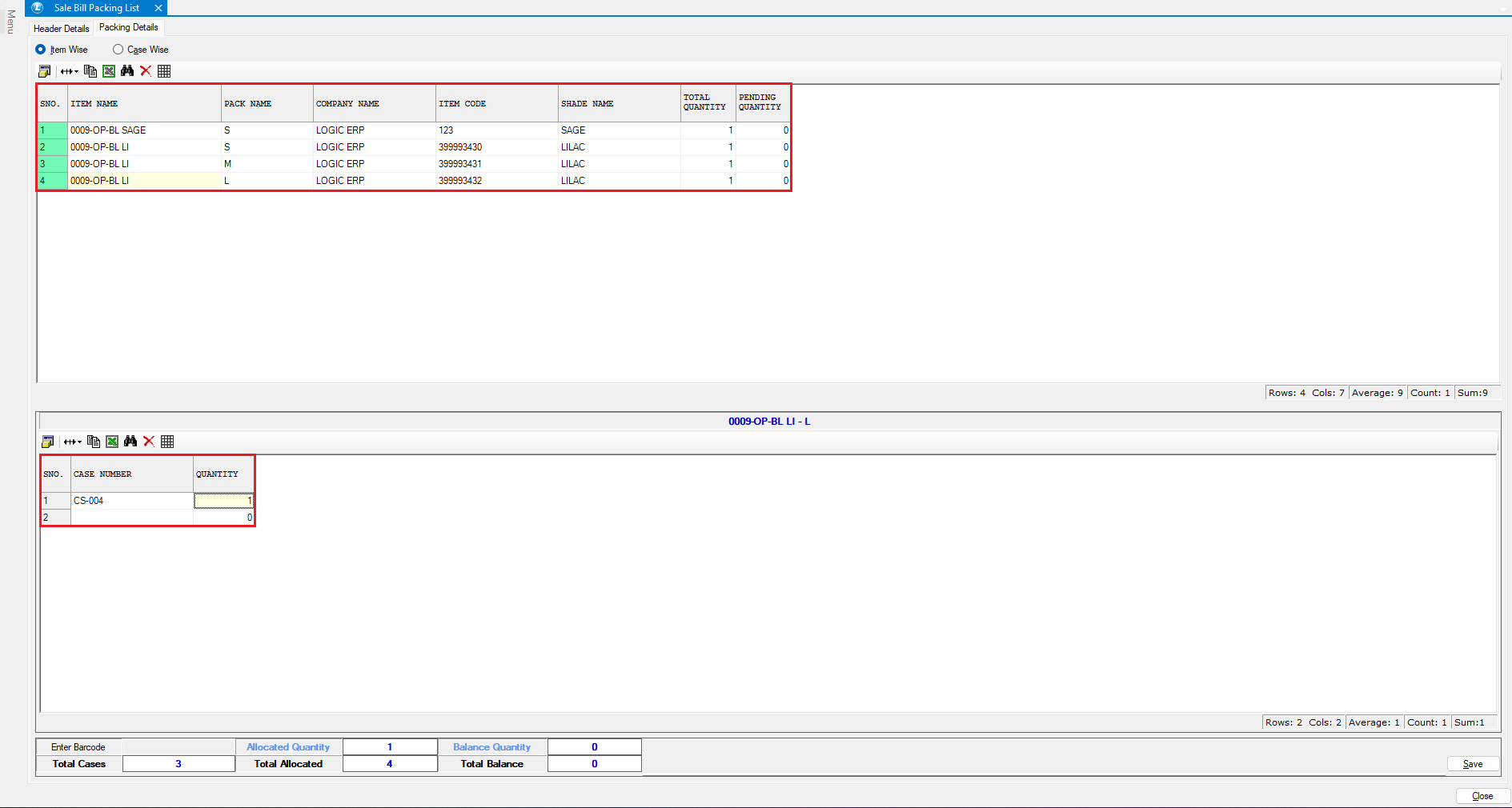
### Packing Details – Item Wise Entry
**Item-Wise Packing Method**
* The **upper section** displays item details from the selected sales bill
* The **lower section** is used to record packing information
**To enter item-wise packing details:**
* Select an item from the upper section
* Enter the **Case Number** in which the item is packed
* Enter the corresponding **Item Quantity**
* Repeat the process for all required items
* Click **Save** once completed
***
### Review Item-Wise Packing Report
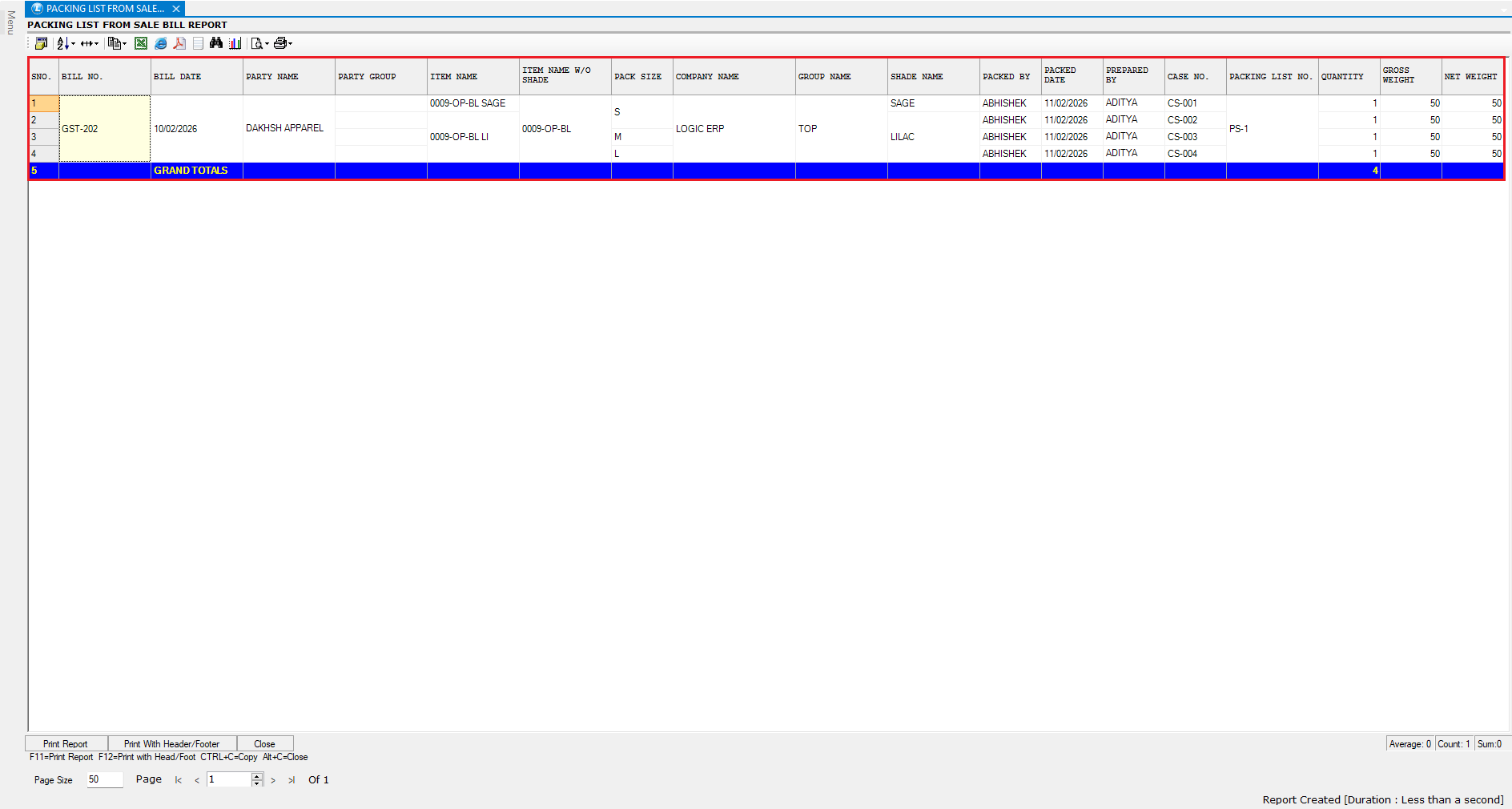
* Open the **Packing List from Sales Bill Report**
* The report will display:
* Case numbers
* Item details
* Packed quantities
This provides a complete overview of item-wise packing against the sales bill.
***
### Packing Details – Case Wise Entry
**Case-Wise Packing Method**
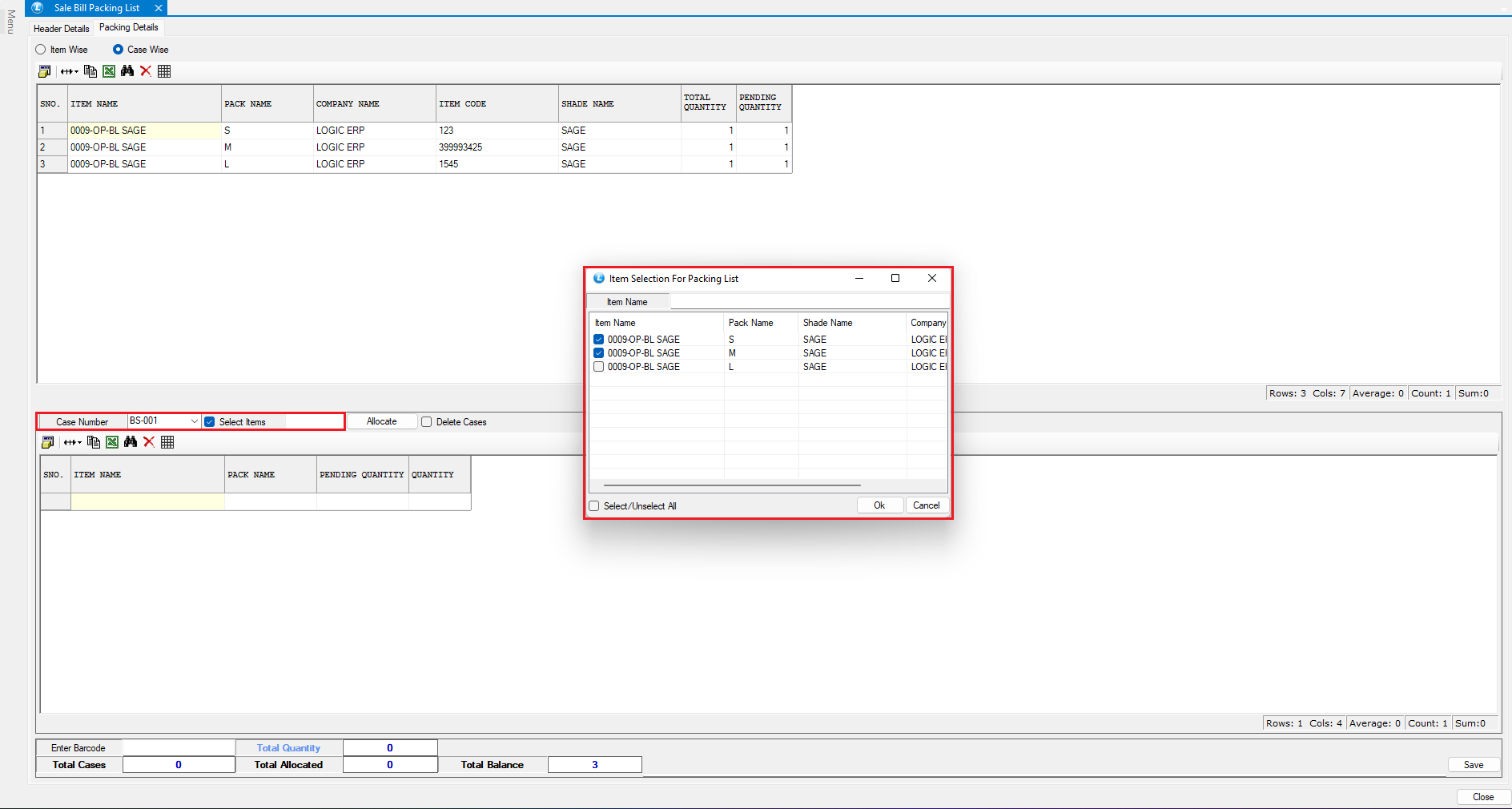
* Select **Case Wise** option in the packing details window
* Enter the **Case Number**
* Select the items to be packed in that case
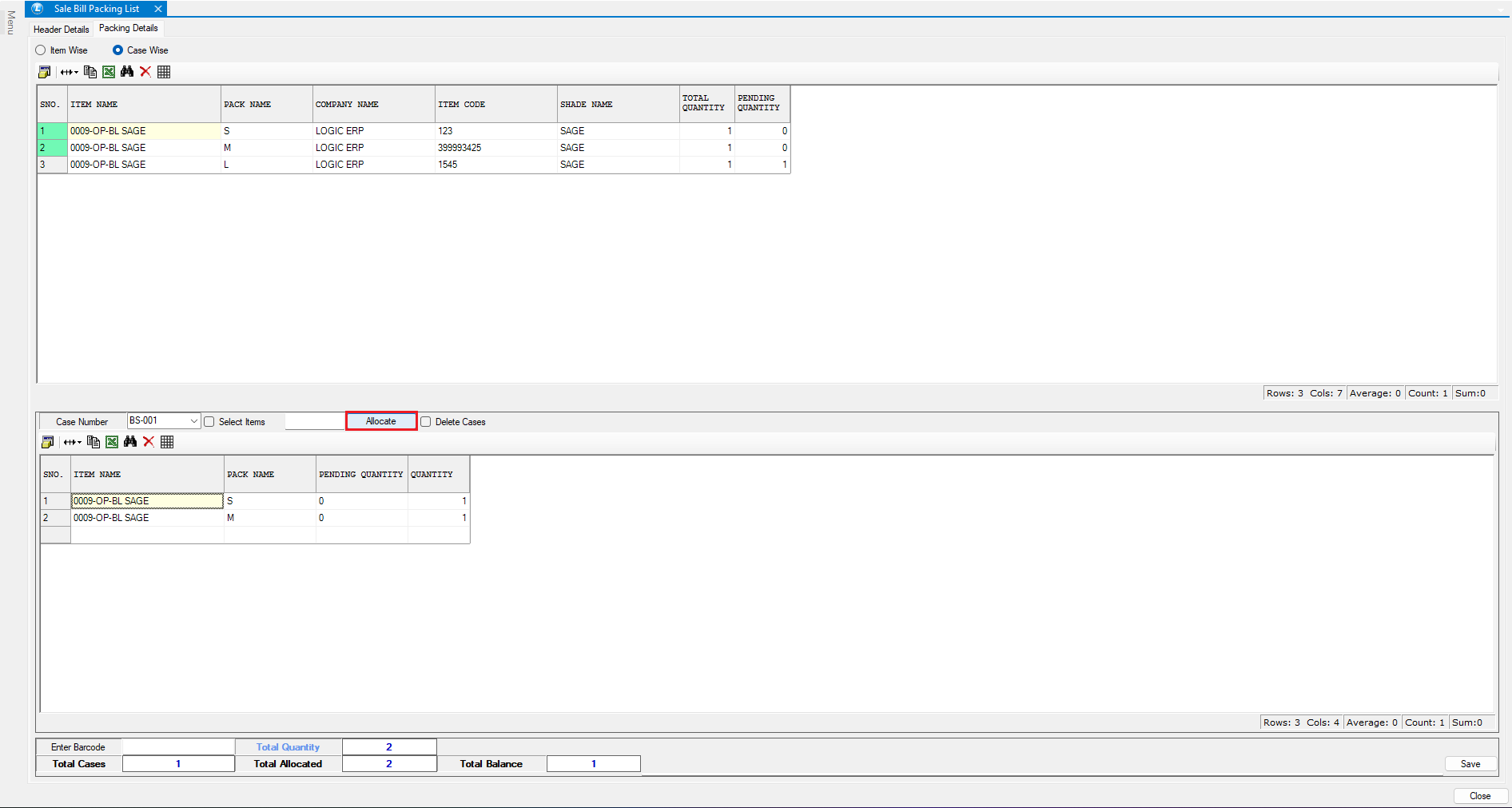
* Click **Allocate** to assign the selected items
**You can:**
* Add multiple cases
* Allocate **partial quantities** of items to different cases
***
### Save and Review Case-Wise Packing Details
* Click **Save** after completing case-wise allocation
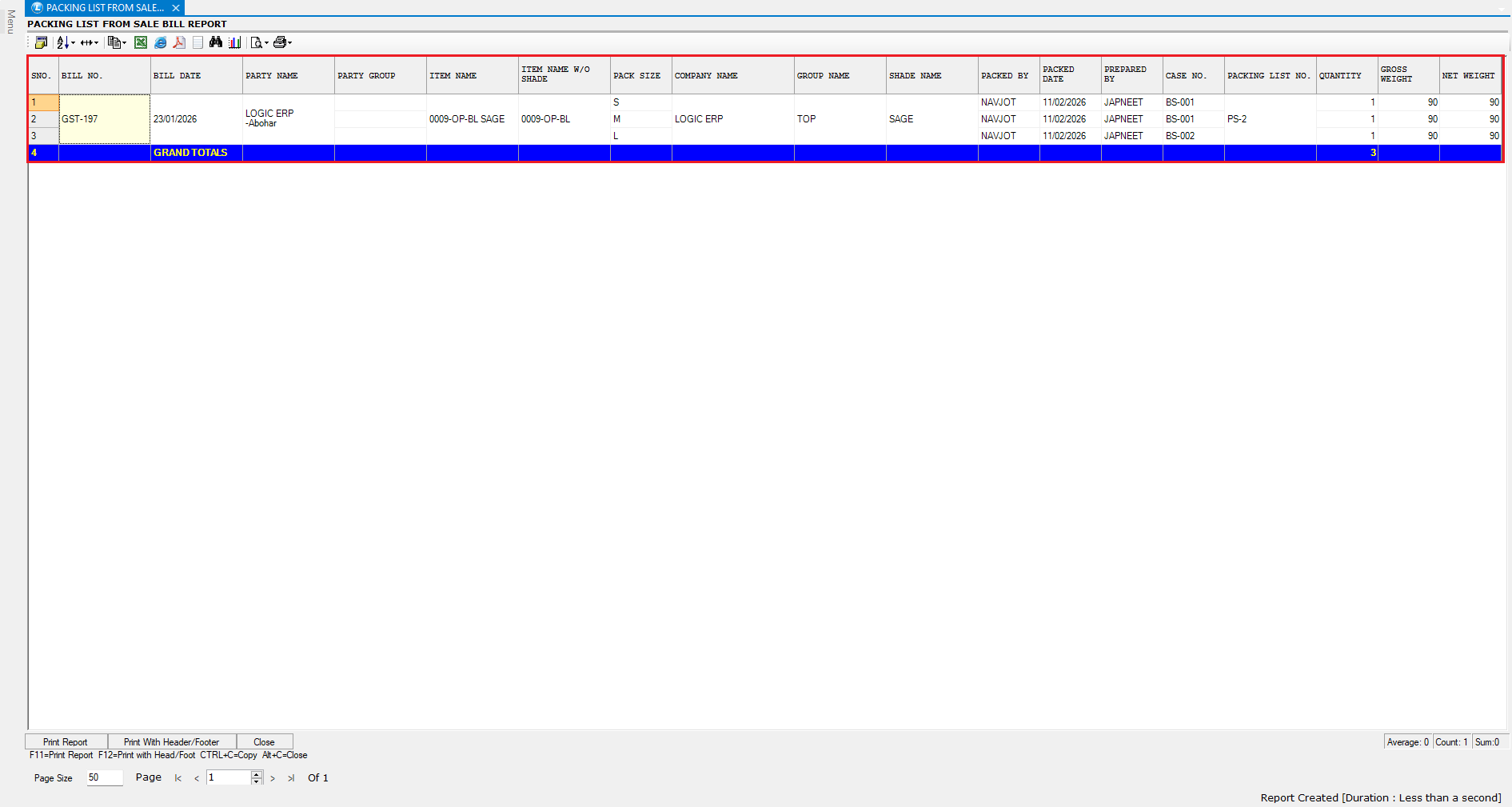
* Open the **Packing List from Sales Bill Report**
* Verify that:
* Case-wise packing details are correctly reflected
The data is now successfully recorded and displayed.
***
### Conclusion
The **Packing List from Sales Bill** feature in Logic ERP allows you to:
* Generate accurate packing lists directly from sales bills
* Enter packing details **item-wise or case-wise**
* Track quantities, cases, and weights efficiently
This ensures better dispatch control, accurate documentation, and improved operational efficiency.
---
# Agent Instructions
This documentation is published with GitBook. GitBook is the documentation platform designed so that both humans and AI agents can read, navigate, and reason over technical content effectively. Learn more at gitbook.com.
## Querying This Documentation
If you need additional information that is not directly available in this page, you can query the documentation dynamically by asking a question.
Perform an HTTP GET request on the current page URL with the `ask` query parameter, and the optional `goal` query parameter:
```
GET https://kb.logicerp.com/logic-erp-learning-hub-tutorials-and-best-practices/billing/packing-list-from-sales-bill.md?ask=&goal=
```
`ask` is the immediate question: it should be specific, self-contained, and written in natural language.
`goal` is optional and describes the broader end goal you are ultimately trying to accomplish on behalf of the user. GitBook uses it to tailor the answer towards what is most useful for that goal.
The response will contain a direct answer to the question and relevant excerpts and sources from the documentation.
Use this mechanism when the answer is not explicitly present in the current page, you need clarification or additional context, or you want to retrieve related documentation sections.