> For the complete documentation index, see [llms.txt](https://kb.logicerp.com/llms.txt). Markdown versions of documentation pages are available by appending `.md` to page URLs; this page is available as [Markdown](https://kb.logicerp.com/logic-erp-learning-hub-tutorials-and-best-practices/accounts/continuous-printing/post-dated-cheques-receipts.md).
# Post Dated Cheques (Receipts)
**YouTube:** [How to Generate Continuous Printing for Post Dated Cheques Documents using Old Version Print Configuration?](https://youtu.be/amjHkSL5nUU)
## How to Generate Continuous Printing for Post Dated Cheques Documents using Old Version Print Config?
In this tutorial, you will learn how to **print multiple Post Dated Cheque (PDC) receipt vouchers in one go** using the **Continuous Printing feature** in Logic ERP.\
This helps improve efficiency and ensures **smooth bulk printing of receipt documents**.
***
### Open Continuous Printing Module
**To Begin:**
* Navigate to the **Accounts Module**
* Expand the **Continuous Printing Section**
* Open **Post-Dated Cheques (Receipts)**
This section allows you to print multiple PDC receipt vouchers together.
***
### Select Vouchers
* Choose the **PDC Receipt Vouchers** you want to print.
* Click **OK** to proceed
Only selected vouchers will be included in the printing process.
***
### Start Printing
* Click on **Start Printing**
You will be prompted with two options:
#### Print with Preview
* Click **Yes**
**What happens:**
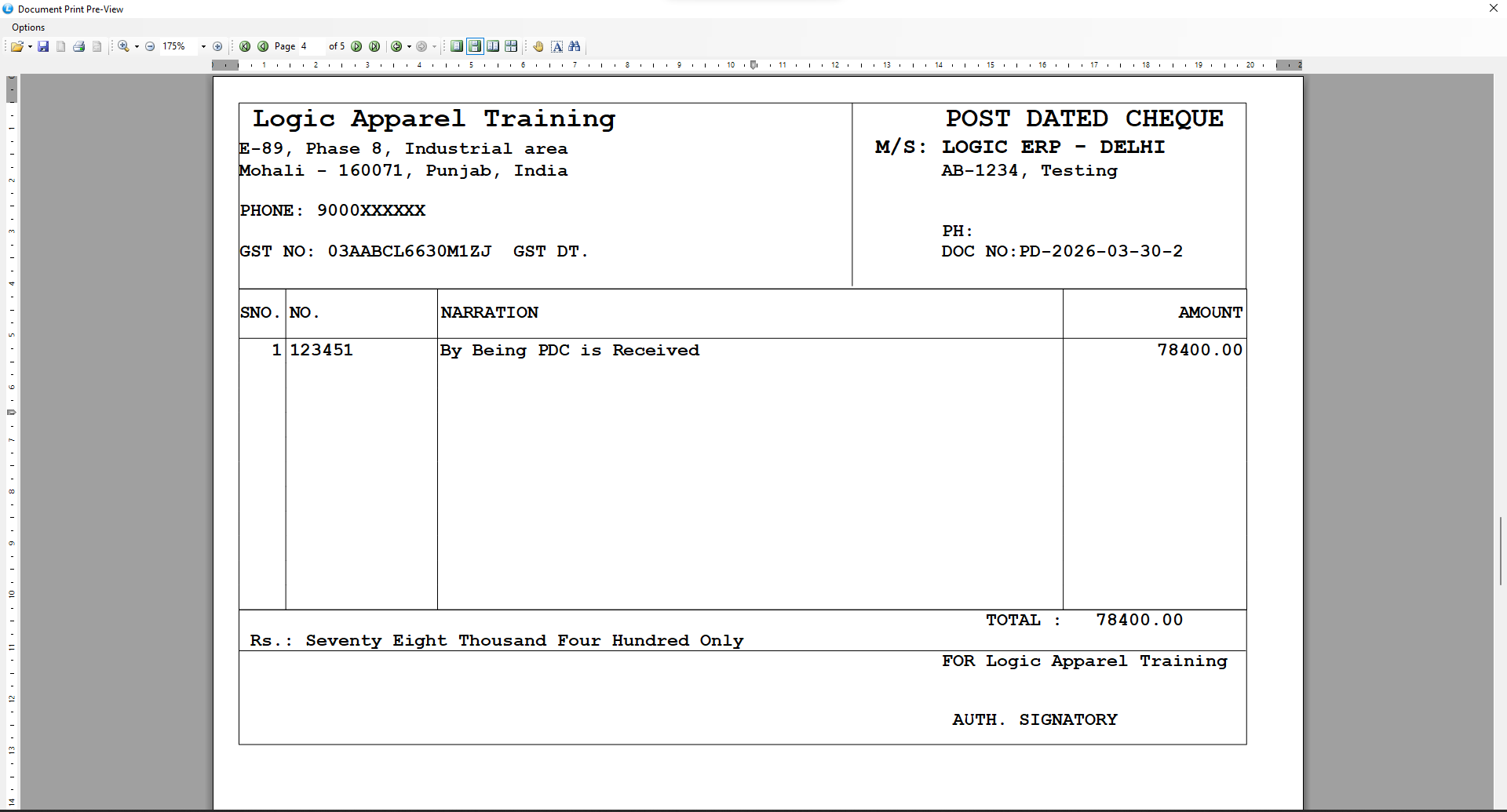
* A **Print Preview Window** opens
* Displays each selected PDC receipt voucher
**Actions:**
* Review voucher details
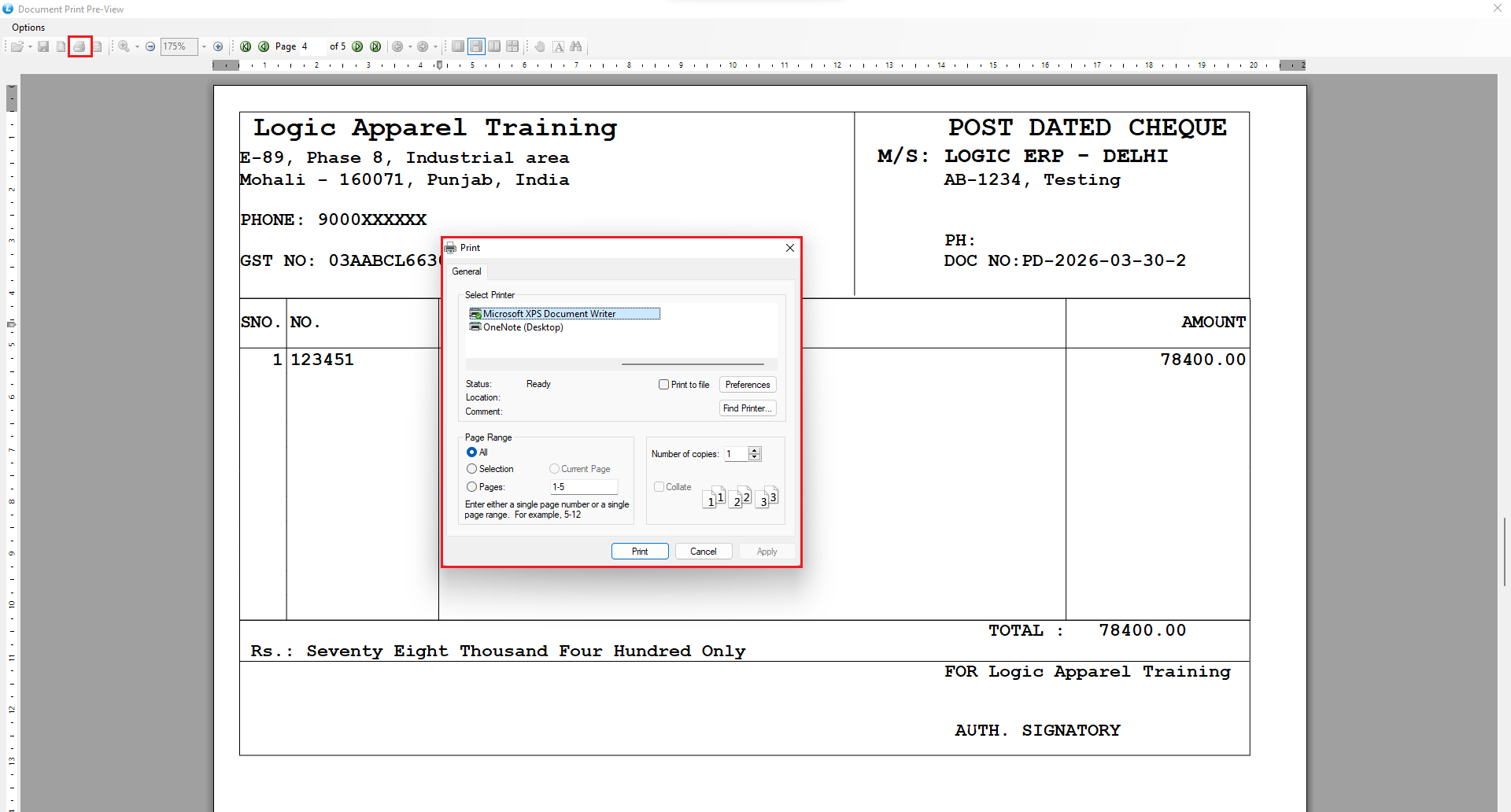
* Click on the **Print Icon** to print
Recommended when you want to verify documents before printing.
#### Direct Printing (Without Preview)
* Click **No**
**What happens:**
* All selected vouchers are printed **instantly**
* No preview is displayed
Ideal for quick bulk printing.
***
### How Continuous Printing Works
* Processes multiple vouchers **one after another**
* Provides flexibility between:
* Preview-based printing
* Direct printing
Ensures efficient handling of large volumes of documents.
***
### Key Benefits
* Fast bulk printing of PDC receipts
* Reduces manual effort
* Option to preview before printing
* Improves workflow efficiency
* Saves time in daily accounting tasks
***
### Final Outcome
You have successfully learned how to:
* Use **Continuous Printing for PDC Receipts**
* Print multiple vouchers efficiently
* Choose between **Preview and Direct Print modes**
Your document printing process is now faster, smoother, and more professional.
---
# Agent Instructions
This documentation is published with GitBook. GitBook is the documentation platform designed so that both humans and AI agents can read, navigate, and reason over technical content effectively. Learn more at gitbook.com.
## Querying This Documentation
If you need additional information that is not directly available in this page, you can query the documentation dynamically by asking a question.
Perform an HTTP GET request on the current page URL with the `ask` query parameter, and the optional `goal` query parameter:
```
GET https://kb.logicerp.com/logic-erp-learning-hub-tutorials-and-best-practices/accounts/continuous-printing/post-dated-cheques-receipts.md?ask=&goal=
```
`ask` is the immediate question: it should be specific, self-contained, and written in natural language.
`goal` is optional and describes the broader end goal you are ultimately trying to accomplish on behalf of the user. GitBook uses it to tailor the answer towards what is most useful for that goal.
The response will contain a direct answer to the question and relevant excerpts and sources from the documentation.
Use this mechanism when the answer is not explicitly present in the current page, you need clarification or additional context, or you want to retrieve related documentation sections.