> For the complete documentation index, see [llms.txt](https://kb.logicerp.com/llms.txt). Markdown versions of documentation pages are available by appending `.md` to page URLs; this page is available as [Markdown](https://kb.logicerp.com/logic-erp-installation-configuration-and-troubleshooting-solutions/faqs/production/restricting-raw-material-issues-beyond-job-order.md).
# Restricting Raw Material Issues Beyond Job Order
**YouTube:** [How to Stop Raw Material Issues Exceeding Job Order Requirements?](https://www.youtube.com/watch?v=V5xs3bGJCqY)
## How to Stop Raw Material Issues Exceeding Job Order Requirements?
This tutorial explains how to **prevent excess raw material issuance beyond job order or BOM limits** during the production process in Logic ERP. This ensures **controlled material usage, accurate costing, and reduced wastage**.
***
### Access to Job Order
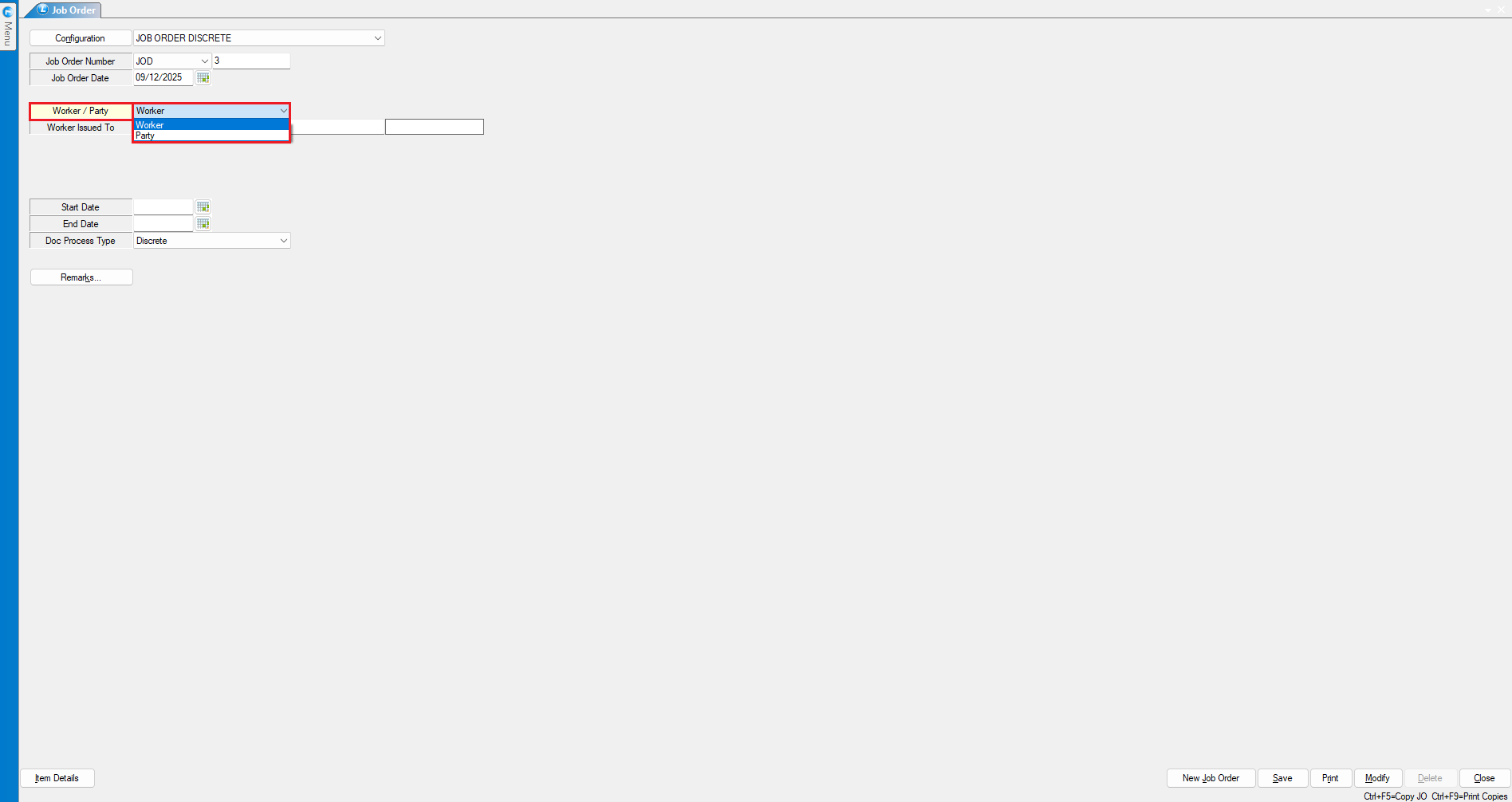
* Open the **Job Order** module.
* Select whether the job is assigned to:
* **Internal Worker**
* **External Party**
* Select the **worker's name**.
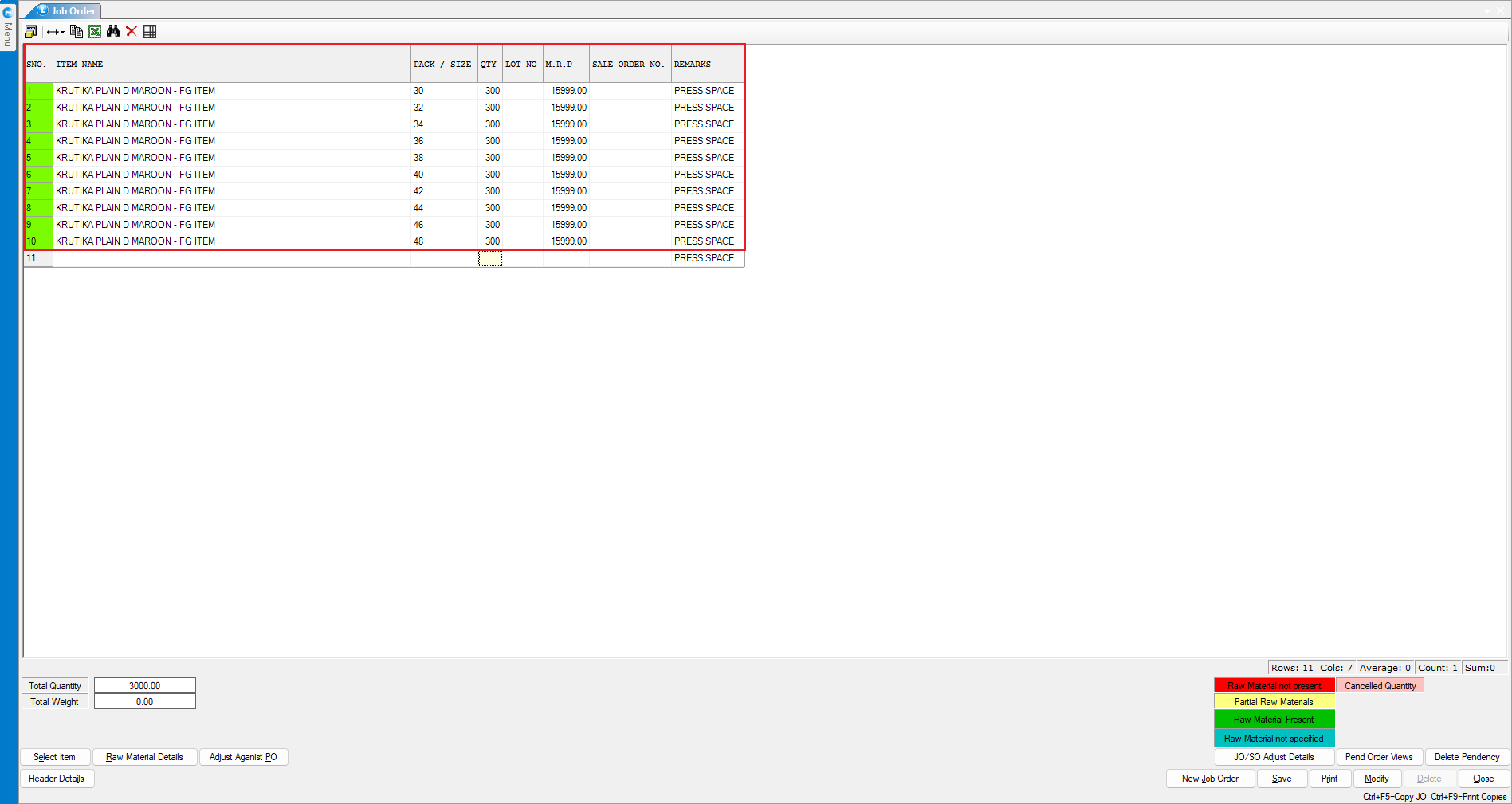
* Enter:
* **Item to be produced**
* **Required quantity**
* **Save** the job order document.
***
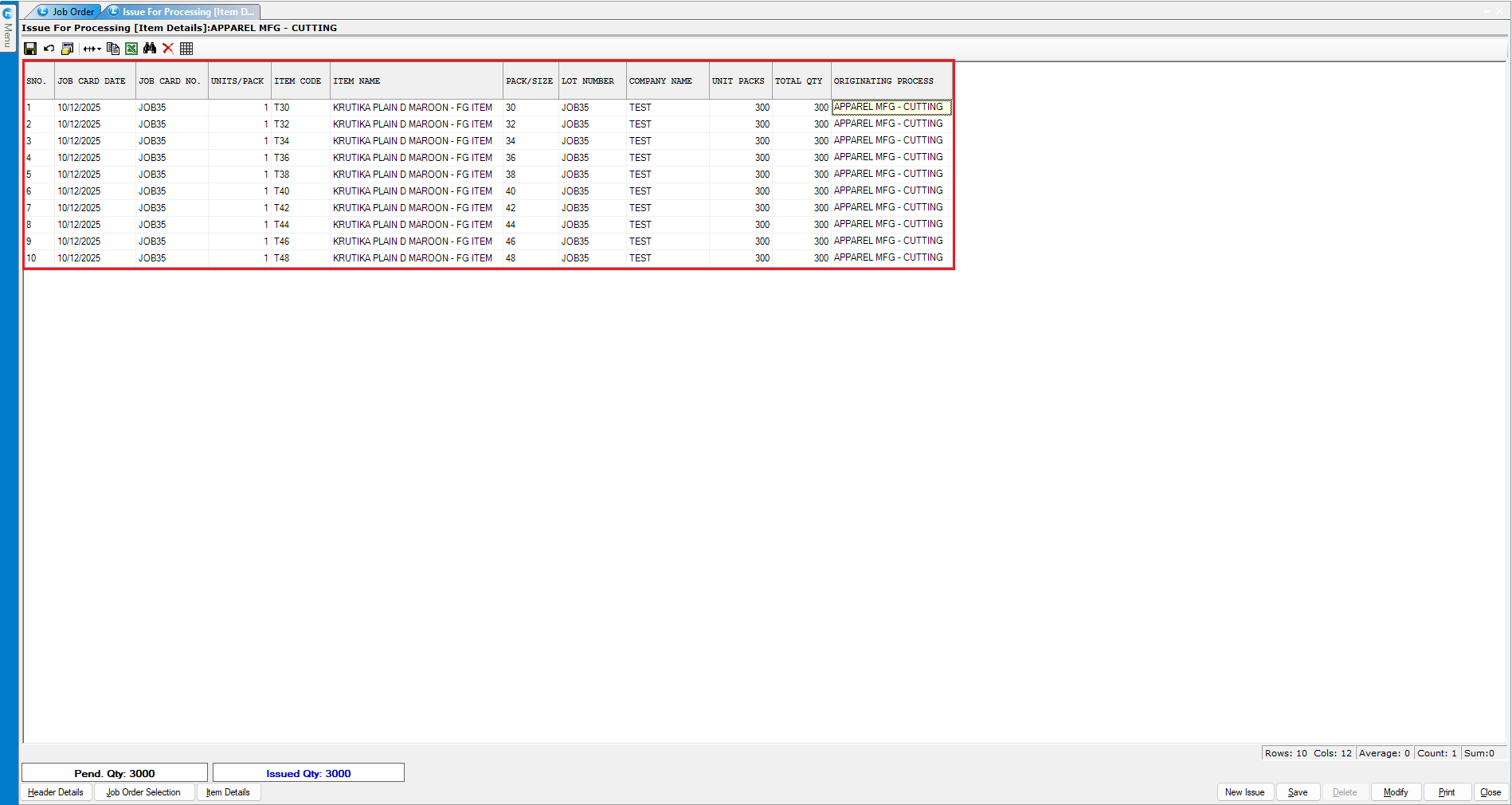
### Create Issue for Processing (First Process)
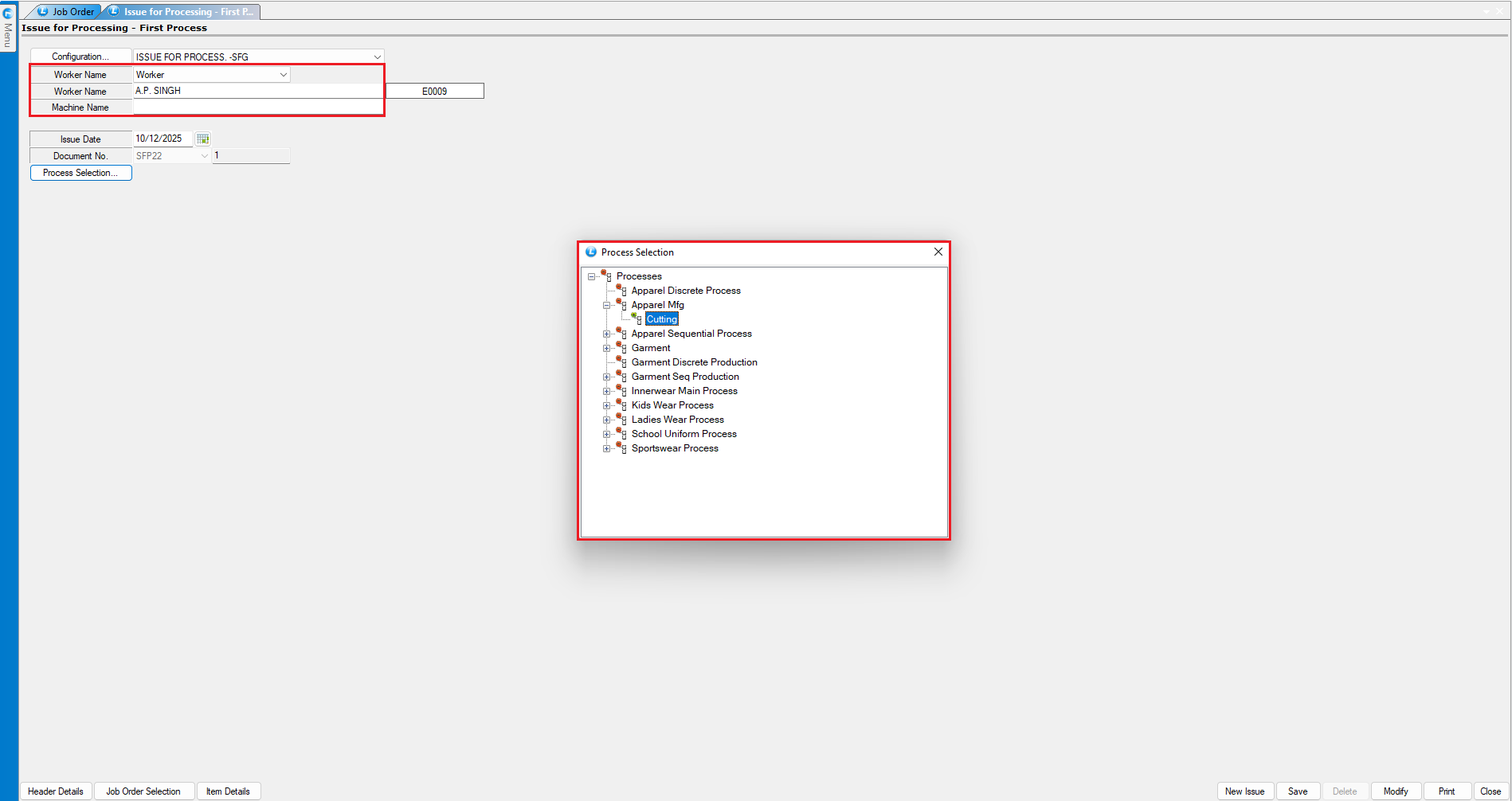
* Open **Issue for Processing – First Process**.
* Select:
* **Worker name**
* **Process name**
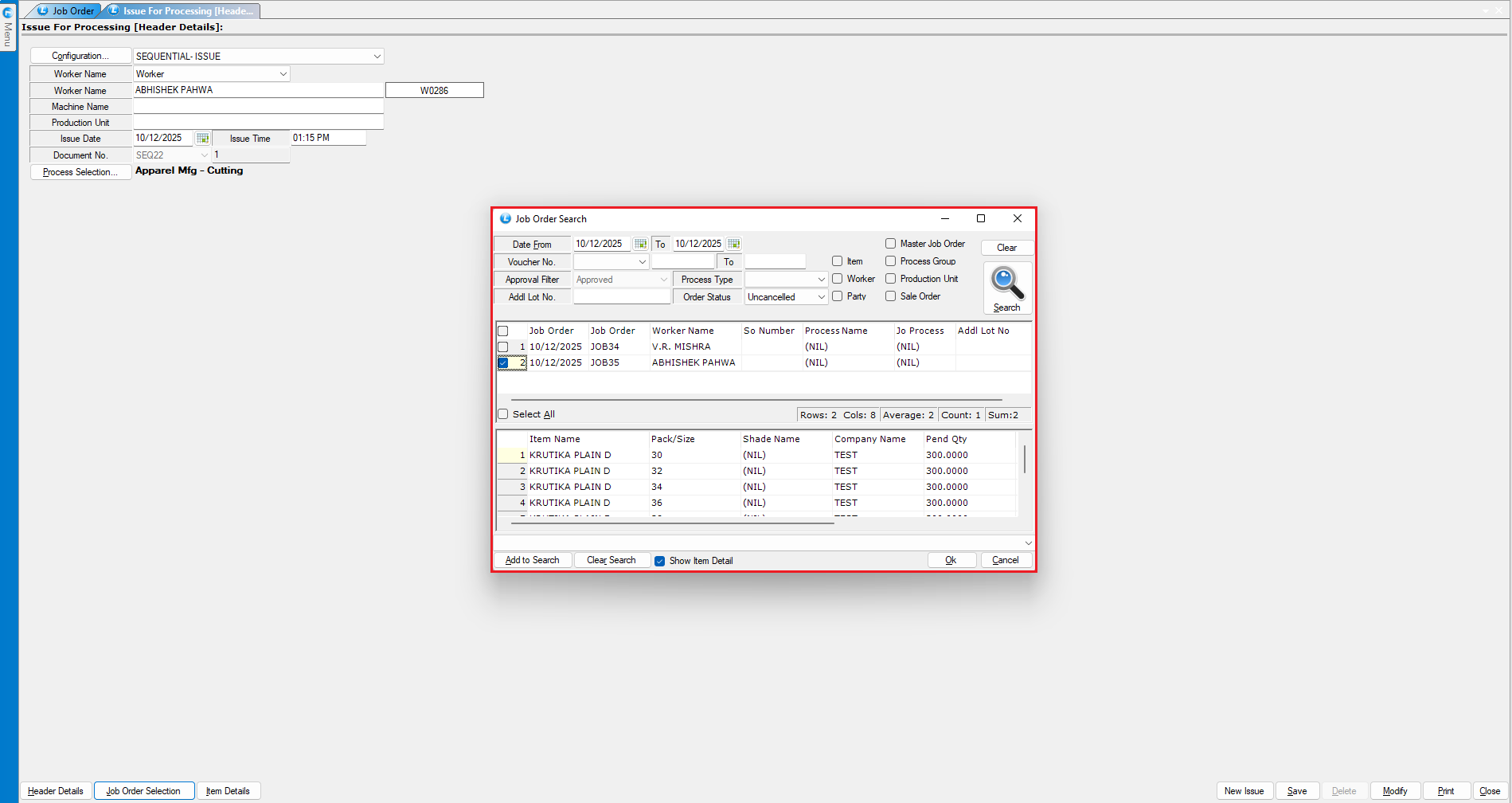
* Select the **Job Order** from the list.
* The job details will be auto fetched.
* **Save** the document.
***
### Issue Raw Material Against Job Order
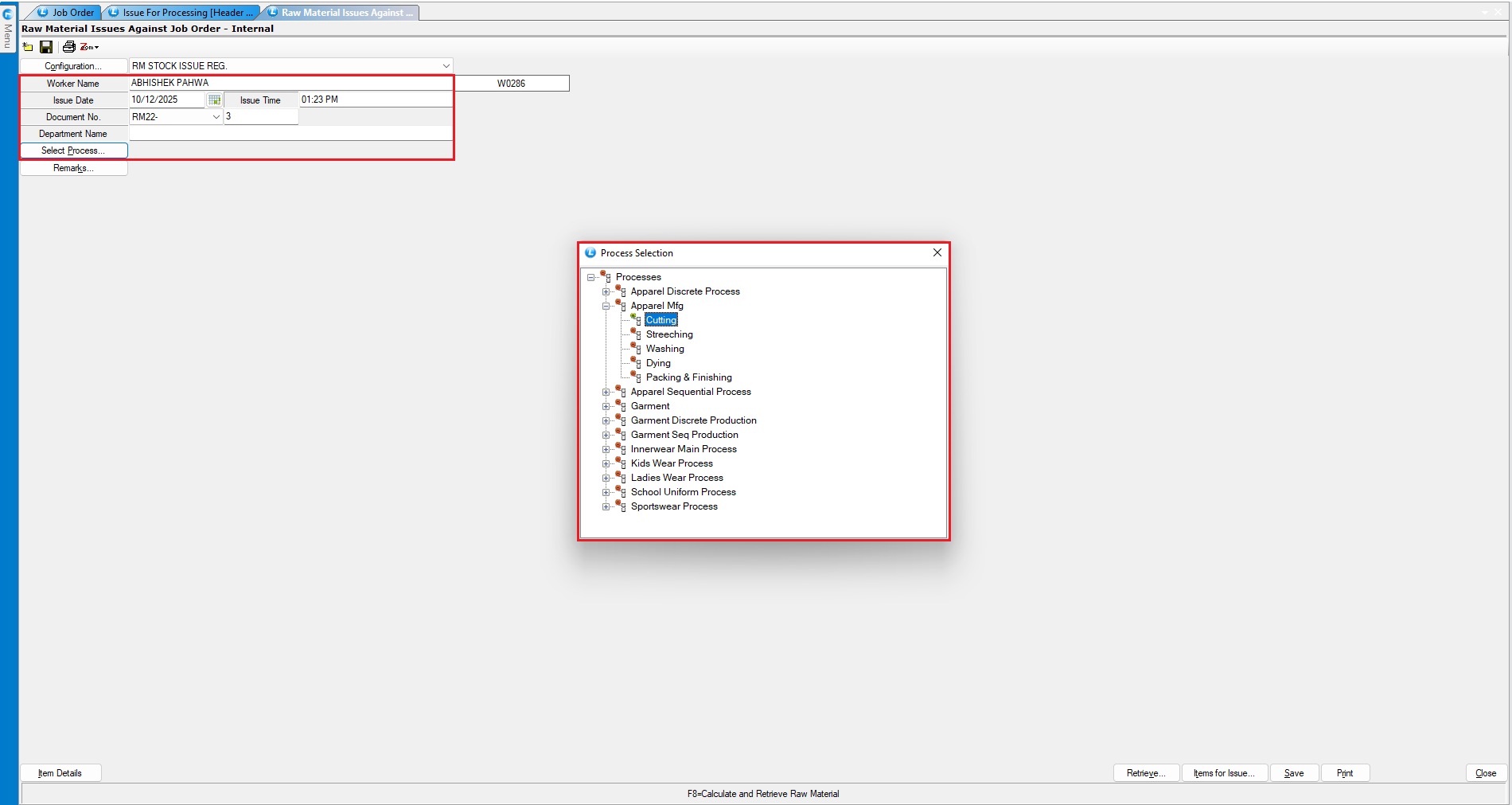
* Open **Raw Material Issue Against Job Order – Internal**.
* Select:
* **Worker name**
* **Process**
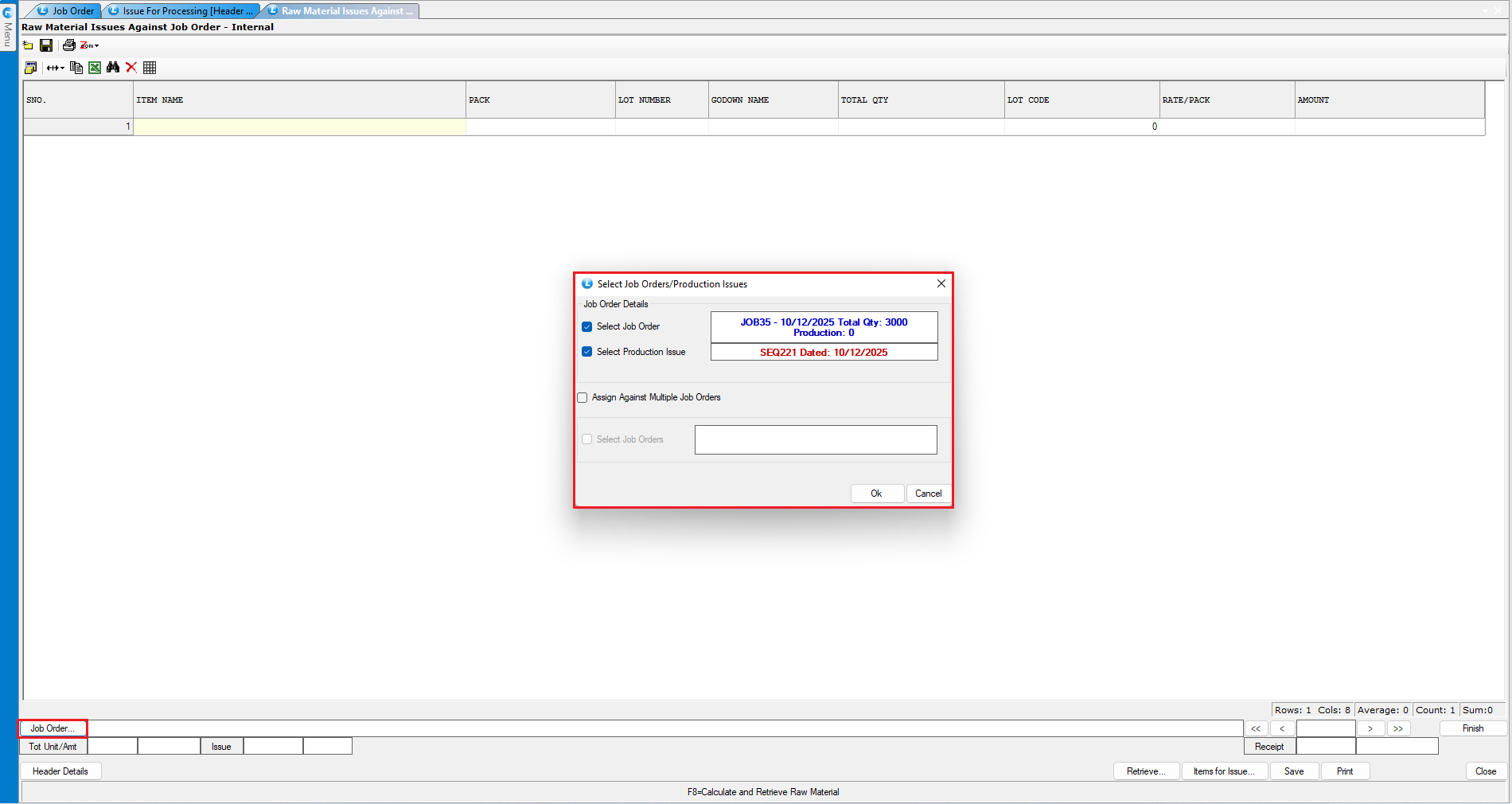
* Select the **Job Order** from the list.
* **Production Issue**
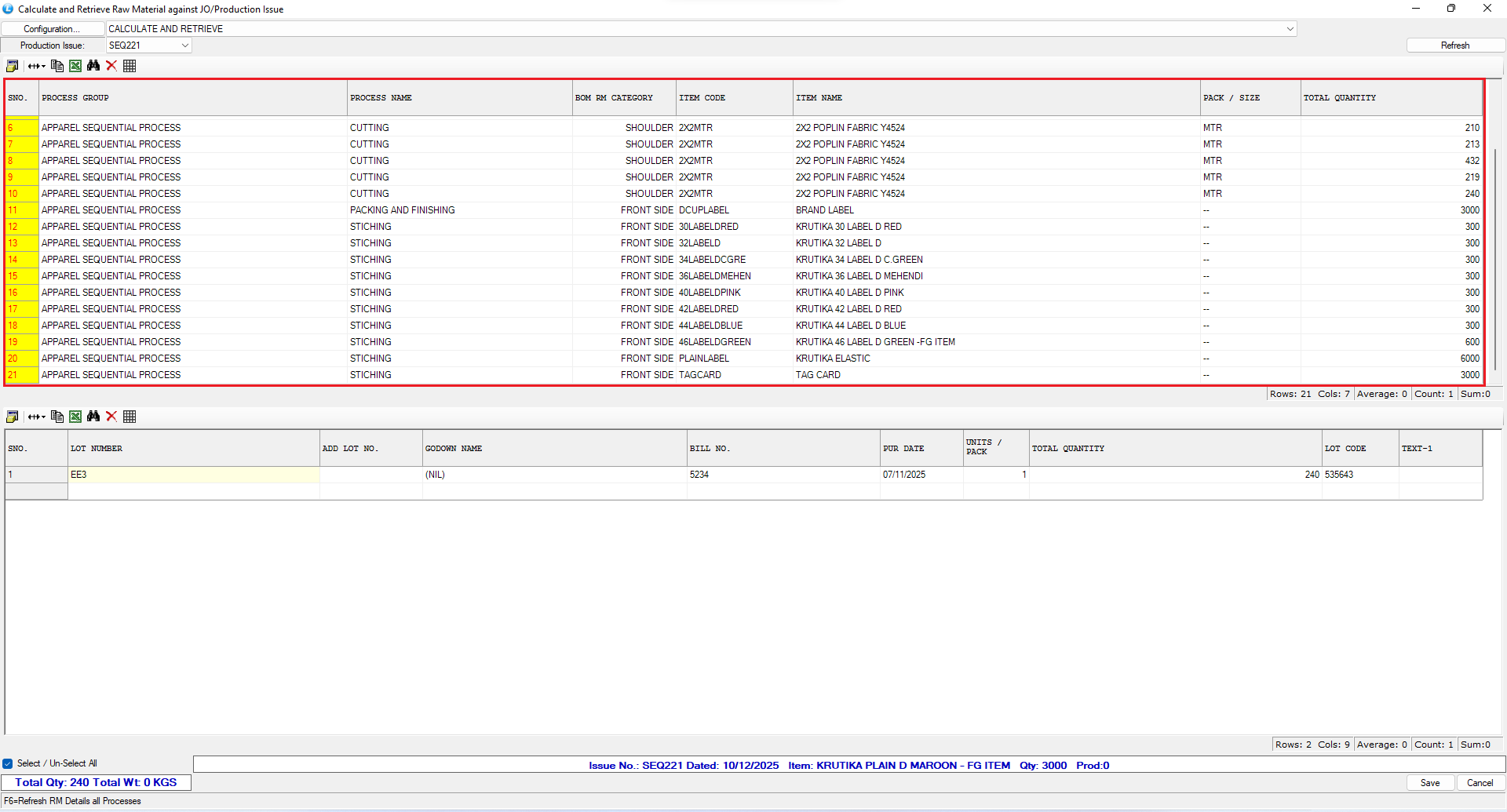
* Press **F8** to calculate required raw material.
* Click **Refresh** to fetch linked BOM items.
* Select the raw material and **save**.
> At this stage, the system still allows excess quantity—no restriction is applied yet.
***
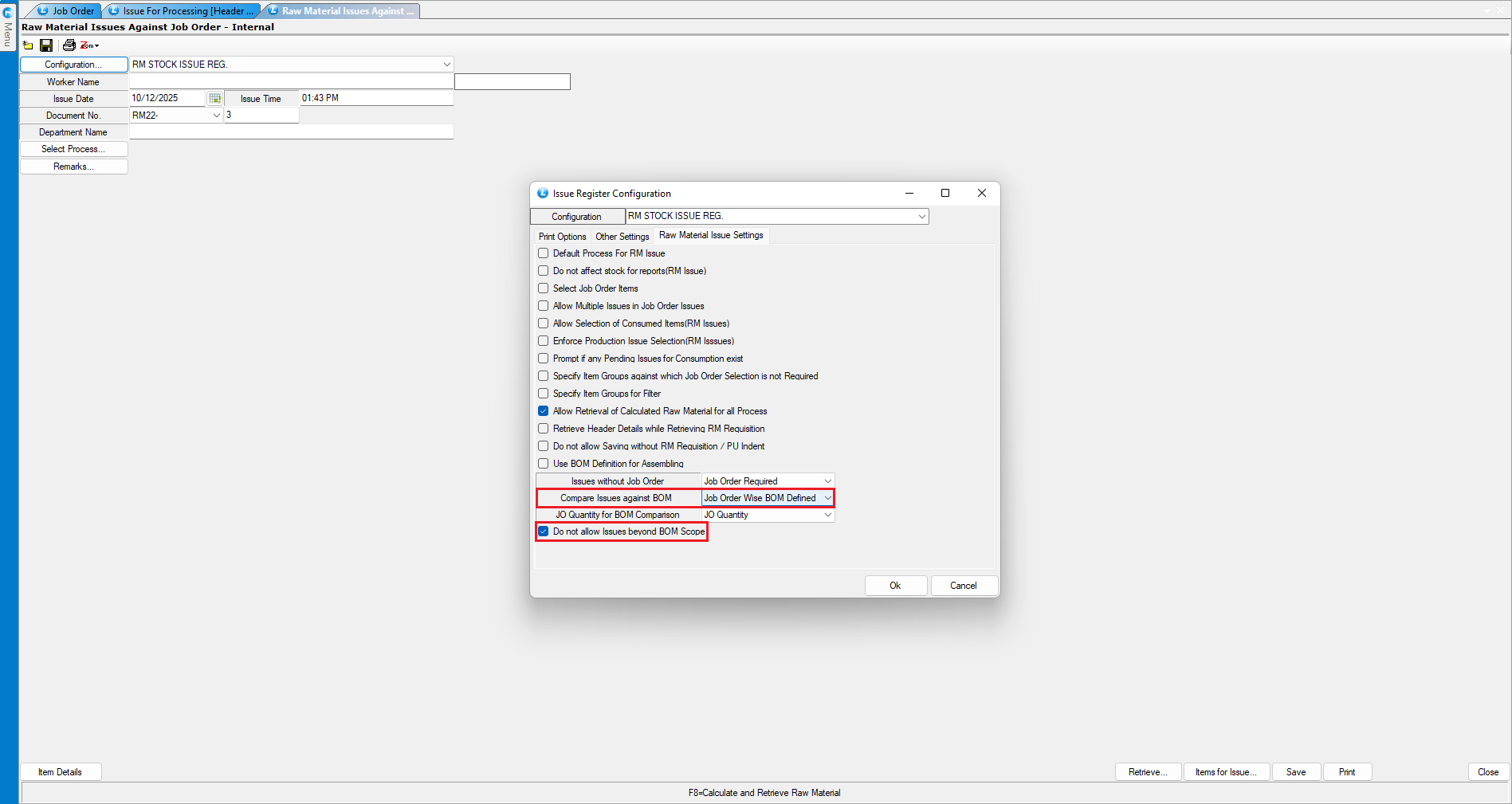
### Enable Restriction Settings
* Open **Configuration**.
* Go to **Raw Material Issue Settings**.
* Set:
* **Compare Issues Against BOM Option** → *Job Order BOM Defined*
* Enable:
* **Do Not Allow Issues Beyond BOM Scope**
* **Save** the configuration.
***
### Verify the Restriction in Action
* Repeat the **Raw Material Issue process**:
* Select worker, process, job order, and production issue.
* Press **F8** → Click **Refresh** → Select items → **Save**.
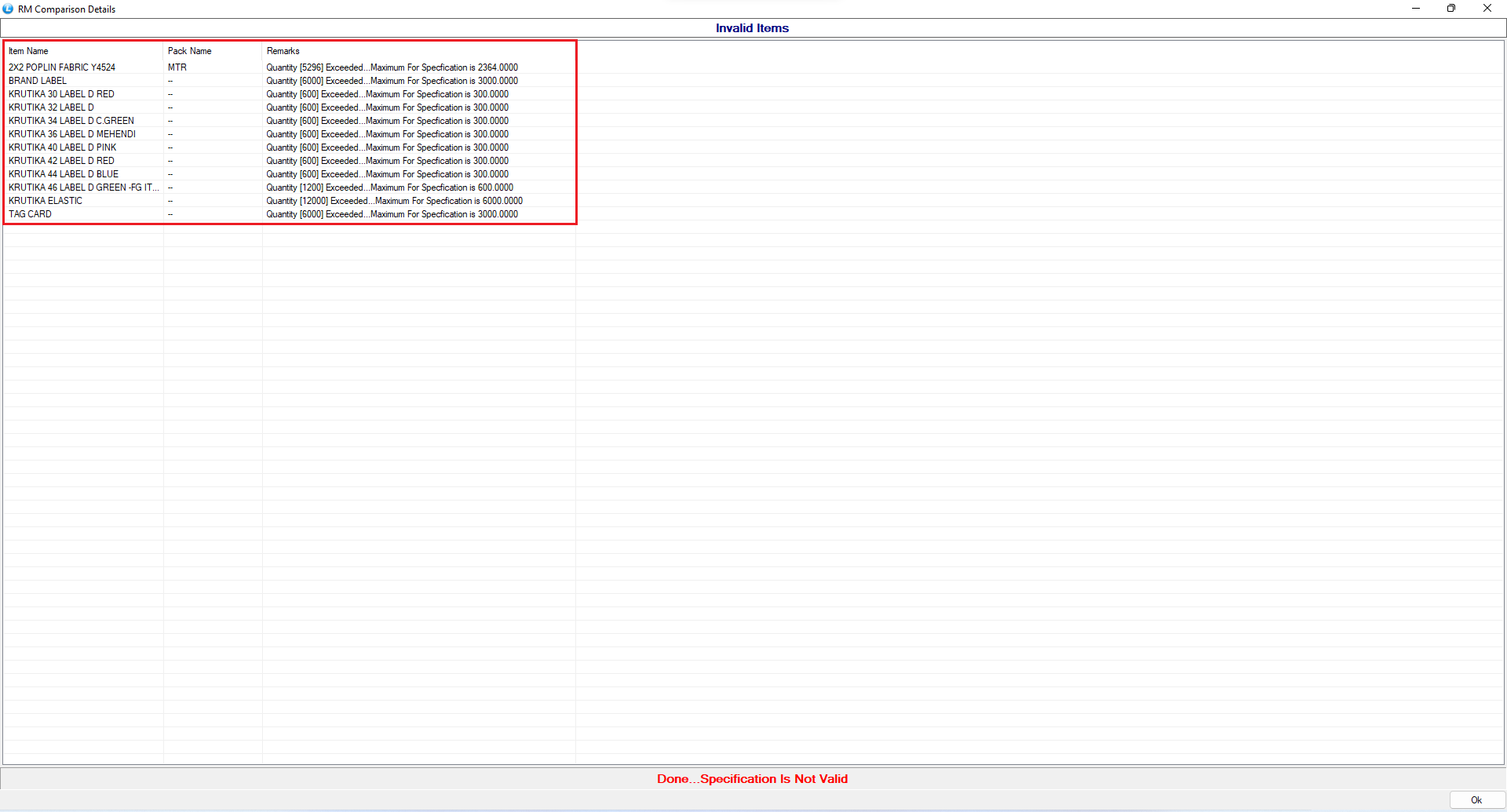
* Now try to:
* **Increase the raw material quantity beyond the BOM limit**
* On saving:
* A **validation message appears**
* The system **blocks the transaction**
* Only the **allowed BOM quantity can be saved**
***
### Final Result & Benefits
* Prevents **over-issuing of raw materials**
* Ensures **BOM compliance**
* Controls **production cost**
* Avoids **material wastage**
* Improves **process discipline and audit accuracy**
***
### Conclusion
By enabling the **“Do Not Allow Issues Beyond BOM Scope”** setting in Logic ERP, organizations can strictly control raw material consumption as per job order requirements. This not only improves **production efficiency and cost accuracy but** also ensures **transparent and disciplined inventory management**.
---
# Agent Instructions
This documentation is published with GitBook. GitBook is the documentation platform designed so that both humans and AI agents can read, navigate, and reason over technical content effectively. Learn more at gitbook.com.
## Querying This Documentation
If you need additional information that is not directly available in this page, you can query the documentation dynamically by asking a question.
Perform an HTTP GET request on the current page URL with the `ask` query parameter, and the optional `goal` query parameter:
```
GET https://kb.logicerp.com/logic-erp-installation-configuration-and-troubleshooting-solutions/faqs/production/restricting-raw-material-issues-beyond-job-order.md?ask=&goal=
```
`ask` is the immediate question: it should be specific, self-contained, and written in natural language.
`goal` is optional and describes the broader end goal you are ultimately trying to accomplish on behalf of the user. GitBook uses it to tailor the answer towards what is most useful for that goal.
The response will contain a direct answer to the question and relevant excerpts and sources from the documentation.
Use this mechanism when the answer is not explicitly present in the current page, you need clarification or additional context, or you want to retrieve related documentation sections.