> For the complete documentation index, see [llms.txt](https://kb.logicerp.com/llms.txt). Markdown versions of documentation pages are available by appending `.md` to page URLs; this page is available as [Markdown](https://kb.logicerp.com/logic-erp-installation-configuration-and-troubleshooting-solutions/faqs/production/generate-production-rejection-report.md).
# Generate Production Rejection Report
YouTube: [How to Generate Production Rejection Report?](https://www.youtube.com/watch?v=Iq8WIItbz8Q)
## How to Generate Production Rejection Report?
In this tutorial, we will learn how to generate and customize the **Production Rejection Report** in Logic ERP. This report helps track rejected quantities during production and provides insights at **item-wise, job order-wise, and process-wise** levels to support quality analysis and continuous improvement.
***
### **Accessing Reports and Configuration**
* Navigate to the Production\Production Reports/Queries.
* Then Production Finished Goods Reports and then open **"Production Rejection Report".**
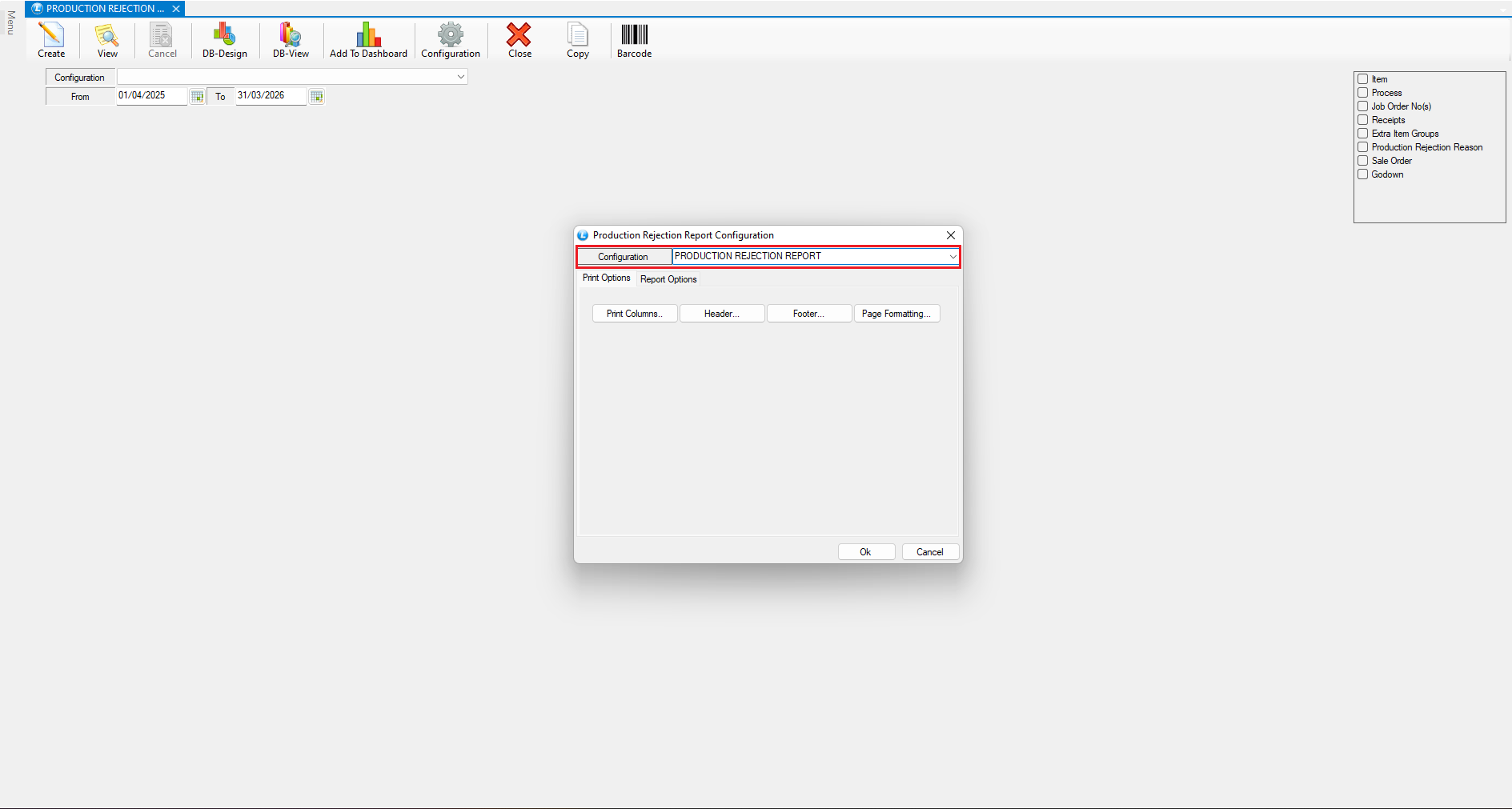
* Click on **Configuration** and Enter a suitable **Report Configuration Name.**
***
### **Configure Report Options**
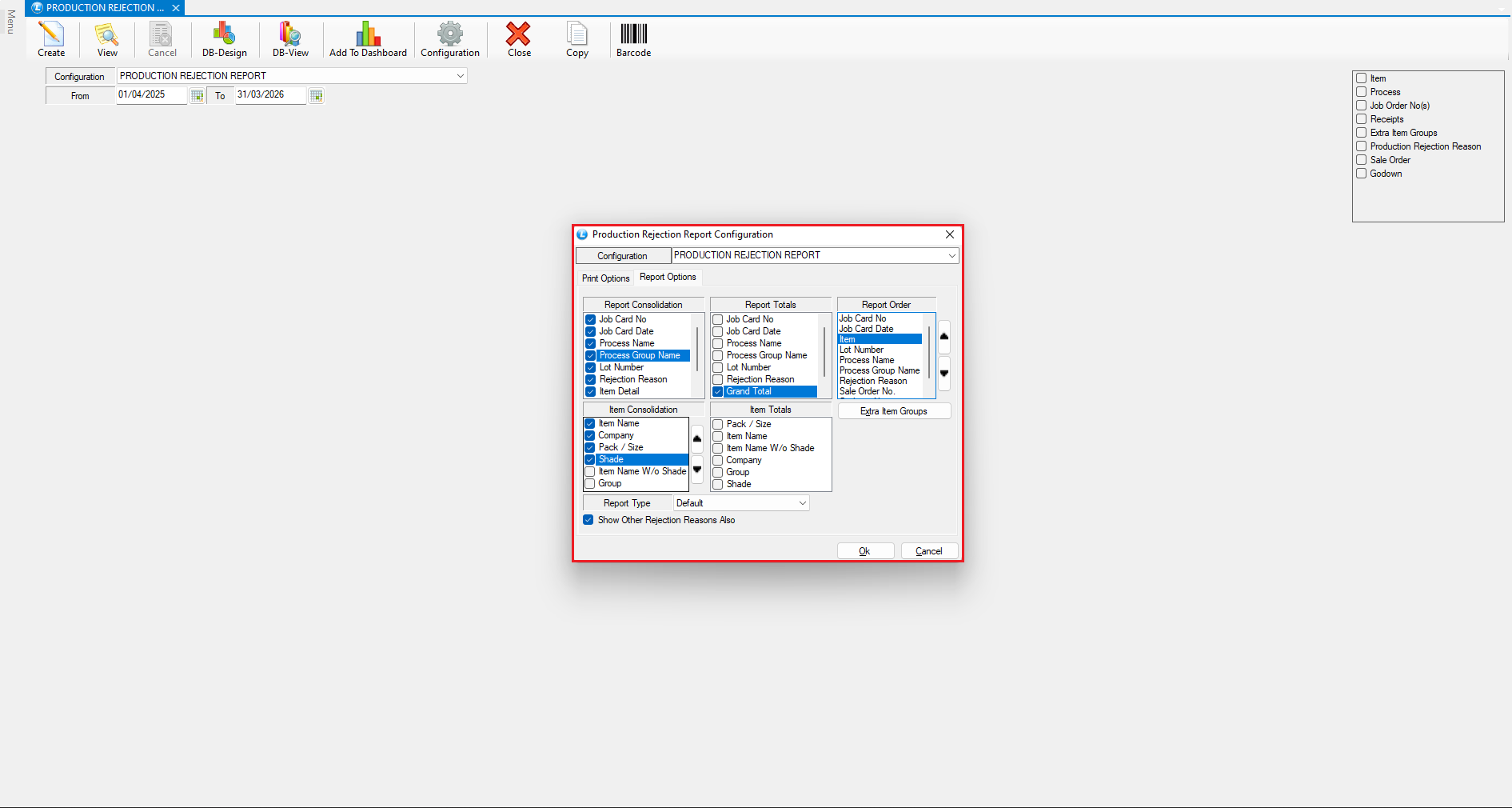
**Report Consolidation**
* Enables grouping and summarizing rejection data
* Allows analysis in an **aggregated format** based on selected parameters
**Report Totals**
* Define which **total values** should appear in the report summary
* Helps in quick assessment of overall rejection figures
**Report Order**
* Define the **sequence** in which report data should appear
* Use the provided **arrow buttons** to arrange the order clearly
**Item Consolidation**
* Group rejection data using available item components
* Useful for identifying rejection trends based on product characteristics
**Item Totals**
* Include summarized **item-wise rejection quantities**
* Provides a clear overview at the item level
**Report Type**
* Select the desired layout or format for the rejection report
**Show Other Rejection Reasons**
* Enable this option to display additional or secondary rejection reasons beyond the primary classification
* After completing all settings, click **Save**
* The report configuration is now created successfully
***
### **Apply Filters and Generate the Report**
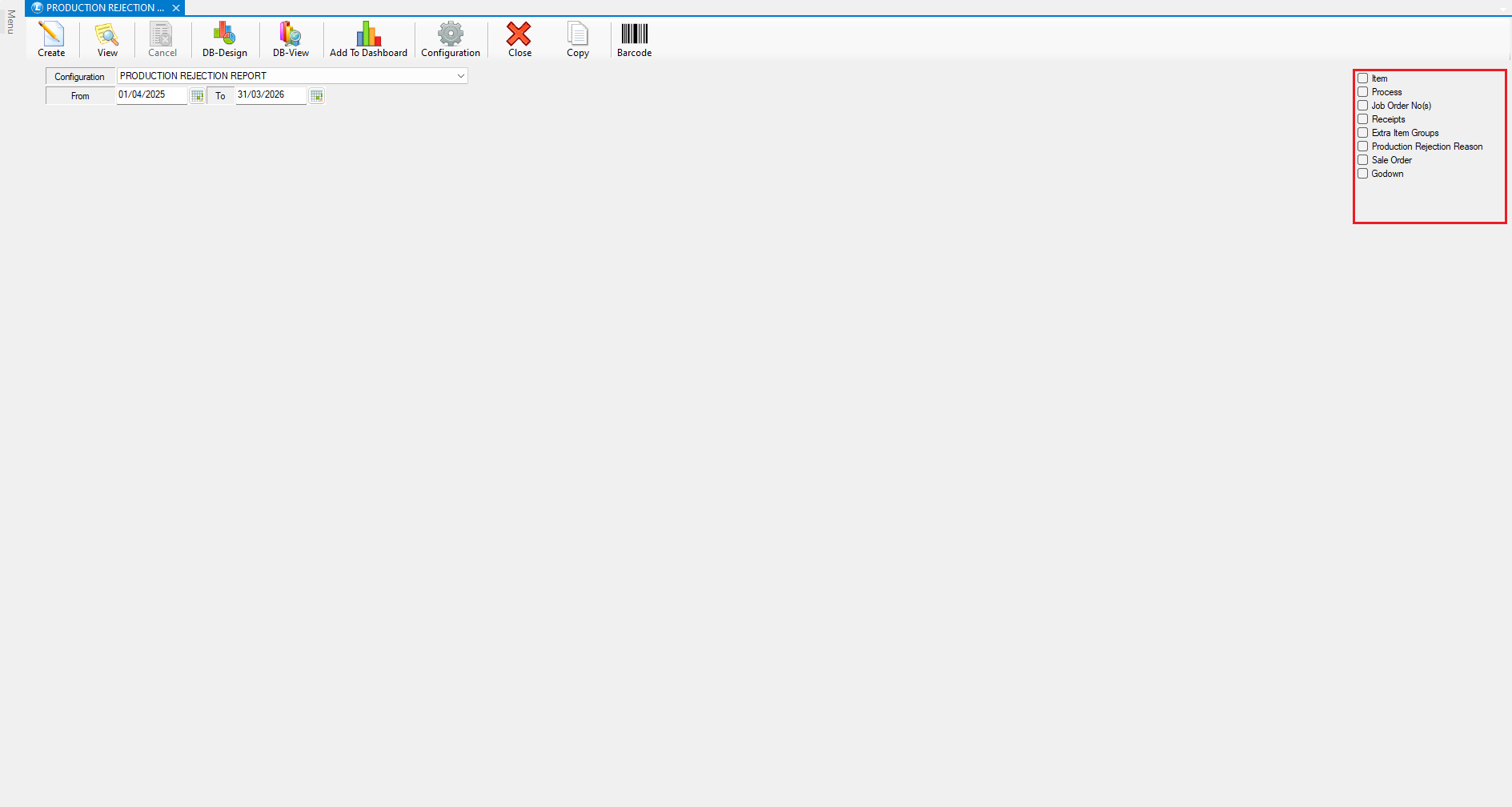
* Use the available **Filters** to refine the report as per your requirement
* Click **Create** to generate the report.
***
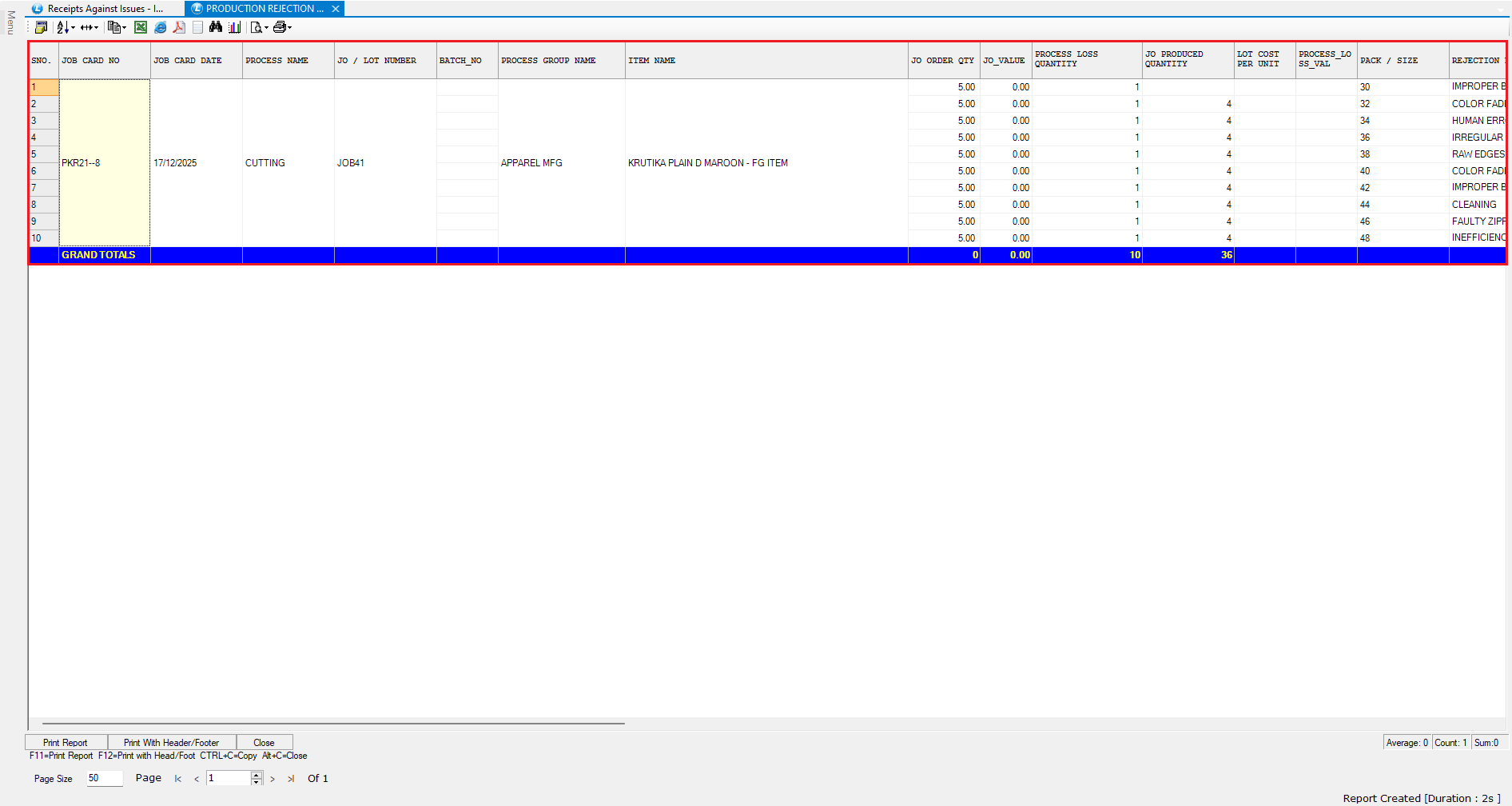
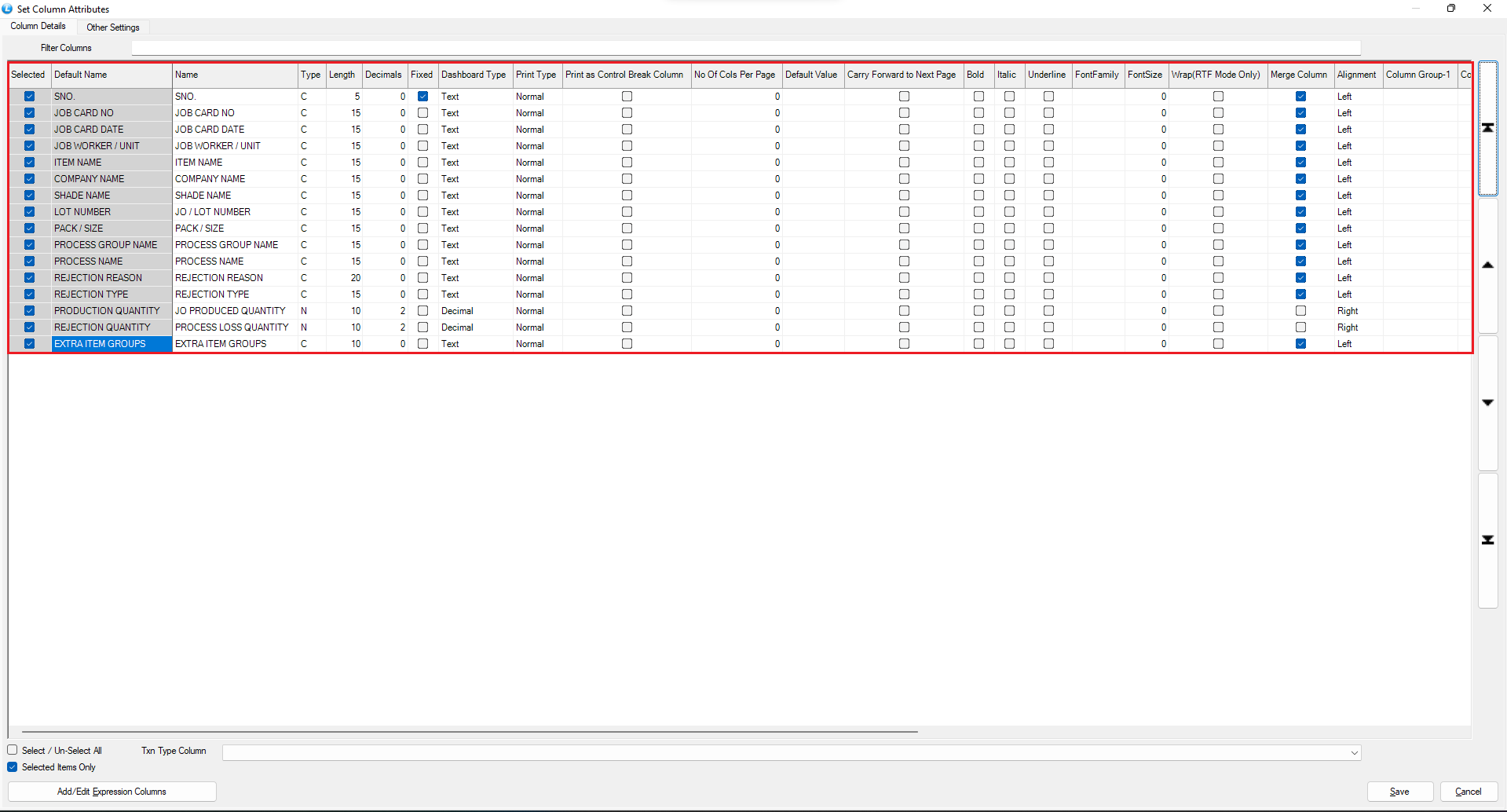
### **Customize Report Columns**
**Configure Columns**
* Open **Setup Column Attributes**
* Click **Unselect All**
* Select only the columns you want to display in the report
**Rearrange Column Order**
* Use the **arrow keys** to arrange columns in the desired sequence
* Save the changes
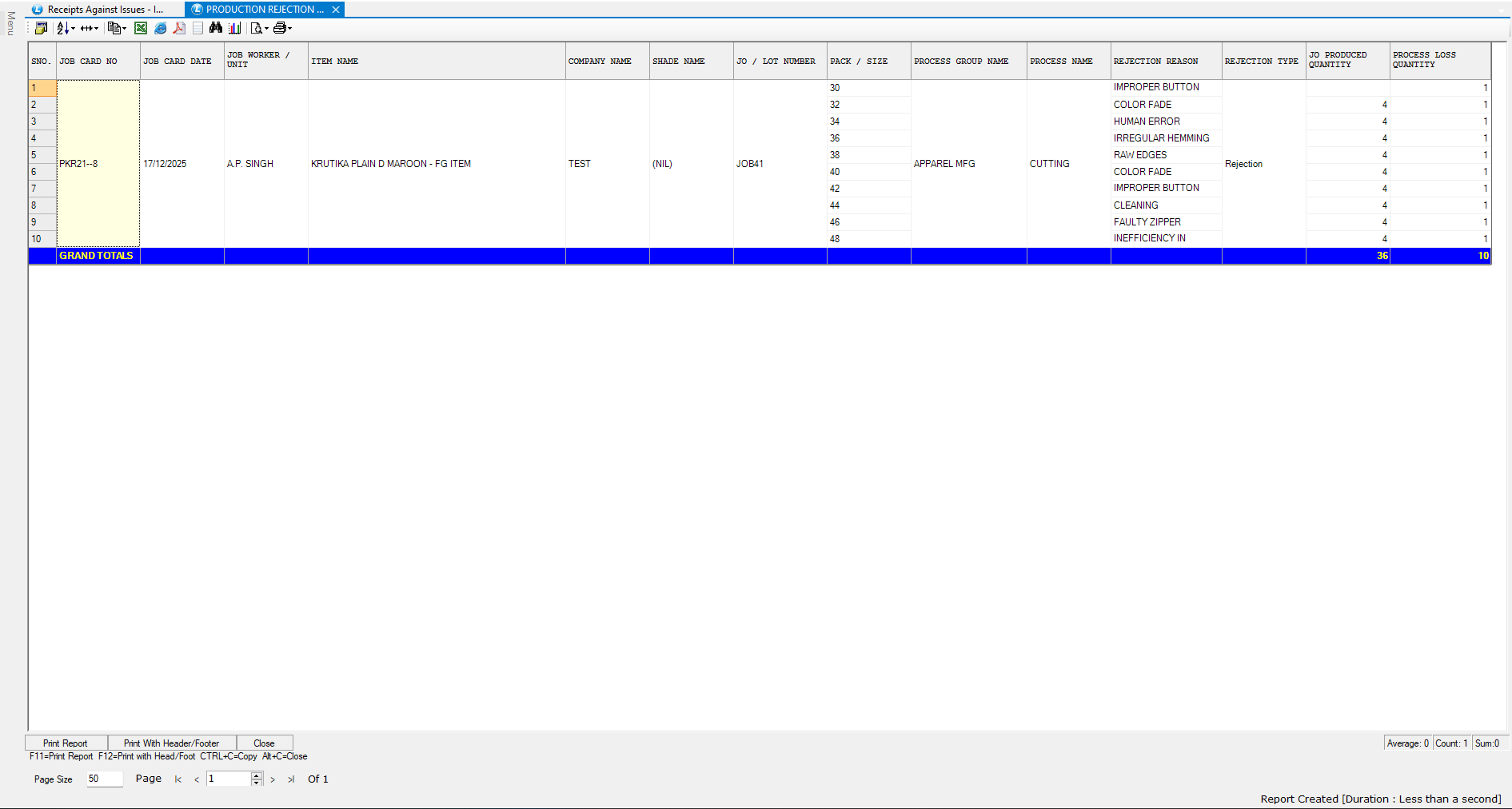
**Refresh the Report**
* Press **F2** to refresh
* The updated layout and data will now be visible
***
## **Conclusion**
The **Production Rejection Report** in Logic ERP provides a comprehensive view of rejected quantities across items, job orders, and processes. With flexible configuration, consolidation, and column customization options, this report helps identify quality issues, analyze rejection patterns, and support continuous process improvement.
---
# Agent Instructions
This documentation is published with GitBook. GitBook is the documentation platform designed so that both humans and AI agents can read, navigate, and reason over technical content effectively. Learn more at gitbook.com.
## Querying This Documentation
If you need additional information that is not directly available in this page, you can query the documentation dynamically by asking a question.
Perform an HTTP GET request on the current page URL with the `ask` query parameter, and the optional `goal` query parameter:
```
GET https://kb.logicerp.com/logic-erp-installation-configuration-and-troubleshooting-solutions/faqs/production/generate-production-rejection-report.md?ask=&goal=
```
`ask` is the immediate question: it should be specific, self-contained, and written in natural language.
`goal` is optional and describes the broader end goal you are ultimately trying to accomplish on behalf of the user. GitBook uses it to tailor the answer towards what is most useful for that goal.
The response will contain a direct answer to the question and relevant excerpts and sources from the documentation.
Use this mechanism when the answer is not explicitly present in the current page, you need clarification or additional context, or you want to retrieve related documentation sections.